 客服热线:
 手机版
 二维码




































EA Cypress
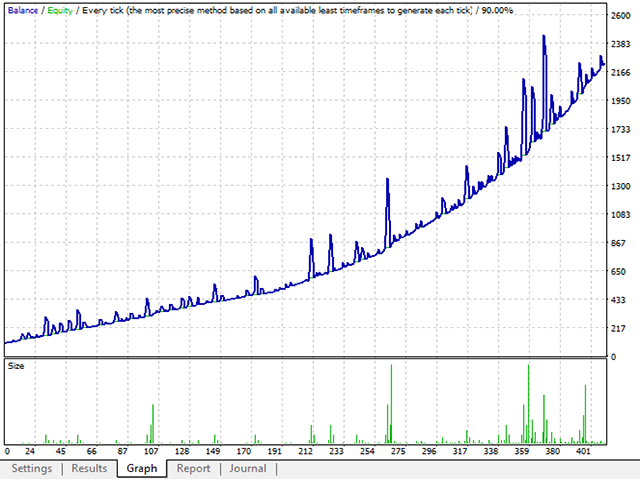
EA Cypress is an expert Advisor for the EURUSD pair, which allows you to trade in a fully automatic mode, as well as to accompany orders opened by the user. To do this, the chart has buttons for switching modes and opening and closing orders. Recommended timeframe is M5. It enters the market based on the RSI and Stochastic indicators. Works market Buy and Sell. It is not provided to work with all the funds, but to leave part of the funds in reserve. When the Show Signal Arrows parameter is enabled, the EA will draw signal arrows on the chart to enter the market, which can be used both for semi-automatic trading and manual trading. When increasing the drawdown, the EA can close some orders with a profit and leave a couple to achieve more profit. Two parameters are responsible for this, BE Orders Count and BE Profit, points. The EA displays information about open positions in two languages, Russian or English (set in the settings), as well as the status of the account and the current profit. There is a news filter to prohibit the opening of orders during the news release. To make the news filter work, enable WebRequest and add the following address: http://ec.forexprostools.com/ in the terminal settings on the "Expert Advisors" tab .
Input parameter
The EA works on both four and five-digit quotes. Parameters specified as 4 digits, the EA will count all 5-digit quotes.
- Select Language - select the language of information display on the chart.
- Trading mode - allows you to choose between automatic and manual trading.
- Max Slippage - Maximum slippage for opening and closing orders. Increase if your broker makes you slippage or quotes come very fast.
- Stop Open BUY - to Prohibit the open buying orders.
- Stop OpenSELL - Prohibit opening of orders for sale.
- Reserve in % - the percentage of reserve funds that will not be used in trading.
- Use Autolot - true - use autolot; false - Do not use.
- Percent for Autolot - Percent of funds for autolot calculation.
- Manual Lot - Lot for trading without using the autolot. When autolot = true is not used.
- Lot Multiplier - how much to multiply the next locking lot.
- Variant Multiplier - multiplier Option: SumLot - multiply the sum of opposite orders; LastLot - multiply the last opened lot.
- Take Profit, points - the number of points for virtual take profit.
- Max Open Orders, one direction - Maximum number of orders in the market of one direction.
- Distance, points - At what distance to open lock position.
- BE Orders Count - the number of orders in the market, after which the EA will start to output all positions to breakeven.
- BE Profit, points - the number of points to display positions to breakeven.
- Use OrderCloseBy Function - use or not close counter orders (check with the broker if it supports this function)
- Micro Account - Support for trading on micro accounts
- RSI period - Period of RSI (Relative Strength Index).
- UpLevel RSI - Upper level for RSI and stochastic for opening Sell orders.
- DownLevel - Lower level for RSI and stochastic for opening Buy orders.
- K-Period Stochastic - K-period of the Stochastic indicator.
- D-Period Stochastic - D-period of the Stochastic indicator.
- Slowing Stochastic - Slowing of the Stochastic indicator.
- Use News Filter - Enable filter by news or not.
- Show Signal Arrows - Draw or not on the chart signal arrows to enter the market.
- Show Info Table - true - Show information block; false - Do not show.
- Font Size - the font Size of the block of information and buttons.
- Show alert Window - Show or not a notification about the signal to open orders.
- Play Sound alert - Issue or no notification sound when receiving signals for opening orders.
- Sound File - sound file for notification. The file must be in WAV format and located in the Sound directory in the folder with the terminal installed.

本店最新上架
-
- MT4 MT5跟单EA 本地跟单远程跟单 绝不

- ¥1100.00
-
- 在MetaTrader市场购买MetaTrader 5的&#

- ¥3988.00
-
- 在MetaTrader市场购买MetaTrader 5的&#

- ¥3988.00
-
- 在MetaTrader市场购买MetaTrader 5的&#

- ¥3988.00
-
- 在MetaTrader市场购买MetaTrader 5的&#

- ¥3988.00
全网为您推荐
-
- AlgoTradeSoft

- ¥3988.00
-
- 国际期货套利软件

- ¥3988.00
-
- MT4 MT5跟单EA 本地跟单远程跟单 绝不
- ¥1100.00
-
- 在MetaTrader市场购买MetaTrader 5的&#
- ¥3988.00
-
- 在MetaTrader市场购买MetaTrader 5的&#
- ¥3988.00


