 客服热线:
 手机版
 二维码




































Shark Surfer EA
Shark Surfer is a new generation Expert Advisor applying a well-established trend-following trading.
The trade period recommended by the developer is H1.
The product is good both for scalping, as well as medium- and long-term trading.
Shark Surfer always sets take profit and stop loss to its deals.
It provides the option to force close all open trades at the specified time before the market closes, which helps avoid unnecessary gaps on Monday.
Shark Surfer trades on all symbols and timeframes. It features multi-currency trading.
The indicator searches for suitable market entry points on an already formed trend.
The EA has been optimized using tick history data, set files are available for the most popular currency pairs.
Features
Automatically trades 10 currency pairs from 1 chart at the same time:
When the Auto trading parameter is set to true, all you need to do is attach the EA to any open symbol (for example, EURUSD). Shark Surfer immediately starts analyzing for favorable trading conditions on the 10 most popular trading pairs.
Forget about .set files in the multicurrency trading mode
All settings from set files are already included in the EA. It will open/close trades based on the parameters preoptimized on the tick history.
Please note that this feature does not work in the strategy tester.
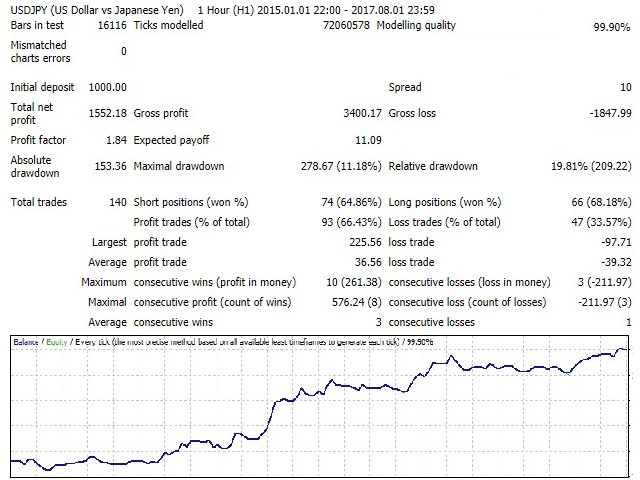
When testing in the strategy tester, make sure that Auto trading = false.
Trading using the set files
If you want to trade only specific currency pairs or currency pairs not on the recommended list. In that case, trade with Auto trading set to false (this mode is also suitable for backtesting).
The EA settings for all popular currency pairs are available in separate set files, which can be used freely.
If you want to trade a currency pair that does not fall into the recommended list, then you should understand that optimization for that pair has not been carried out, and you will need to do the optimization yourself.
The list of the recommended and optimized currency pairs is provided at the end of the description.
Statistics
The indicator displays trading stats on a screen:
- Your account balance
- The EA trade result in the current month
- Percentage change in your account balance between the current day and the beginning of the month
- The number of trades in the current month
- The result of the last closed trade in your account currency
You can change the color of statistics background and font
Settings
- Lot – traded lot size (it is recommended to use 0.05 lot per 1000 currency units).
- Additional points for breakeven – the number of additional profit points that are added to the opening price of a trade after moving the stop loss to breakeven.
- Friday TimeClose – time to force close all trades on Friday (00:00 - do not close).
- BarsBehind – the number of previous bars to set the stop loss.
- Price level for building a range – price level for building the trading range (0-100).
- Breakeven level – TP ratio, at which SL is moved to breakeven (0.0-0.9).
- Additional level for building a range – additional price level for building the trading range (0-200).
- Unidirectional trades – the maximum number of trades in the same direction.
- Multiplier for TP from SL – TP to SL ratio.
- Auto trading – mode for automatically trading 10 currency pairs from one chart.
- Statistics On/Off – show/hide the statistics.
- Statistics: Background – change the background color of statistics.
- Statistics: Color font – change the font color of statistics.
- Magic number - magic number.
Recommended currency pairs for trading:
(used for multicurrency trading)
- EURUSD
- GBPUSD
- AUDUSD
- NZDUSD
- USDJPY
- USDCHF
- USDCAD
- EURCHF
- GBPJPY
- EURGBP

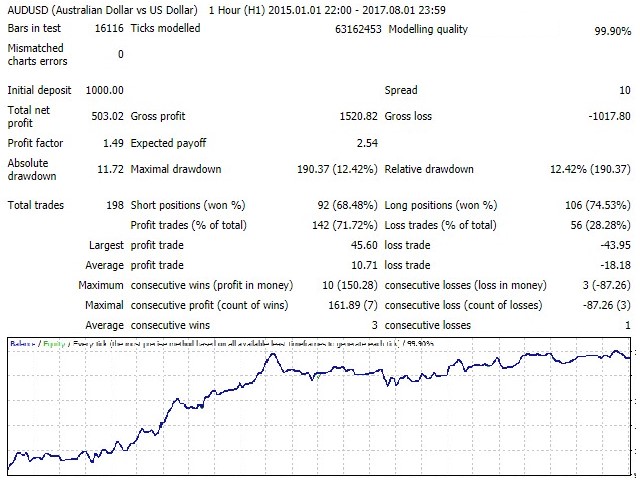
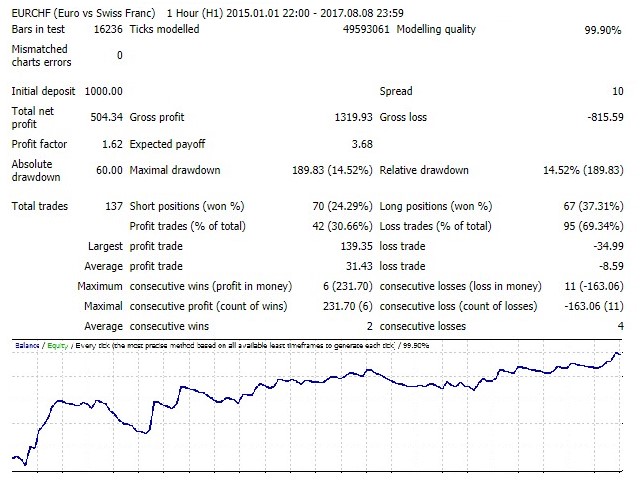
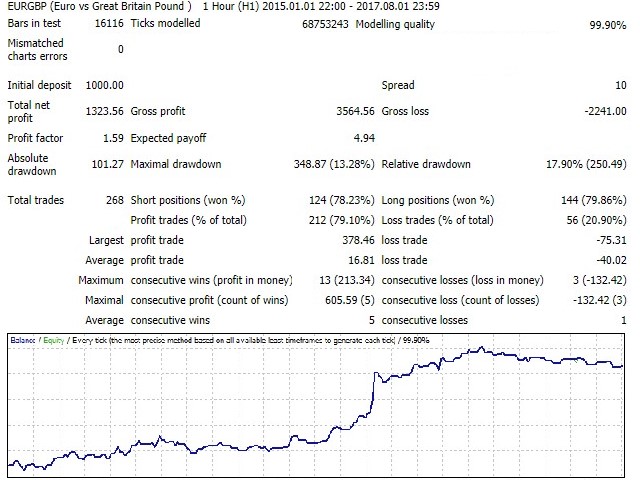
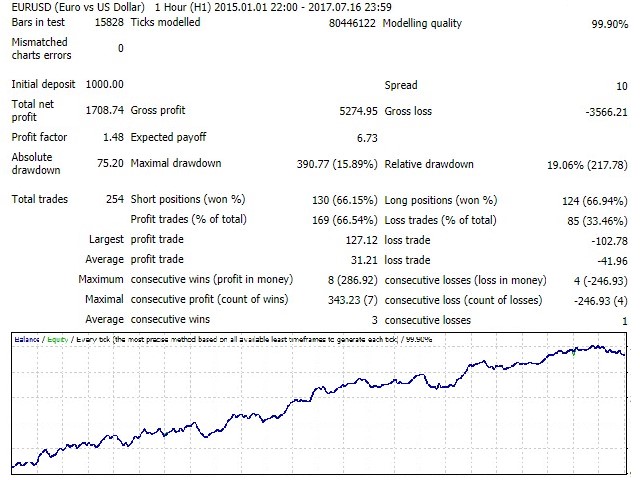
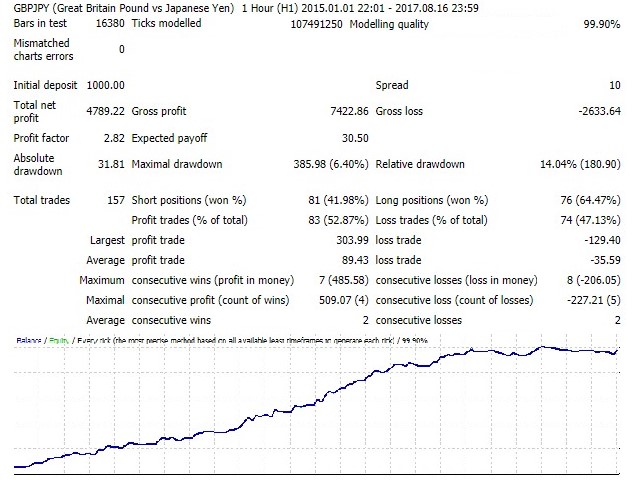
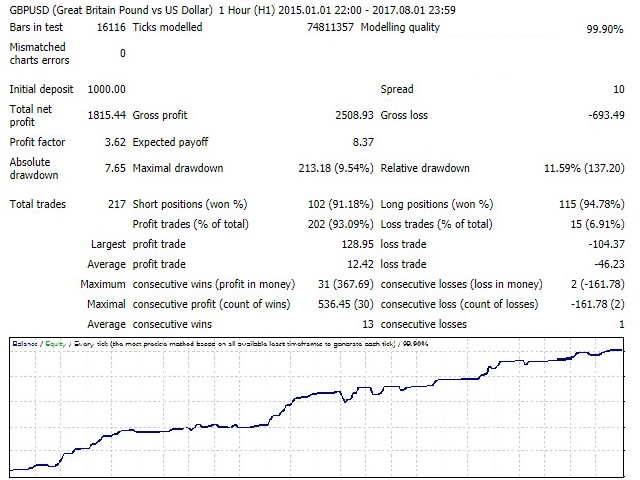
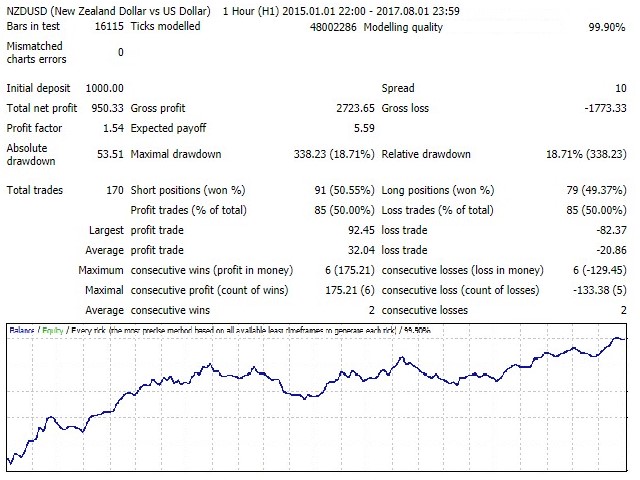 nload="if(window.viewGallery_GalleryManager) viewGallery_GalleryManager.ImageonLoad(this,7);" />
 nload="if(window.viewGallery_GalleryManager) viewGallery_GalleryManager.ImageonLoad(this,8);" />
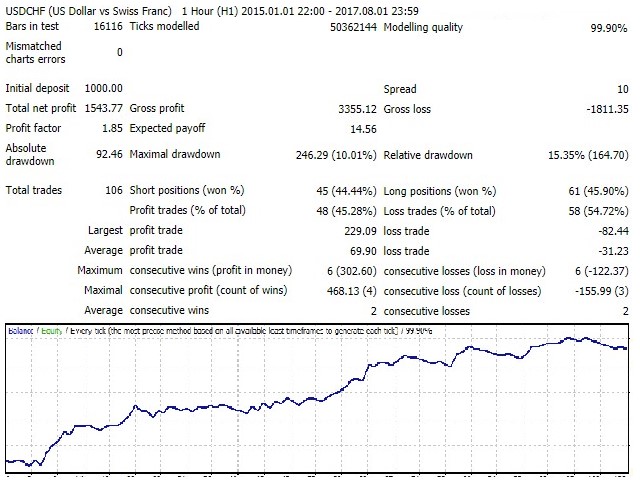 nload="if(window.viewGallery_GalleryManager) viewGallery_GalleryManager.ImageonLoad(this,9);" />
 nload="if(window.viewGallery_GalleryManager) viewGallery_GalleryManager.ImageonLoad(this,10);" />
本店最新上架
-
- MT4 MT5跟单EA 本地跟单远程跟单 绝不

- ¥1100.00
-
- 在MetaTrader市场购买MetaTrader 5的&#

- ¥3988.00
-
- 在MetaTrader市场购买MetaTrader 5的&#

- ¥3988.00
-
- 在MetaTrader市场购买MetaTrader 5的&#

- ¥3988.00
-
- 在MetaTrader市场购买MetaTrader 5的&#

- ¥3988.00
全网为您推荐
-
- AlgoTradeSoft

- ¥3988.00
-
- 国际期货套利软件

- ¥3988.00
-
- MT4 MT5跟单EA 本地跟单远程跟单 绝不
- ¥1100.00
-
- 在MetaTrader市场购买MetaTrader 5的&#
- ¥3988.00
-
- 在MetaTrader市场购买MetaTrader 5的&#
- ¥3988.00


