 客服热线:
 手机版
 二维码























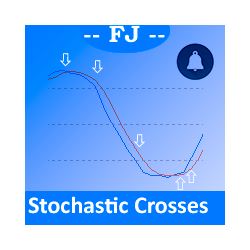














FJ Stochastic alerts
This indicator is intended to solve all kind of lines K and D crosses to generate different alerts when needed, and multicolored K line.
Features
- You can define an Stochastic as you could do on metaTrader native Stochastic indicator, all the parameters are copied to get it.
- You can show all the K and D lines crosses
- You can select from all the K and D crosses only those that accomplish a minimum angle to filter crosses that aren't made with enough strength
- You can generate alerts when Oversold and Overbought areas are reached
- When it leaves those areas too
- You can define the level areas for Oversold and Overbought
- You can define 2 time windows to show the crosses
- You can define if you want alerts on main MT4 window, messages to your mobile phone, or by e-mail
- K line can be defined with different color if it moves up or down
May be you could find useful to add 2 of my stochastics at the same chart. The first one configured quick to show you the crosses between K and D lines. And a second one slow, configured only to show you whet it enters to overbought or oversold areas.
Indicator Parameters
- KColorGoingUp - Choose here the color that you want for the Stochastic K line when it moves UP
- KColorGoingDown - Stochastic K color line when it moves DOWN
- DColor=clrSalmon - Color of the secondary D Line of Stochastic
- UpArrowColor - When selected crosses between K and D lines appear, you can define here the color of the arrow that is drawn over the Stochastic chart
- DownArrowColor - The color of the arrow that is drawn over the Stochastic chart when a down signal appears
- KPeriod - The same parameter used to build an standard stochastic - Periods to calculate K line
- DPeriod - The same parameter used to build an standard stochastic - Periods to calculate D line
- Slowing - The same parameter used to build an standard stochastic - Slowing parameter
- MA_Method - A select box where you can choose the method of Moving Average, the same as a common MA_Method parameter from the standard indicator
- Simple
- Exponential
- Smoothed
- Linear Weighted
- PriceType - A select box where you can choose the type of price, the same as a common price type parameter from the standard indicator
- Low/High
- Close/Close
- ShowK_D_Crosses - A Select type box to select if you want or not to show crosses signals over the chart
- ShowK_D_CrossesSignalsonlyWithGoodAngle - For some people it is useful if you select only the best crosses and the angle that it produce is interesting for people
- Angle_Amount_From_1_to_89 - The amount of angle. Between 80 and 89 are the most significant force in angles
- ShowK_EntriesToOverSoldOverBoughtAreas - It will allow you to select if you need to be alerted when it enters to oversold or overbought areas
- ShowK_ExitsFromOverSoldOverBoughtAreas - The same as previous parameter but for exist from those areas
- OverBoughtLevel - You can define here the level you want for Overbought, 80 or 75 for example
- OverSoldLevel - 20 or 25 for example here
- onlyUseCrossesAtUserDefinedTimeWindow - Depending on the pair, index or stock you work on, you could find useful to select 2 timeframes to be alerted only between these two temporal window. This is a boolean, and if selected to true, the following parameters are needed
- UserDefinedTimeWindow1_FromHour - First time Window. Introduce here an integer value to represent the hour value @Brokertime
- UserDefinedTimeWindow1_FromMinute - The same for Minute @Brokertime
- UserDefinedTimeWindow1_TillHour - Numerical integer for ending hour time
- UserDefinedTimeWindow1_TillMinute - Integer for minute ending time
- UserDefinedTimeWindow2_FromHour - This and the following parameters are for the second temporal window
- UserDefinedTimeWindow2_FromMinute
- UserDefinedTimeWindow2_TillHour
- UserDefinedTimeWindow2_TillMinute
- ShowalertsonWindow - Boolean, a select to define if you want to be alerted by the alerts MT4 window
- SendNotificationToMobile - Boolean, define if you want to be alerted to your MT4 app on your phone or tablet
- SendEmail - Boolean, you can be e-mailed to your e-mail one it is configured on your MT4 Platform


本店最新上架
-
- MT4 MT5跟单EA 本地跟单远程跟单 绝不

- ¥1100.00
-
- 在MetaTrader市场购买MetaTrader 5的&#

- ¥3988.00
-
- 在MetaTrader市场购买MetaTrader 5的&#

- ¥3988.00
-
- 在MetaTrader市场购买MetaTrader 5的&#

- ¥3988.00
-
- 在MetaTrader市场购买MetaTrader 5的&#

- ¥3988.00
全网为您推荐
-
- AlgoTradeSoft

- ¥3988.00
-
- 国际期货套利软件

- ¥3988.00
-
- MT4 MT5跟单EA 本地跟单远程跟单 绝不
- ¥1100.00
-
- 在MetaTrader市场购买MetaTrader 5的&#
- ¥3988.00
-
- 在MetaTrader市场购买MetaTrader 5的&#
- ¥3988.00


