 客服热线:
 手机版
 二维码





































Shark Expert Advisor
This EA is working based on our Shark indicator (https://www.mql5.com/en/market/product/22786). After forward testing this EA for more than 2 months and publishing live signals on our Telegram channel https://t.me/SharkChannel, we received so many positive feed-backs from the clients. Therefore, I decided to put this simple but nice EA on the Market!
The robot is multi pair and multi timeframe. So it can monitor several instruments on different timeframes to find shark patterns and then trades based on this pattern.
You can use this Robot as a fully automated trading system. Or you can use it as a trigger for your entry points with your own trading systems.
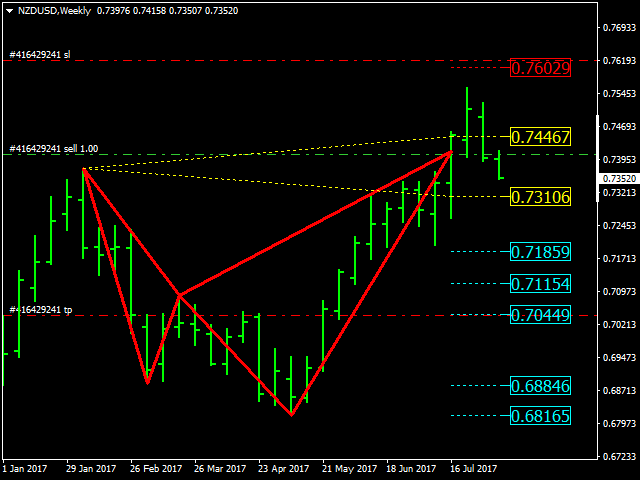
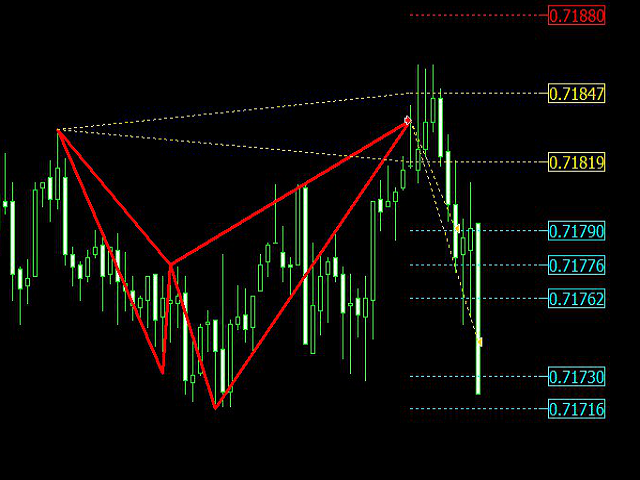
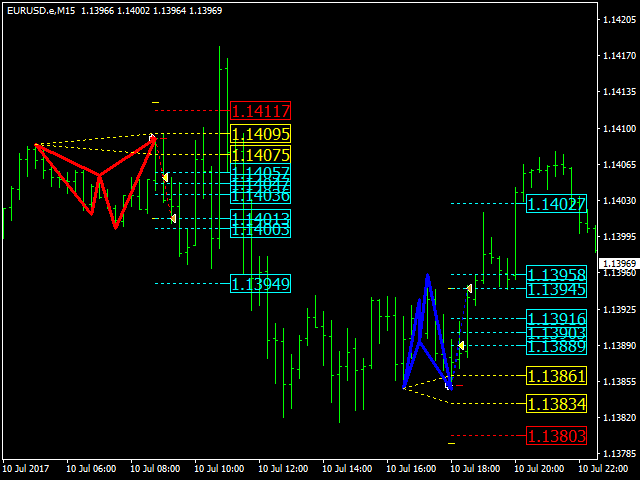
Entry point, Stop loss and take profit are well defined based on Shark pattern!
On both Bullish and Bearish Sharks patterns we have two entry points which are indicated by golden lines.
Stop loss is indicated by red line and finally we have 6 take profit points which are indicated by blue lines.
Expert Advisor Advantages
- Multi asset
- Multi timeframe
- Efficient risk/reward ratio
- All positions have stop loss and take profit
- Risk is adjustable
- Partial closing
- Trailing
- Can be used for scalping
- Start and stop time
- Have built-in shark indicator
- Possible to disable the auto trade and use the patterns in manual trading
Recommended Usage
- The Performance of the EA on higher timeframes is much better.
- It is important to have a good communication channel for connection with the broker server. Therefore, it is recommended to use the VPS.
Parameters
- MagicNumber - If you want to run multiple instances of this EA with different settings Use different MagicNumbers
- ECN=true/false - If your account is ECN then set this parameter to true
- startTime - The EA start trading at this time, and this is based on your broker time. If you don't want to have start time set it to -1;
- stopTime - The EA stop trading at this time, and this is also based on your broker time. (At this time the EA stops opening new trades but the other functions are still working!) If you don't want to have stop time set it to 25;
- trade=true/false - If you want to use this EA as a signal and do not want to use auto-trading then set this parameter to false
- alert=true/false - If you want to have alert on each new signals then set it to true
- showShark=true/false - If set this option to true then you will see the shark patterns on new chart! When shark pattern hits stop loss or take profit or your positions trailed and closed that chart will be closed.
- LIST=”EURUSD,GBPUSD,AUDUSD” - List of the instruments separated by comma which you want to monitor and trade
- M1=false/true - if you want to Monitor this timeframe then set it to true!
- M5= false/true - if you want to Monitor this timeframe then set it to true!
- M15= false/true - if you want to Monitor this timeframe then set it to true!
- M30= false/true - if you want to Monitor this timeframe then set it to true!
- H1= false/true - if you want to Monitor this timeframe then set it to true!
- H4= false/true - if you want to Monitor this timeframe then set it to true!
- D1= false/true - if you want to Monitor this timeframe then set it to true!
- W1= false/true - if you want to Monitor this timeframe then set it to true!
- Lot=0; - If you set it to some number other than zero then the fixed lot will be used by EA, otherwise the Lot will be calculated automatically based on the Risk parameter
- Risk=0.5; - This is the amount of risk percentage. If the position hits stop loss then you will lose this much percentage of your account. This works only if you set Lot=0
- PartialClose=true/false - If this option is true then your position will be closed partially at some percentage of take profit.
- closeTpPercentage=50 - If you set this to 50 then some part of your position will be closed at half way of your take profit
- closePercentage=30 - If you set this to 30 then 30% of your volume will be closed partially.
- Trailing=false/true - If you set it true then your stop loss will be trailed if your position was in profit!
- trailStep=100 - This parameter is in points so if you set it to 100 then your position will be trailed after it was 10 pips in profit!
本店最新上架
-
- MT4 MT5跟单EA 本地跟单远程跟单 绝不

- ¥1100.00
-
- 在MetaTrader市场购买MetaTrader 5的&#

- ¥3988.00
-
- 在MetaTrader市场购买MetaTrader 5的&#

- ¥3988.00
-
- 在MetaTrader市场购买MetaTrader 5的&#

- ¥3988.00
-
- 在MetaTrader市场购买MetaTrader 5的&#

- ¥3988.00
全网为您推荐
-
- AlgoTradeSoft

- ¥3988.00
-
- 国际期货套利软件

- ¥3988.00
-
- MT4 MT5跟单EA 本地跟单远程跟单 绝不
- ¥1100.00
-
- 在MetaTrader市场购买MetaTrader 5的&#
- ¥3988.00
-
- 在MetaTrader市场购买MetaTrader 5的&#
- ¥3988.00


