 客服热线:
 手机版
 二维码





































EZT ChartChanger
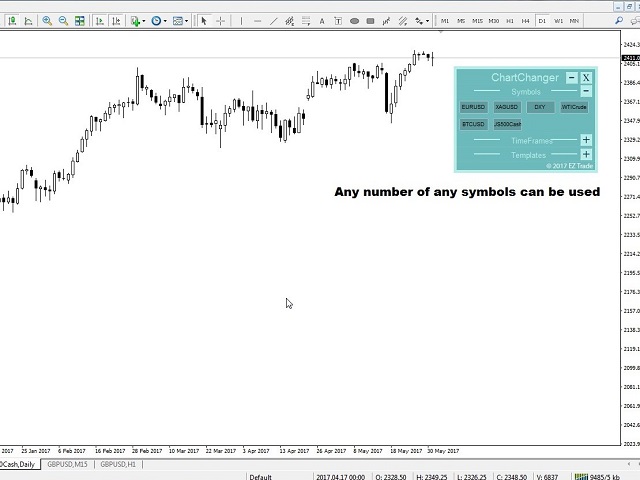
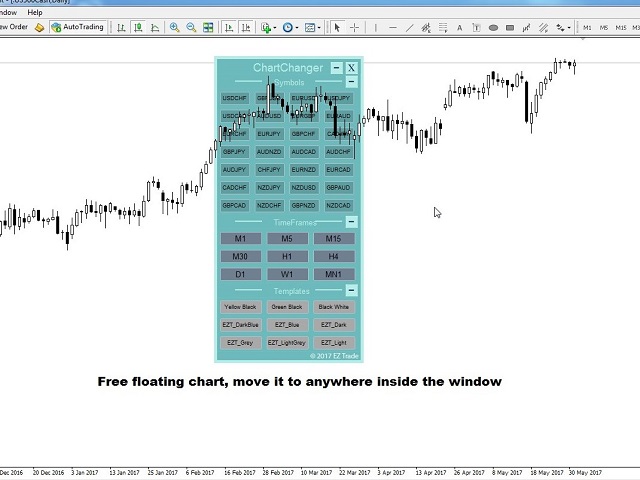
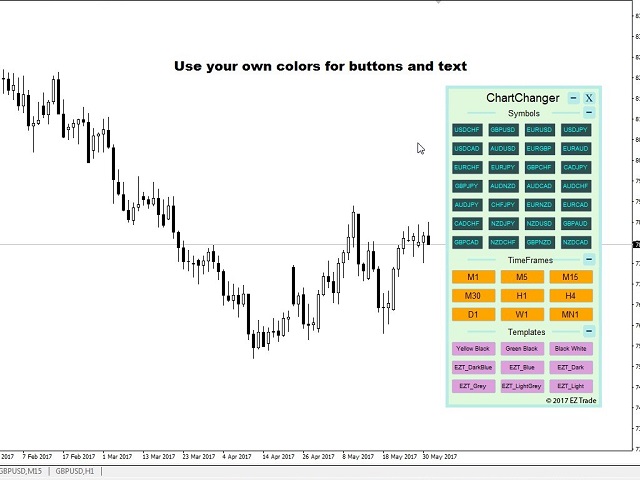
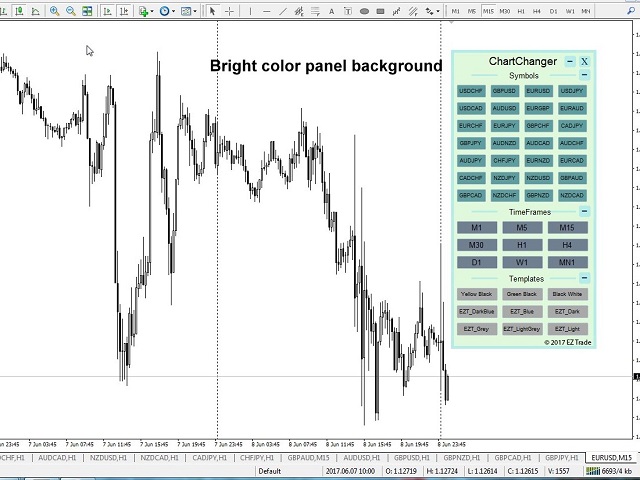
The ChartChanger is a great utility tool to reduce the number of open charts on your terminal. There is three section to it: Symbols, Time frames and Templates. You need only one chart to be open and still you can scroll up to multiple ones.
- Symbols: With the push of a button you can change from one symbol to another, and your applied indicators will stay on the next chart. For the symbols there is an auto detection mode, or you can manually enter the desired ones. You can use all 28 or any number below that. You can use any symbols your metaTrader has: Currency pairs, Energies, Indices, Commodities etc.
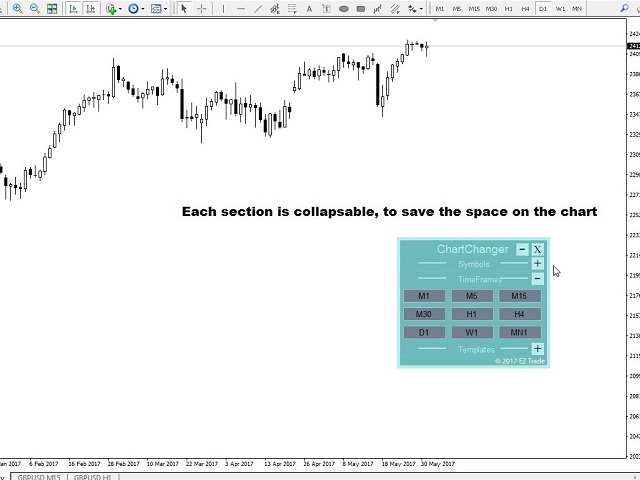
- Time frames: Added feature the time frame changer, in the middle of the panel. With the push of a button you can change to the desired time frame, from the 1 minute to the monthly chart.
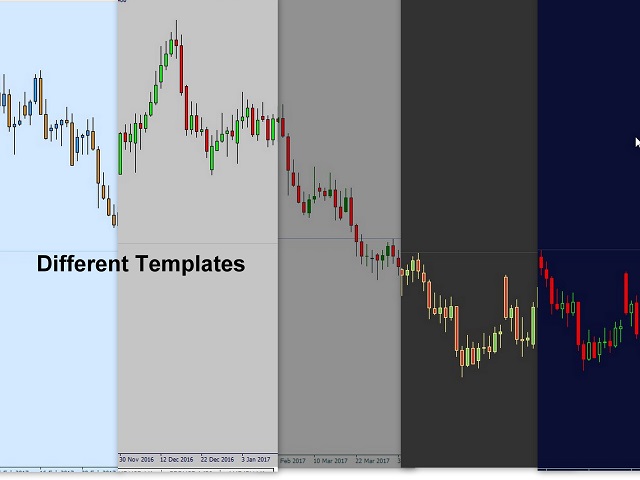
- Templates: The third feature of this panel is the template changer. Nine built in templates, use any or none.
All the buttons are inside of a free floating panel. Put your cursor on the top side of the panel and with the left click on your mouse you can freely move the panel anywhere on the chart. You cannot move the panel out from the price chart window.
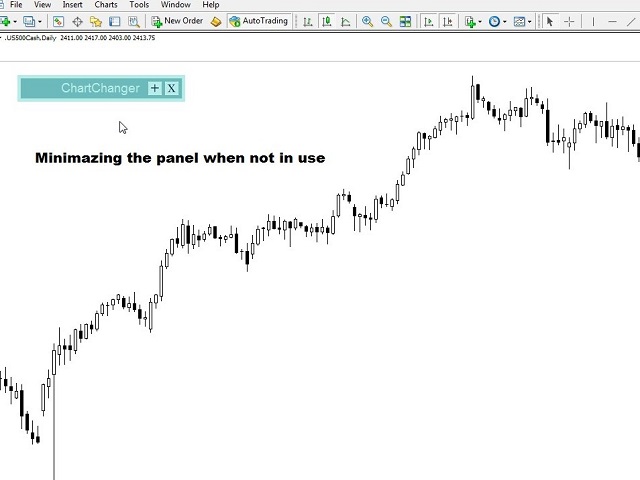
Each three section you can collapse or expand with the “+” or “– “buttons on the right top side of the section. With this feature when the panel not in use you can minimize the space what taken out from your price chart.
Please note: In one chart only one ChartChanger can be used. Cannot be back tested.
The buttons of the three section of the ChartChanger panel can be individually edited by: Text color, text size, bold text? (True or false) and background color.
The main panel background color is not editable, you only have two color choices as already described in the settings first point.
There is a limited free version of this ChartChanger in the Utilities section. Try the free version out to see how it’s really works and experience the advantages of this great tool.
Settings
- Color tone: The background color of the panel. You have two options: Bright or Dark.
- Show Symbol Panel: You can choose not to display the symbols on the panel.
- Symbol finding mode: You can choose auto or manual. The auto feature will detect the first 28 symbols on your metaTrader 4. When you choose manual, you have to enter the desired number of chosen symbols one by one.
- Manual Symbol 1-28: Enter the desired symbol exact name, one only for each line.
- Show Time frame panel: True or false.
- Show Template panel: True or false.
本店最新上架
-
- MT4 MT5跟单EA 本地跟单远程跟单 绝不

- ¥1100.00
-
- 在MetaTrader市场购买MetaTrader 5的&#

- ¥3988.00
-
- 在MetaTrader市场购买MetaTrader 5的&#

- ¥3988.00
-
- 在MetaTrader市场购买MetaTrader 5的&#

- ¥3988.00
-
- 在MetaTrader市场购买MetaTrader 5的&#

- ¥3988.00
全网为您推荐
-
- AlgoTradeSoft

- ¥3988.00
-
- 国际期货套利软件

- ¥3988.00
-
- MT4 MT5跟单EA 本地跟单远程跟单 绝不
- ¥1100.00
-
- 在MetaTrader市场购买MetaTrader 5的&#
- ¥3988.00
-
- 在MetaTrader市场购买MetaTrader 5的&#
- ¥3988.00


