 客服热线:
 手机版
 二维码




































Trend Compound
Trend Compound is a trend indicator using a mix of 3 internal other indicators.
Please have a look at "how to test in the tester" at the bottom of this page before to test.
- It's designed to be used by anyone, even the complete newbie in trading can use it.
- Trend Compound does not repaint.
- Indications are given from close to close.
- Trend Compound can be used alone, no other indicators are required.
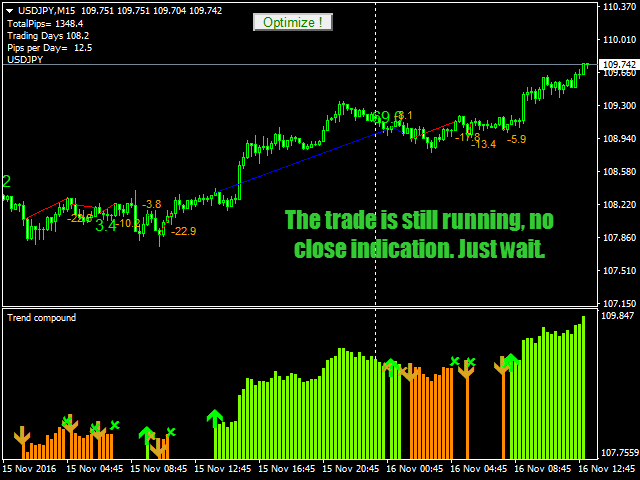
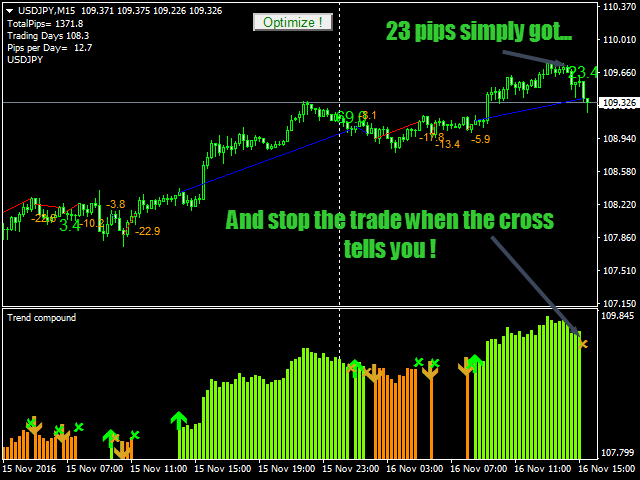
Trend Compound indicates
- Where to open your trades.
- When to close them.
- The potential quantity of pips that can be caught
Trend Compound works
- With any instrument like FX pairs, indexes, metals, futures or whatever...
- At any timeframe.
- With any broker.
Trend Compound Features
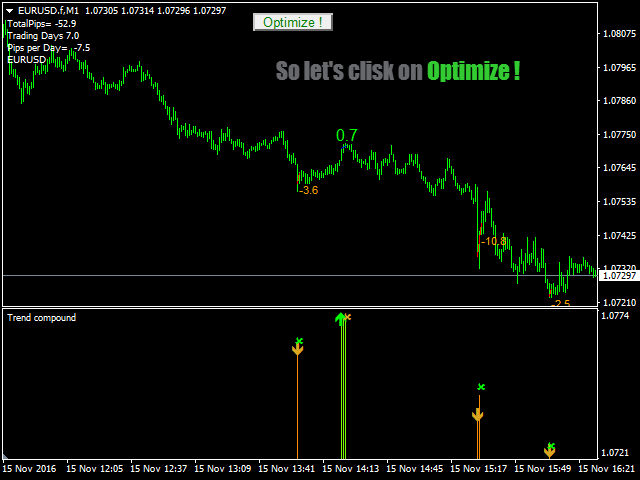
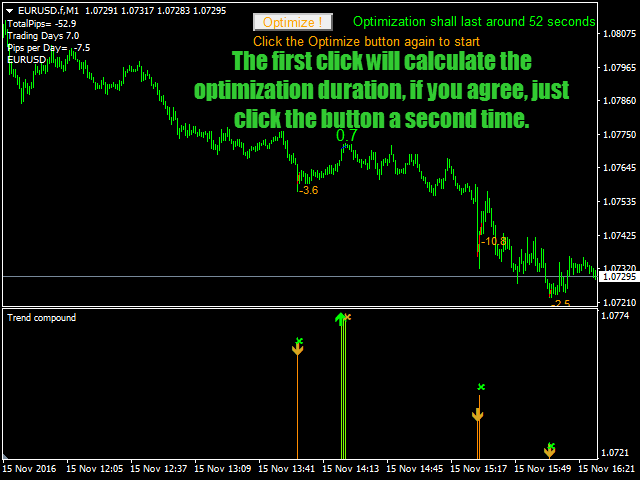
- Direct on chart optimization.
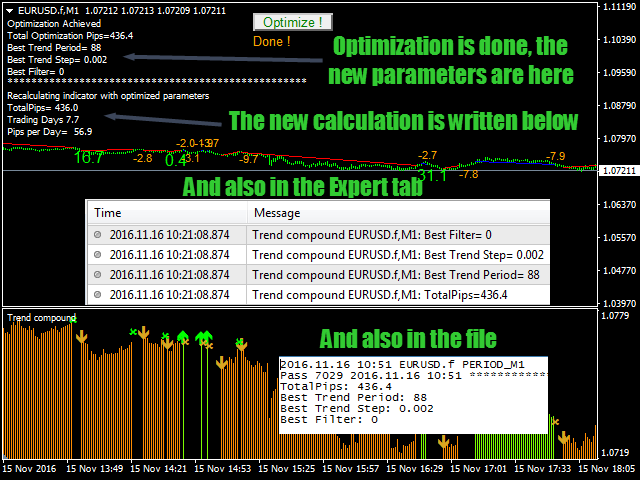
- The possibility to record the optimization to a file sorted by Broker, Timeframe and Instrument.
- Tell you hom many time the optimization will last.
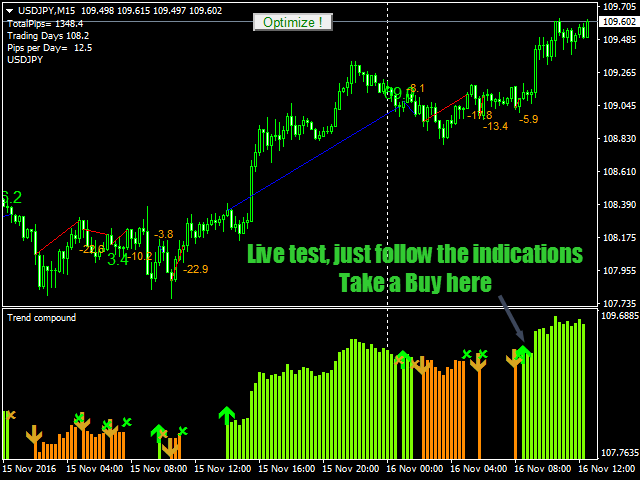
- Shows you what to do on a separated window and also on chart
How to use Trend Compound
- Just put it on your chart(s).
- Choose your favorite colors.
- Run the optimization then the best settings will be directly implemented.
- And simply follow the arrows indications.
Inputs
- Trend Period: The period for the main trend indicator
- Trend Step: The step to follow the trend and give the stop indication.
- Range Filter: Sets the channel limit to filter ranging period
- Show Optimize Button: Will display or not the on chart optimization button.
- WriteOptimizationToFile: Will enable or not the optimization file writing; each name is unique; this allows you to keep a "library" of all your optimizations
How to test in the tester ?
- Select the period you want to test, for example from 1st January 2016 up to now.
- Start the test in each tick or open prices, Trend Compound will act exactly the same, don't care about the results as optimization is not done yet.
- once the backtest is over, click the on chart optimization button and wait (the MT4 terminal will freeze during this time)
- When optimization is done, have a look at the results; you shall have positive daily pips, if not, change for a slower Timeframe. Most of the time M15 and M30 works well but M1 also works well especially for EURUSD.
- Most reliable results are the one found over long periods, like 240 days (one trading year)
- The optimization time can last more or less according to you computer's speed and memory; averagely you can count one 1 Minute for 10 000 bars calculated.

本店最新上架
-
- MT4 MT5跟单EA 本地跟单远程跟单 绝不

- ¥1100.00
-
- 在MetaTrader市场购买MetaTrader 5的&#

- ¥3988.00
-
- 在MetaTrader市场购买MetaTrader 5的&#

- ¥3988.00
-
- 在MetaTrader市场购买MetaTrader 5的&#

- ¥3988.00
-
- 在MetaTrader市场购买MetaTrader 5的&#

- ¥3988.00
全网为您推荐
-
- AlgoTradeSoft

- ¥3988.00
-
- 国际期货套利软件

- ¥3988.00
-
- MT4 MT5跟单EA 本地跟单远程跟单 绝不
- ¥1100.00
-
- 在MetaTrader市场购买MetaTrader 5的&#
- ¥3988.00
-
- 在MetaTrader市场购买MetaTrader 5的&#
- ¥3988.00


