 客服热线:
 手机版
 二维码




































Moving Average Cross Close
Managing risk is crucial if you want to be successful in trading the Forex market.
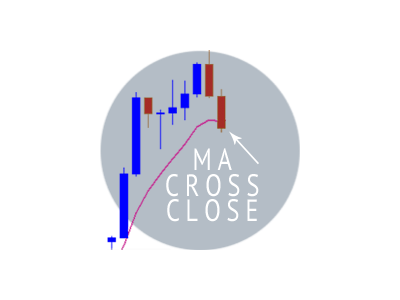
The purpose of the Moving Average Cross Close is to close your trade automatically once price closes above your choice of moving average time period, in a short trade or below the moving average in a long trade.
Having the ability to automatically close open trades under these conditions, gives you the discipline to close trades that are beginning to move against you. As we all know, it is often difficult to close a trade that is in profit and begins to retrace. Many of us hope that price is not reversing and we wind up losing all of our profit and at times we even allow price to go as far as our stop loss. If this has happened to you, I'm sure that you know how painful that can be. The Moving Average Cross Close EA takes out the human emotions that we all face by automatically closing the trade once the moving average of your choice has been breached.
The Moving Average Cross Close also gives you the benefit and confidence of walking away from your screen while you are in a winning trade. Since you are not tied to your screen you have the ability to live your life. The Moving Average Cross Close allows you to go to bed, to work, out to eat, etc. with confidence, knowing that the trade will be managed to potentially secure your profit.
The moving average automatically follows price and gives your trade enough breathing room to keep you in the game. This strategy often helps you to capture more pips on extended moves.
Moving Average Close is a tool that closes an open trade when the current bar Close Price crosses above a defined Moving Average for a SELL or below the Moving Average for a BUY.
Moving Average Close is used for trade management.
Expert Parameters
- Moving Average Period: Average period for calculation.
- Moving Average Timeframe: Predefined timeframes of charts.
- Moving Average Method: Predefined smoothing method of Moving Average.
- Screenshot On Close: Saves current chart screen on close of trade
- Screenshot File Name Prefix: Screenshots are placed in the file directory.
Examples for use
- If a Buy trade is opened while price is above the Moving Average, the trade will be exited by the Expert Advisor at the open of the candle following a closed bar below the Moving Average
- If a Buy trade is opened while price is below the Moving Average, the trade will be exited by the Expert Advisor, only after a bar closes above the moving average and then a subsequent candle closes below the Moving Average.
- If a Sell trade is opened while price is below the Moving Average, the trade will be exited by the Expert Advisor at the open of the candle following a closed bar above the Moving Average
- If a Sell trade is opened while price is above the Moving Average, the trade will be exited by the Expert Advisor, only after a bar closes below the moving average and then a subsequent candle closes below the Moving Average
- The Moving Average Period is variable. Open properties input tab. Double click the tab next to Moving Average Period and enter the Period number desired.
- The Moving Average Timeframe is Variable. Choose from drop down menu in properties input tab. Double click on tab next to Moving Average Timeframe to choose Current, 1M, 5M, 15M, 30M, 1 Hour, 4 Hours, 1 Day, 1 Week, 1 Month. Be aware that the trade will be managed according to the moving average based on the timeframe set in properties regardless of the timeframe chart displayed. When timeframe is set to current and chart is changed to a different timeframe, the trade will be managed according to the moving average of the timeframe displayed which will effect when the trade closes.
- The Moving Average method is variable. Choose from drop down menu in properties input tab. Double click on tab next to Moving Average Method to choose Simple, Exponential, Smoothed or Linear weighted Moving Average
- Expert Advisor has a Screenshot on close of the trade Function. Choose from drop down menu in properties input tab. Double click on tab next to Screenshot on close to choose true (for screenshot) or false (no screenshot)
- Screenshots are stored in meta-trader /MQL4/Files/ScreenShots folder.
- Path for Screenshots: File -> Open Data Folder -> MQL4 folder -> Files -> ScreenShots - once in ScreenShots folder, open the sub-folder with the currency pair and timeframe for the closed trade. Screenshot File name default prefix is FXPROPHET_MA_.
- The default File name prefix can be changed. Choose from drop down menu in properties input tab. Double click on tab next to the Screenshot File Name Prefix and type in the desired file name prefix.
It is recommended that you use a hard stop loss on your brokers platform in addition to using this expert advisor.

本店最新上架
-
- MT4 MT5跟单EA 本地跟单远程跟单 绝不

- ¥1100.00
-
- 在MetaTrader市场购买MetaTrader 5的&#

- ¥3988.00
-
- 在MetaTrader市场购买MetaTrader 5的&#

- ¥3988.00
-
- 在MetaTrader市场购买MetaTrader 5的&#

- ¥3988.00
-
- 在MetaTrader市场购买MetaTrader 5的&#

- ¥3988.00
全网为您推荐
-
- AlgoTradeSoft

- ¥3988.00
-
- 国际期货套利软件

- ¥3988.00
-
- MT4 MT5跟单EA 本地跟单远程跟单 绝不
- ¥1100.00
-
- 在MetaTrader市场购买MetaTrader 5的&#
- ¥3988.00
-
- 在MetaTrader市场购买MetaTrader 5的&#
- ¥3988.00


