 客服热线:
 手机版
 二维码




































Manager
A new way of managing your trades – efficiently, automatically and with no emotions.
Control various markets and manage many different trades at one moment.
Grasp your competitive advantage and ultimately find out what profitable trading looks like!
Trademanager is a piece of software developed for MT4 platforms. This tool enables you to completely set up all parameters for many different trades on many different markets – at one time and with no emotions as psychological obstacles.
Must-need tool for all intraday traders who trade mainly for quick moves and are influenced by the psychological aspects the most.
Functions and features
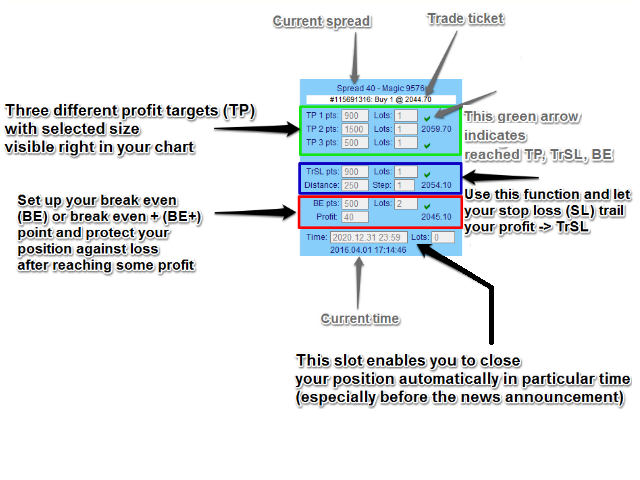
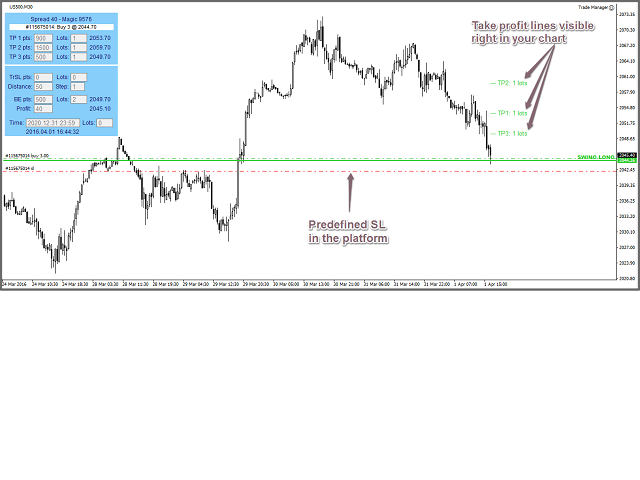
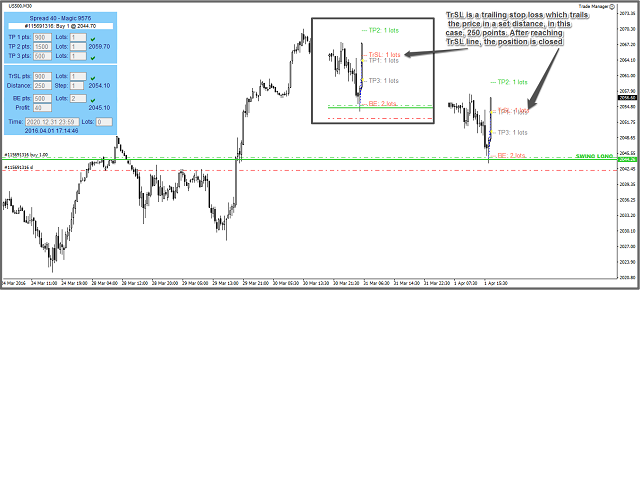
- You can set up to three different profit targets for different volume
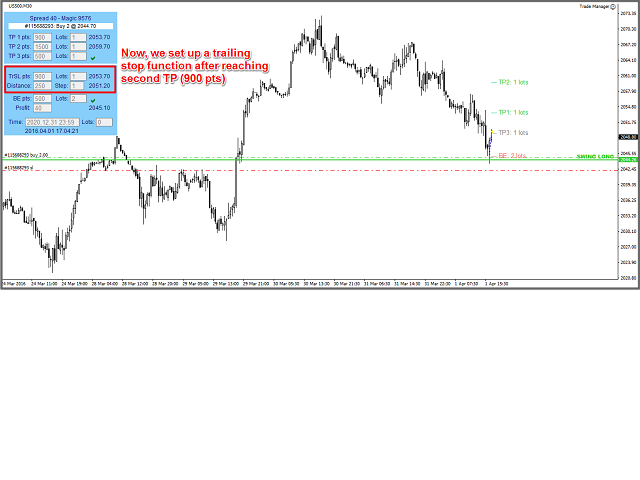
- Use a trailing stop (TrSt) function and get maximum out of every single trade!
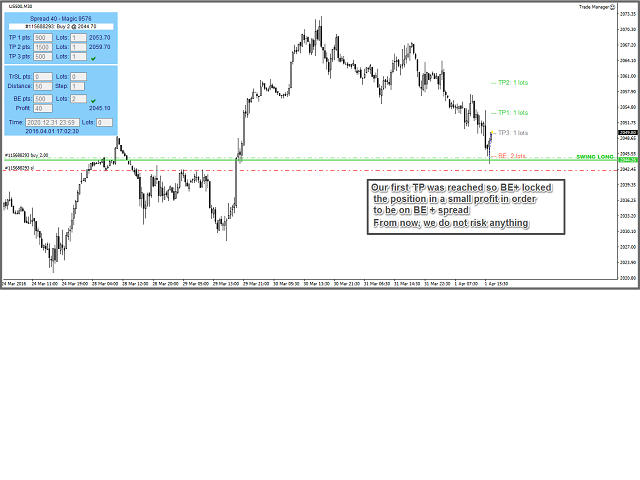
- Set up a breakeven point and reduce the risk taken after reaching a certain profit
- Choose exact time when you want to get rid of your position or even its part – inevitable especially in order to stay protected against news announcement
- Watch current spread every time you execute a new trade and get perfect, low-cost timing
- Automatically manage more than one trade on one instrument at the time
- Possibility to set trading parameters even for pending orders
Settings are configured directly in MT4, description is in Screenshots
- Magic: Change this number only if you want to have more than one trade simultaneously on the same pair managed by Manager. For example, if you want to have two trades on EURUSD managed simultaneously, open two windows with EURUSD and insert TradeManager into both of them. By changing the "Magic" value, you are now able to have both trades managed simultaneously for the same market (EURUSD) with different settings. Magic number is therefore a way how to distinguish between 2 and more trades for the same instrument at the same time.
- Slippage: Set boundaries for a slippage you might get when getting in/out a trade (in points).
- WinYpos: Change values and move the table on the y axis.
- WinXpos: Change values and move the table on the x axis.
- WinSide: Choose from three predefined settings (left, right and center) and define the placement of the table on a chart.
- WinColor: Color for the background of the table.
- TextColor: Color for the text on the table.
- TP_LineColor: Color for the profit target lines that appear right in a chart.
- TP_LineColor: Color for the SLTr lines that appear right in a chart.


本店最新上架
-
- MT4 MT5跟单EA 本地跟单远程跟单 绝不

- ¥1100.00
-
- 在MetaTrader市场购买MetaTrader 5的&#

- ¥3988.00
-
- 在MetaTrader市场购买MetaTrader 5的&#

- ¥3988.00
-
- 在MetaTrader市场购买MetaTrader 5的&#

- ¥3988.00
-
- 在MetaTrader市场购买MetaTrader 5的&#

- ¥3988.00
全网为您推荐
-
- AlgoTradeSoft

- ¥3988.00
-
- 国际期货套利软件

- ¥3988.00
-
- MT4 MT5跟单EA 本地跟单远程跟单 绝不
- ¥1100.00
-
- 在MetaTrader市场购买MetaTrader 5的&#
- ¥3988.00
-
- 在MetaTrader市场购买MetaTrader 5的&#
- ¥3988.00


