 客服热线:
 手机版
 二维码






















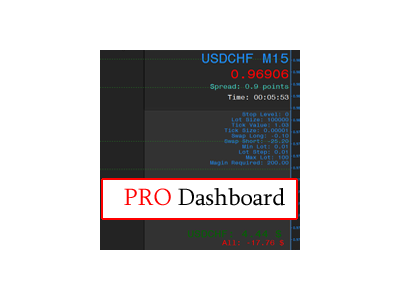














Dashboard Pro
New and updated version of the Mini Dashboard indicator https://www.mql5.com/en/market/product/16653
The Show Information block of the indicator displays the following information:
- Show Title Symbol - show/hide the symbol title
- Show Price - show/hide the current Bid price;
- Show Spread - show/hide the Spread
- Show Time To Bar Close - show/hide the time until the bar closes
The Show Information has the ability to enable/disable information display, as well as the fine-tuning options, such as:
- Set Color - color setting
- Set Font Size - font size setting
- Set Font Type - font type setting
- X Distance - distance from the corner along the Х axis
- Y Distance - distance from the corner along the Y axis
- Set Corner - display corner
The Indicator Market Info block displays information on the current symbol in the following form:
- Stop Level - stop level
- Lot Size - lot size
- Tick Value - tick value
- Swap Long - swap size for long positions
- Swap Short - swap size for short positions
- Min Lot - minimum lot size
- Lot Step - lot step
- Max Lot - maximum lot
- Margin Required - free margin required for opening 1 lot
The Indicator Market Info has the following configuration:
- Show Market Info - show/hide the symbol information
- Set Color Market Info - color setting
- Set Font Size Market Info - font size setting
- Set Font Type Market Info - font type setting
- X Distance Market Info - distance from the corner along the Х axis
- Y Distance Market Info - distance from the corner along the Y axis
- Set Corner Market Info - display corner
The Indicator Calculation Of The Lot Size block of the Dashboard Pro indicator contains the options to display the information on deal volume based on the specified percentage of free margin. It has the following configuration:
- Show Risk Percentage - show/hide the position size calculation as a percentage
- Risk Percentage - risk percentage based on free margin
- Set Color Of Label Risk - color setting
- Set Font Size Risk - font size setting
- Set Font Type Risk - font type setting
- X Distance Risk - distance from the corner along the Х axis
- Y Distance Risk - distance from the corner along the Y axis
- Set Corner Risk - display corner
The indicator has an integrated Open Positions block. It is the function for displaying the profit/loss on the current instrument, as well as for all positions on the account as:
- Symbol name and current profit/loss on symbol
- Total profit/loss on all symbols
The Indicator Statistic block displays the data on the opened/closed positions and profit/loss in the following way:
- Name - Name of the account holder, its number and account currency
- Account Leverage - Leverage
- Deposit - Deposit
- Balance - Balance
- Profit - Current profit
- Withdrawal - Withdrawn funds
- Margin - Margin
- Free Margin - Free margin
- Margin Level - Margin level as a percentage
- Position - Profit/loss for all positions
- Equity - Total Equity
The Dashboard Pro indicator outputs the closed positions from the trade history. It has the following settings:
- Show Deal Marker - show/hide the trade history
- Color Profitable Lines - color of the profitable lines
- Color Unprofitable Lines - color of the unprofitable lines
- Color Buy Labels - color of the buy icon
- Color Sell Labels - color of the sell icon
- Colour Order Closing Labels - candle close color
The Dashboard Pro indicator allows to enable the option to display various levels. It has the following settings:
- Local Time Zone - local time for plotting levels
- Line Style - setting line style
- Line Thickness - line thickness
- Show High Low Open - show/hide the High/Low/Open/Close levels
- Show Sweet Spots - show/hide the round levels
- Show Pivots - show/hide the Pivot levels
- Show Middle Pivot - show/hide the averaged Pivot
- Show Fibonacci Level - show/hide the Fibonacci levels
- Show Camarilla Level - show/hide the Camarilla levels
- Show Level Prices - show/hide the price labels
- Indent Right Bars To Display Lines And Indicator Labels - offset from the last bar to display the price label


本店最新上架
-
- MT4 MT5跟单EA 本地跟单远程跟单 绝不

- ¥1100.00
-
- 在MetaTrader市场购买MetaTrader 5的&#

- ¥3988.00
-
- 在MetaTrader市场购买MetaTrader 5的&#

- ¥3988.00
-
- 在MetaTrader市场购买MetaTrader 5的&#

- ¥3988.00
-
- 在MetaTrader市场购买MetaTrader 5的&#

- ¥3988.00
全网为您推荐
-
- AlgoTradeSoft

- ¥3988.00
-
- 国际期货套利软件

- ¥3988.00
-
- MT4 MT5跟单EA 本地跟单远程跟单 绝不
- ¥1100.00
-
- 在MetaTrader市场购买MetaTrader 5的&#
- ¥3988.00
-
- 在MetaTrader市场购买MetaTrader 5的&#
- ¥3988.00


