 客服热线:
 手机版
 二维码




































Scalp Tool
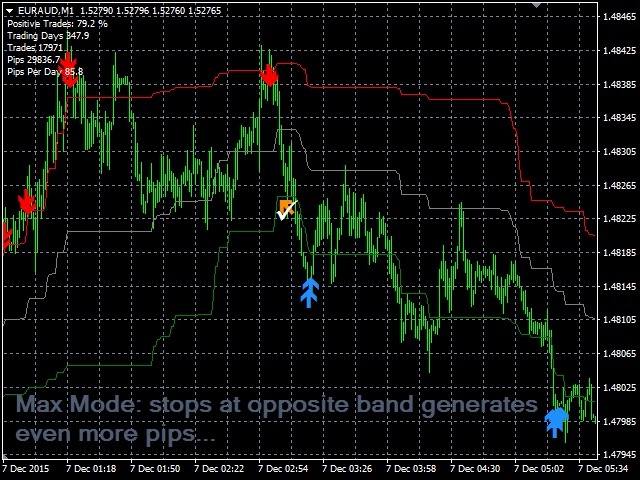
Scalp Tool is a very efficient counter trend indicator.
- It's designed to be used by anyone, even the complete newbie in trading can use it.
- Scalp Tool does not repaint.
- Indications are given from close to close or from close to a visible level.
- Scalp tool can be used alone, no other indicators are required.
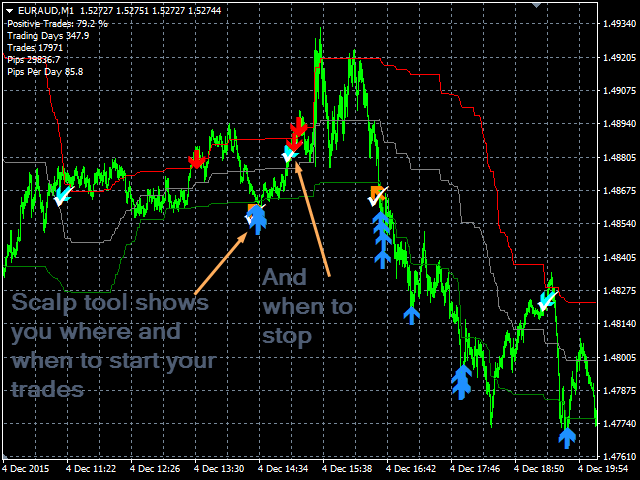
Scalp Tool indicates
- Where to open your trades.
- When to close them.
- Where to place stop orders.
- With an accuracy over 80% during live testing.
Scalp Tool works
- With any instrument like FX pairs, indexes, metals, futures or whatever...
- At any timeframe.
- With any broker.
Scalp Tool Features
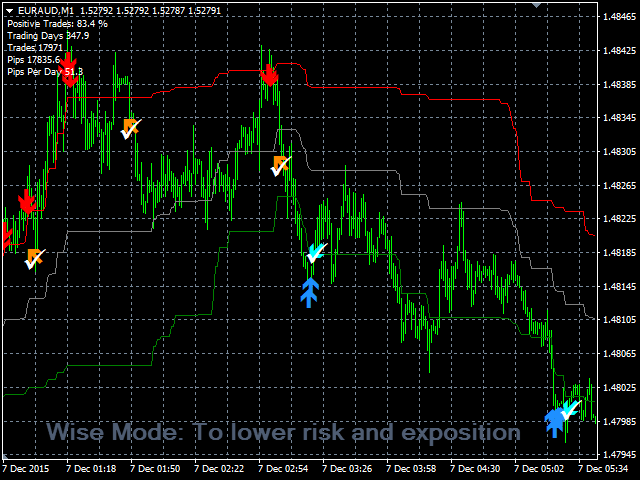
- TradeType Wise: Will take brief trades to limit risk and exposition. An arrow will indicates you when to stop.
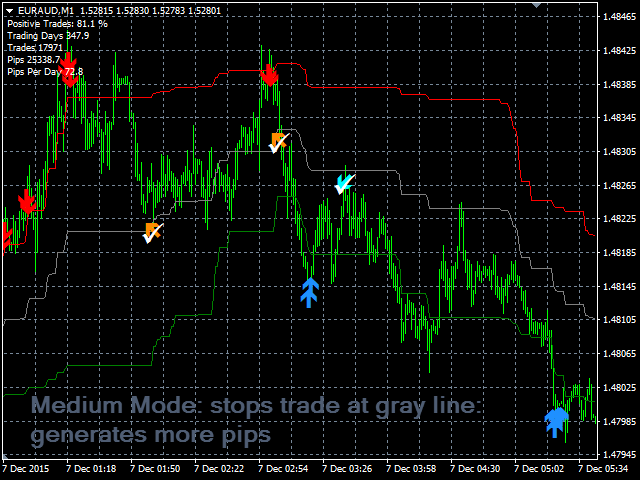
- TradeType Medium: balanced profile, generates more pips with med length trades. Stop is indicated by the grey colored band and an arrow.
- TradeType Maximum: Generates the more pips with quite long trades. Stop is indicated by green and red colored bands and an arrow.
- If the trade is positive, shows a check on the stop arrow.
- If the trade is negative, shows a cross on the stop arrow.
- Shows Support and resistances
- Shows breakeven
How to use Scalp Tool
- Just put it on your chart(s).
- Choose your favorite colors.
- Decide what trade type you wish to use: Wise, Medium or Maximum.
- Set up alerts or not.
- And simply follow the arrows indications.
- Support and Resistances can help you to determine better stops.
Inputs
- TradeType:
- Wise: Will take brief trades to limit risk and exposition. An arrow will indicates you when to stop.
- Medium: balanced profile, generates more pips with med length trades. Stop is indicated by the grey colored band and an arrow.
- Maximum: Generates the more pips with quite long trades. Stop is indicated by green and red colored bands and an arrow.
- Show Breakeven: Displays a line showing BE and counting points
- Show Res and Sup: Draws Supports and Resistances on the chart
- Use R&S to stop trades: Regardless the chosen TradeType, will stop the trade if a Resistance or support is met.
- Arrow Up: Sets Arrow Up color.
- Arrow Down: Sets Arrow Down color.
- Stop trade Up: Sets Stop Trade Up Arrow color.
- Stop trade Down: Sets Stop Trade Down Arrow.
- Check: Sets the Check Sign color.
- Cross: Sets the Cross Sign color.
- Enable Push Notifications: 'true' will enable Push notifications, 'false' will disable.
- Enable Mail Notifications: 'true' will enable Mail notifications, 'false' will disable.

本店最新上架
-
- MT4 MT5跟单EA 本地跟单远程跟单 绝不

- ¥1100.00
-
- 在MetaTrader市场购买MetaTrader 5的&#

- ¥3988.00
-
- 在MetaTrader市场购买MetaTrader 5的&#

- ¥3988.00
-
- 在MetaTrader市场购买MetaTrader 5的&#

- ¥3988.00
-
- 在MetaTrader市场购买MetaTrader 5的&#

- ¥3988.00
全网为您推荐
-
- AlgoTradeSoft

- ¥3988.00
-
- 国际期货套利软件

- ¥3988.00
-
- MT4 MT5跟单EA 本地跟单远程跟单 绝不
- ¥1100.00
-
- 在MetaTrader市场购买MetaTrader 5的&#
- ¥3988.00
-
- 在MetaTrader市场购买MetaTrader 5的&#
- ¥3988.00


