 客服热线:
 手机版
 二维码




































Easy Grider
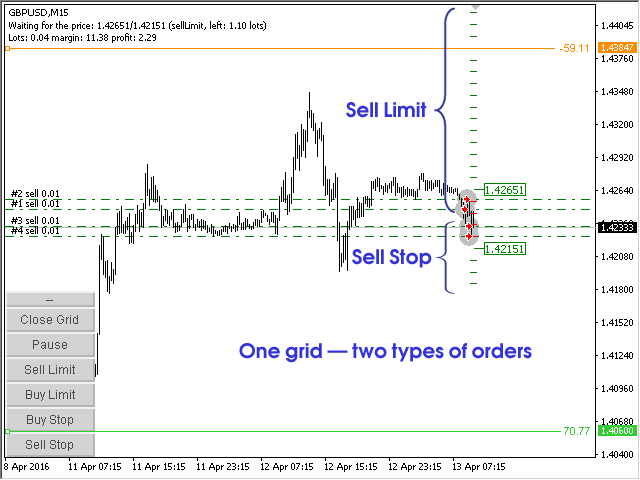
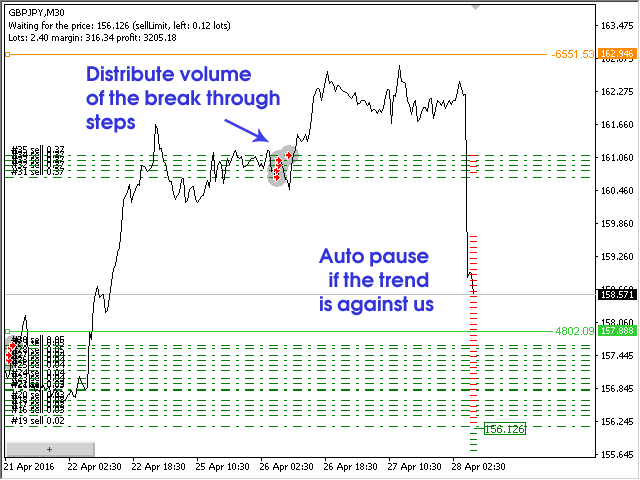
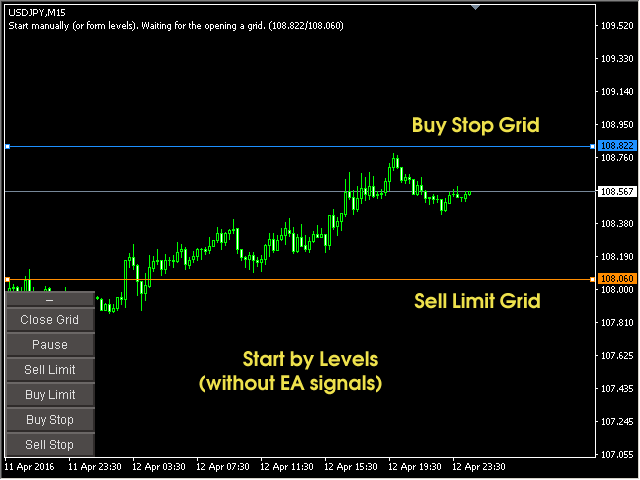
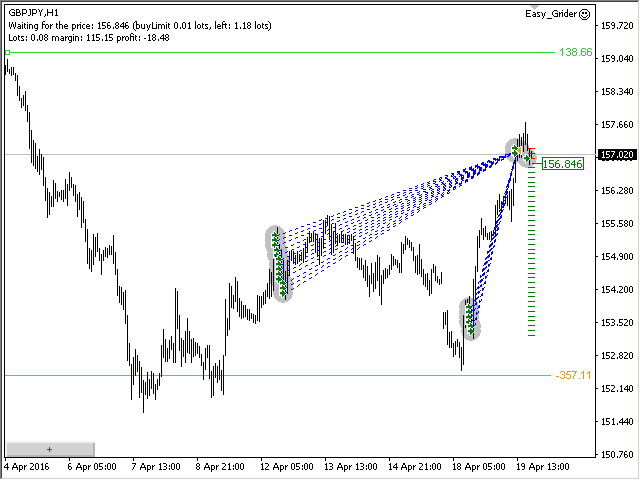
The EA creates an order grid using labels. Opening and closing of the grid is done either automatically by the system signals or manually. In the same grid can be both Limit and Stop orders. It is possible to reverse the grid on specified condition. You can enter the breakdown/rebound from established levels. All types of Sell limit, Buy limit, Buy stop, Sell stop orders are supported. The grid is rebuilt with a single click. The stop loss and take profit lines can be easily modified.
- You are free to close/open the manual grid orders (fixed partial profit/loss).
- Restart the EA again, the grid and odrers will be determined by the EA.
- Run two or three EA in different directions, at different or same symbols (with different magic numbers).
- Move the label, rearrange them, delete, change volume or color (a Color of labels (OFF) to the Color of labels (ON) — restore step). only a first step cannot be removed manually (Step001).
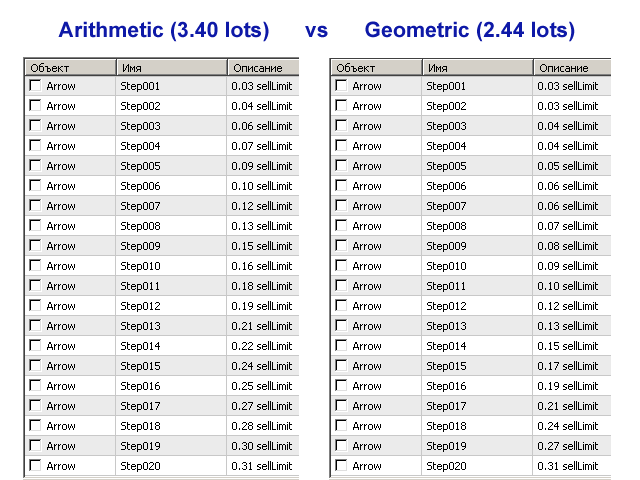
- The steps of the entire grid can be viewed in the Objects window ('Ctrl+b' key combination). Also, the information on the current operation of the EA is displayed in the top left corner.
- You can configure the method of closing positions - FIFO / LIFO.
- The EA is bilingual, it automatically detects the English and Russian languages.
Buttons
- – / + — minimize and maximize the menu buttons.
- Close Grid — close the current grid. If `Pause` is pressed, the button does not work.
- Pause — EA is set to standby mode, no action is performed.
- Sell Limit — plot sell limit grid, if there currently is no grid with open real orders and if the `Pause` button is not pressed.
- Buy Limit — same for buy limit.
- Buy Stop — same for buy stop.
- Sell Stop — same for sell stop.
The main parameters of the EA.
Create a new Grid using the Signal:
- MA crossing - building a grid at the intersection of two MA;
- DeMark Pivot breakout - building a grid by breakout DeMark Pivot;
- Daily breakout - building a grid by breakout the levels of the previous day;
- ZigZag direction - building a grid in the current direction of the ZigZag;
- ZigZag levels breakout - building a grid by breakout the levels of the ZigZag;
- ZigZag Rays breakout - building a grid by breakout of the ZigZag rays;
- Levels at a given time (once a day) - building a grid by levels that are drawn once a day, at a specified time;
- Manual Manual only (without Signals) - only manual building, without using signals.
Modes for calculating TP / SL / BE / Trailing.
- points from average price - calculation from the average price of opened positions;
- points from start grid - calculation from the first position;
- percent from margin - the calculation of the percentage of the current margin;
- amount of money - calculation in money;
- disable - disable.
This Expert Advisor uses graphical objects for grid building and trading, so it may not work properly if it is launched without a chart.


ta itemprop="image" content="https://c.mql5.com/31/132/easy-grider-screen-7498.png" />


本店最新上架
-
- MT4 MT5跟单EA 本地跟单远程跟单 绝不

- ¥1100.00
-
- 在MetaTrader市场购买MetaTrader 5的&#

- ¥3988.00
-
- 在MetaTrader市场购买MetaTrader 5的&#

- ¥3988.00
-
- 在MetaTrader市场购买MetaTrader 5的&#

- ¥3988.00
-
- 在MetaTrader市场购买MetaTrader 5的&#

- ¥3988.00
全网为您推荐
-
- AlgoTradeSoft

- ¥3988.00
-
- 国际期货套利软件

- ¥3988.00
-
- MT4 MT5跟单EA 本地跟单远程跟单 绝不
- ¥1100.00
-
- 在MetaTrader市场购买MetaTrader 5的&#
- ¥3988.00
-
- 在MetaTrader市场购买MetaTrader 5的&#
- ¥3988.00


