客服热线:
客服热线: 手机版
手机版 二维码
二维码


















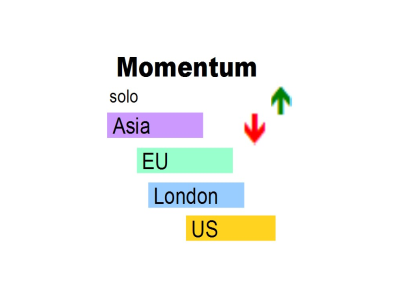
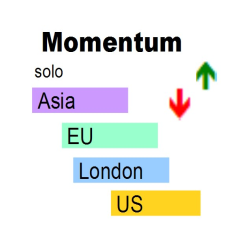










Momentum solo
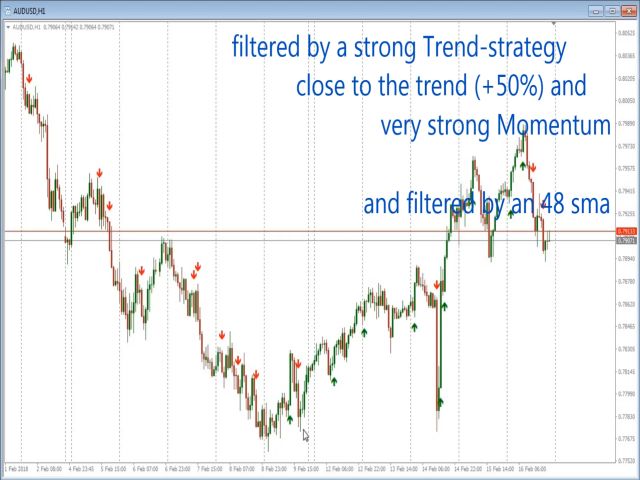
Momentum-Solo is a simple momentum Informer
- The indicator will inform about strength in the appropriate direction
- It is based on a minimum candle size and candle body in relation to the ATR
Filter
- PSAR => arrows in PSAR direction only
- MA, MA-Channel => Trend- and Sideway-Filter
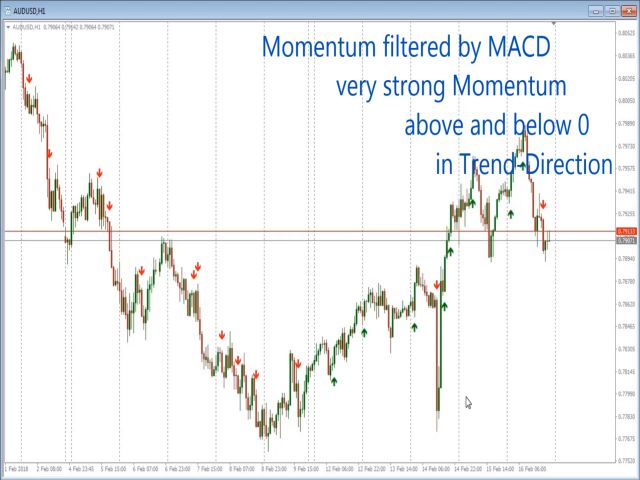
- MACD => short signals below 0 only, long signals over 0 only
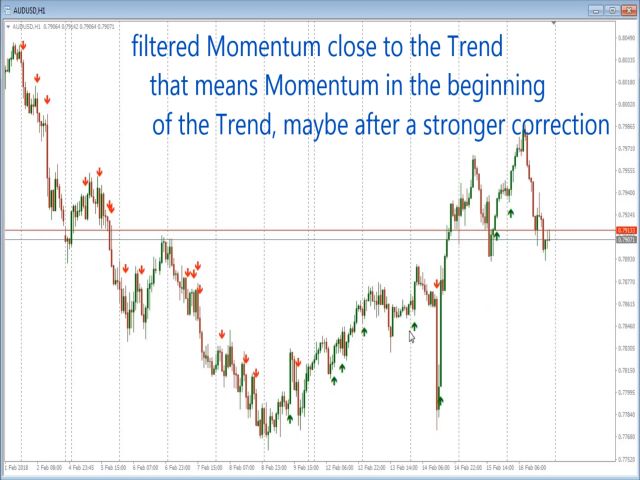
- Close to Trend => avoids too many signals while the trend runs
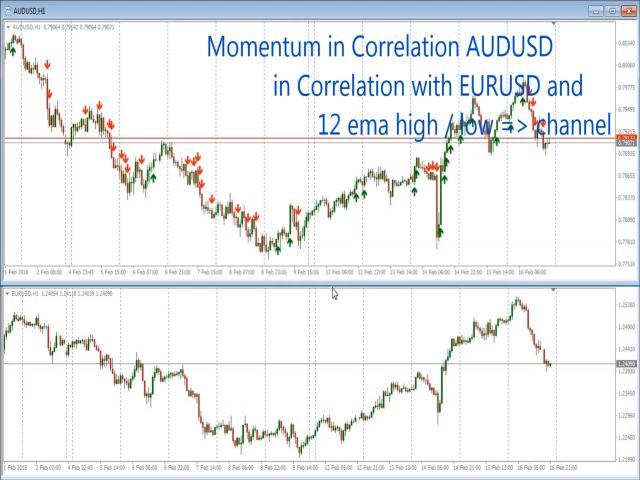
- Correlation => signals only when a second, or a third instruments moves in the same direction
alerts
- alert, push-notification, arrows, send email, screenshot
Advantages
- Signal after close, no repaint, no cross-over signal
- Timeframes M5 to D1
- All instruments supported
- It is based on relation to the ATR
- Send custom email header and content
- Several periods of sideways movement will be hidden
- Involve one or two other correlating instruments as a filter
- The indicator will inform about strength in the appropriate direction
- All filters are based on moving averages, and if you like, MACD or PSAR
important rule
- Look for an instrument with an obvious upcoming movement in a clear direction on a higher timeframe.
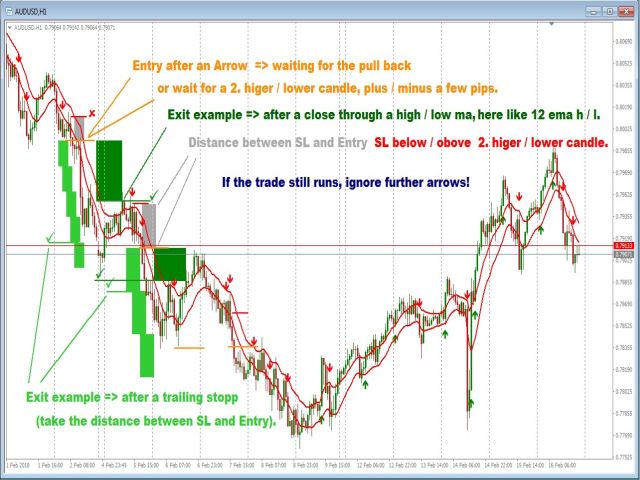
- Entry after an Arrow => waiting for the pull back or wait for a second higher / lower candle, plus / minus a few pips.
- Entries => above and below channels after first pull-back (price comes back to the channel and touches it).
- Exit example => after a close beyond a High/Low of MA, here like 12 EMA H/L.
- Exit example => after a trailing stop (take the distance between SL and Entry).
- Exit example => major Fibonacci and dynamic support/resistance Lines. Use the same to move your stop and for taking first profits.
- If the trade still runs, ignore further arrows.
- SL below/above the second higher/lower candle.
Example
- Higher Timeframe => H4
- Trading Timeframe => H1
- Look for an instrument with an obvious upcoming movement in a clear direction on H4, look for an opportunity on H1
Input parameters
- Bars to process - the number of bars of the chart you want to be analyzed (60 to 1000 is recommended).
- show Vola today, Spread, Countdown - if true, it shows information about the volatility for today, the current spread and the countdown of the current period.
- alert - activates the pop-up alerts.
- alert - the chosen info will be in the header and the first line of an email, if Email is enabled.
- Email - if true, it shows the selected info in header and the first line of the email.
- Notification - if true, it sends the alert to the MT4 APP of your smartphone.
- Screenshot - if true, it sends the alter with a screenshot to ...metaTrader 4MQL4Files.
- show first alert-Arrow only "Live-Setting" - if true, there is no history arrow, only the first upcoming arrow of the trend direction will appear and stay, as long as the timeframe and instrument won't be changed.
- show Arrows - if true, it shows the chosen arrows only.
- Trend-Strength - predefined EMA with different settings provide the filter for the momentum.
- very strong Momentum - if true, the momentum stands for solid candles and almost no wicks.
- Momentum close to Trend only - if true, shows arrows close to the MAs that are predefined in the settings below.
- Trend plus % of ATR - the distance from the MAs to the candle will be calculated by the size of the current ATR in the current period.
- Parabolic Sar filter - a Momentum arrow occurs in the PSAR direction only (0.02 is recommended).
- Parabolic Sar Step - value for Step.
- Parabolic Sar maximum - value for Maximum.
- Arrow Style - choose a arrow style = thin, cross, normal, hollow, Thumbs, Triangle.
- Arrow Position - default is 0.6. Nice to have if you compare settings with a second/third indicator.
https://www.mql5.com/de/blogs/post/716250


本店最新上架
-
- MT4 MT5跟单EA 本地跟单远程跟单 绝不

- ¥1100.00
-
- 在MetaTrader市场购买MetaTrader 5的&#
- ¥3988.00
-
- 在MetaTrader市场购买MetaTrader 5的&#
- ¥3988.00
-
- 在MetaTrader市场购买MetaTrader 5的&#
- ¥3988.00
-
- 在MetaTrader市场购买MetaTrader 5的&#

- ¥3988.00
全网为您推荐
-
- AlgoTradeSoft

- ¥3988.00
-
- 国际期货套利软件

- ¥3988.00
-
- MT4 MT5跟单EA 本地跟单远程跟单 绝不
- ¥1100.00
-
- 在MetaTrader市场购买MetaTrader 5的&#
- ¥3988.00
-
- 在MetaTrader市场购买MetaTrader 5的&#
- ¥3988.00