客服热线:
客服热线: 手机版
手机版 二维码
二维码
































EasyTrend
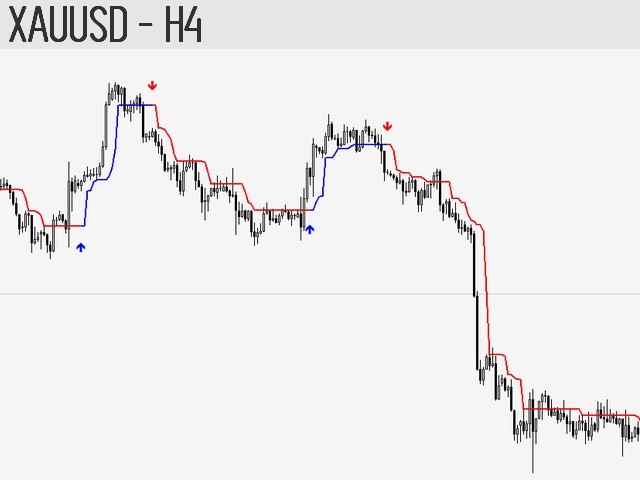
The EasyTrend is a seemingly simple but quite powerful trend indicator. Everyone has probably come across indicators or Expert Advisors that contain numerous input parameters that are difficult to understand. Here you will not see dozens of input parameters, the purpose of which is only clear to the developer. Instead, an artificial neural network handles the configuration of the parameters.
Professional verison: EasyTrend
Pro
Professional version for MT5: EasyTrend
Pro MT5
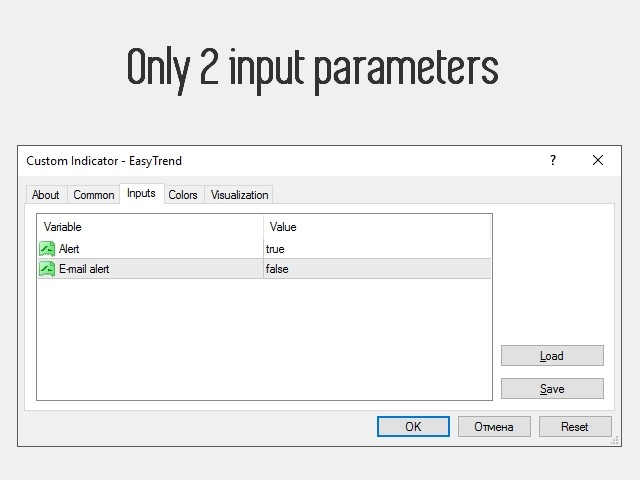
Input Parameters
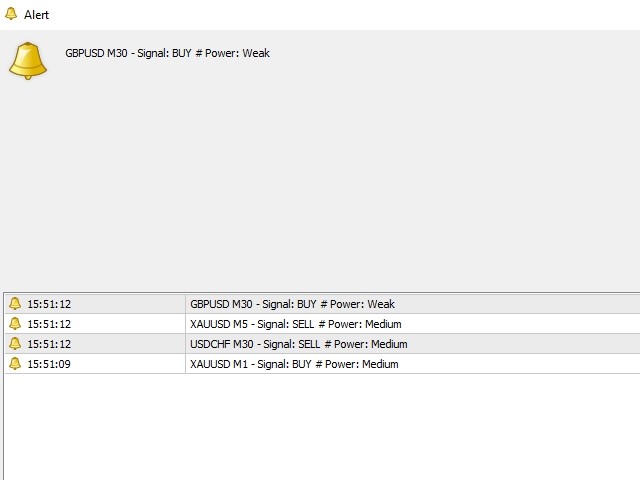
- alert — if set to true, enables sending audible and text notifications when the trend changes. If set to false — disabled.
- E-mail alert — if set to true, enables sending notifications to the email. If set to false — disabled. To use this function, it is necessary to configure email parameters in the terminal settings.
Features
- It does not get redrawn.
- Suitable both for scalping, and for long-term trading.
- Easy to use and configure.
- It is possible to enable sound alert or sending notifications to your email when the trend changes.
- Automatically determines the trend and adapts to it: works on M1, M5, M15, M30, H1, H4, D1, W1, MN1.
- Automatically adapts to all currency pairs, metals, futures and even stocks. The best adaptation is provided for metals and currency pairs.
- It works well in combination with the classic oscillators: CCI, ADX, RSI, MFI.
How It Works
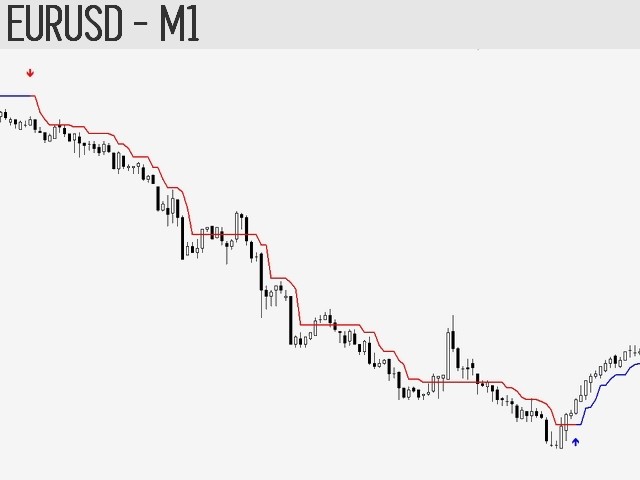
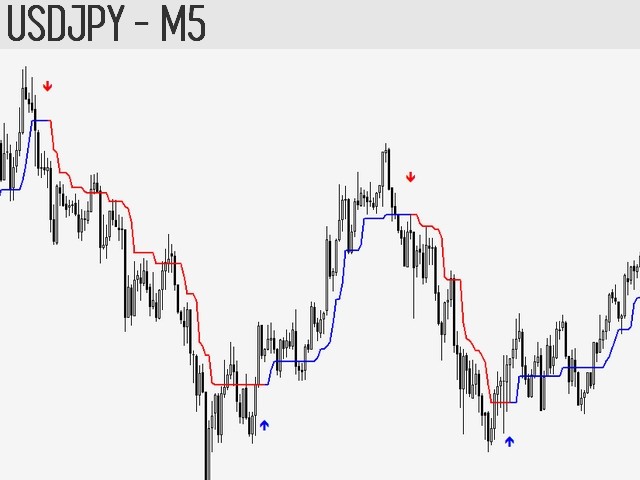
It is based on the analysis of the current change in the price deviation from its average value over a certain period and the statistical average of the absolute value of this parameter. The analysis results are adjusted by the sensitivity coefficient and vertical shifts, which in turn depend on the current trading instrument, timeframe and inclination angle of the trend channel. All internally variable parameters, values and automatic adaptation is managed by a simple neural network.
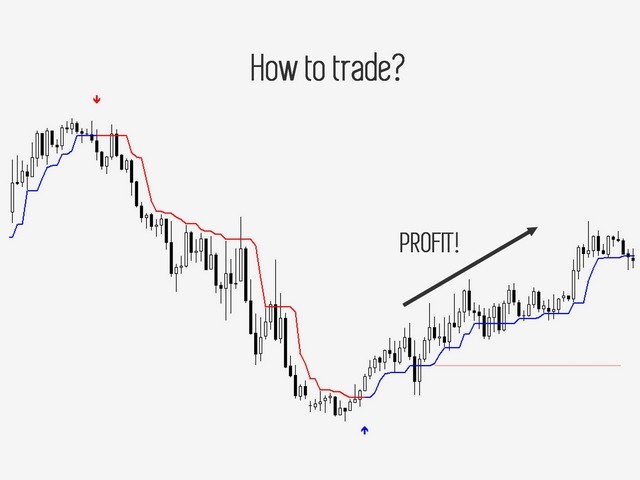
How to Trade?
Demonstration of the trading strategy presented below and the essence of the indicator can be seen in the attached video. On any timeframe, except W1 and MN1, the operation principle is the same:
- Choose the timeframe for trading, for example: M5. Wait for the indicator signal to buy or sell.
- After receiving the signal, make sure to check the trend on the higher timeframes. When trading on M5, check M15 and H1 — trends have to be distinct (not flat) and match your signal.
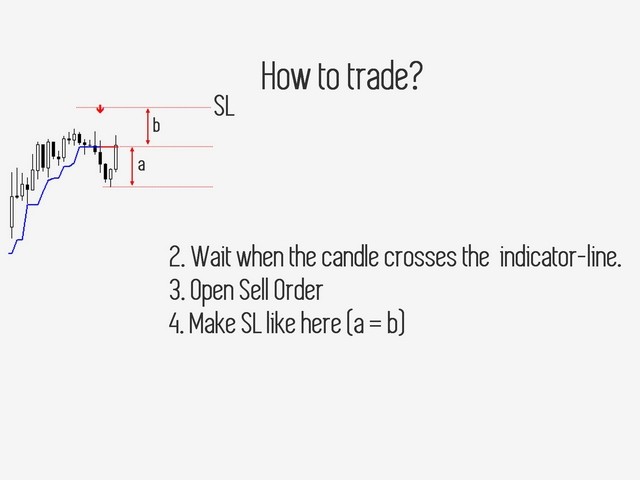
- Wait for the arrow to close above the indicator line when there is a sell signal, or below when there is a buy signal, and open a trade only after that. Set the Stop loss level at the same (or slightly greater) distance from the indicator line, by which the price has deviated after the signal appearance. The trade can also be closed based on an oscillator signal.
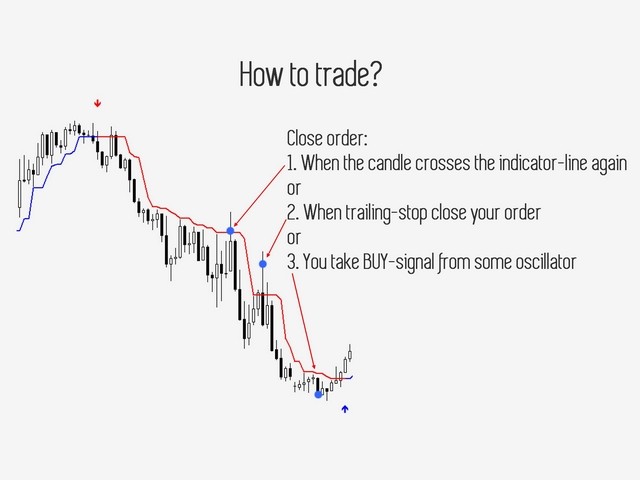
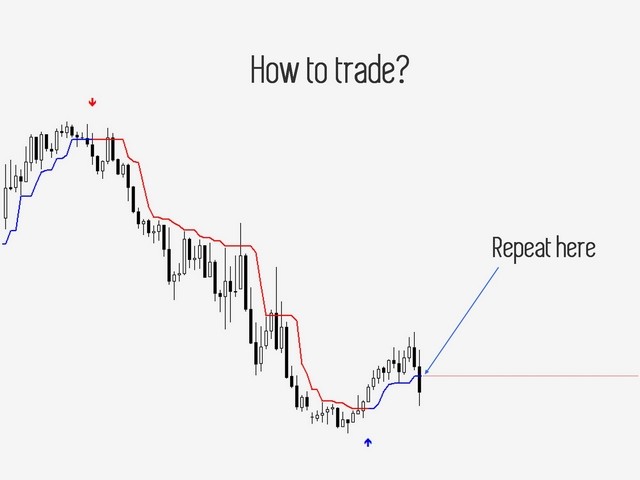
- Close order at your discretion: when the price crosses the indicator line, when the oscillator generates an opposite signal, when the order closes by trailing stop.
The trading is most efficient on the M1, M5, H1, H4, D1 periods and on the EURUSD, GBPUSD, NZDUSD, AUDUSD, USDCHF, USDCAD, USDJPY, XAUUSD, XAGUSD currency pairs. The results on M15 and M30 are worse, but not too much. Using the W1 and MN1 timeframes is risky, as there is no way to confirm the trend.
The timeframes for checking the trend:
- M1 — M5 and M15.
- M5 — M15 and H1.
- M15 — H1 and H4.
- M30 — H4 and D1.
- H1 — H4 and D1.
- H4 — D1 and W1.
- D1 — W1 and MN1.
The timeframe for trading is on the left, and timeframes for checking the trend are on the right.
important
Testing the indicator on a demo account: EasyTrend indicator Signal
Contact information for questions and help:
- Profile: Denis Glaz
At the first start on any pair of any timeframe, the indicator may be slightly slow. This happens because the neural network needs to process data and create a file. Good luck!
 nload="if(window.viewGallery_GalleryManager) viewGallery_GalleryManager.ImageonLoad(this,7);" />
 nload="if(window.viewGallery_GalleryManager) viewGallery_GalleryManager.ImageonLoad(this,8);" />
 nload="if(window.viewGallery_GalleryManager) viewGallery_GalleryManager.ImageonLoad(this,9);" />
本店最新上架
-
- MT4 MT5跟单EA 本地跟单远程跟单 绝不

- ¥1100.00
-
- 在MetaTrader市场购买MetaTrader 5的&#
- ¥3988.00
-
- 在MetaTrader市场购买MetaTrader 5的&#
- ¥3988.00
-
- 在MetaTrader市场购买MetaTrader 5的&#

- ¥3988.00
-
- 在MetaTrader市场购买MetaTrader 5的&#

- ¥3988.00
全网为您推荐
-
- AlgoTradeSoft

- ¥3988.00
-
- 国际期货套利软件

- ¥3988.00
-
- MT4 MT5跟单EA 本地跟单远程跟单 绝不
- ¥1100.00
-
- 在MetaTrader市场购买MetaTrader 5的&#
- ¥3988.00
-
- 在MetaTrader市场购买MetaTrader 5的&#
- ¥3988.00