客服热线:
客服热线: 手机版
手机版 二维码
二维码

































SkynetFX T1000X
EA Features
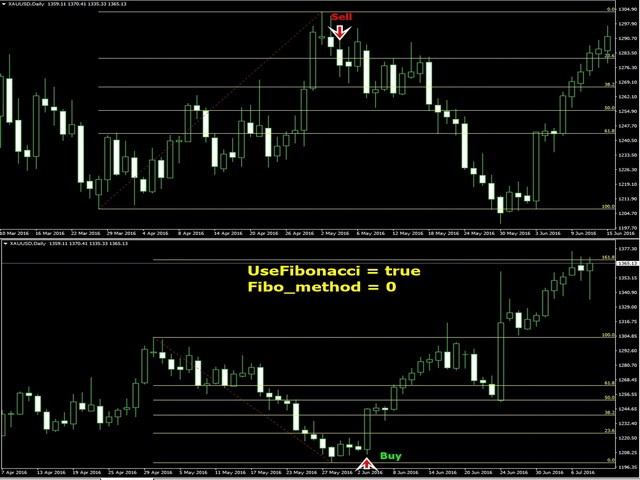
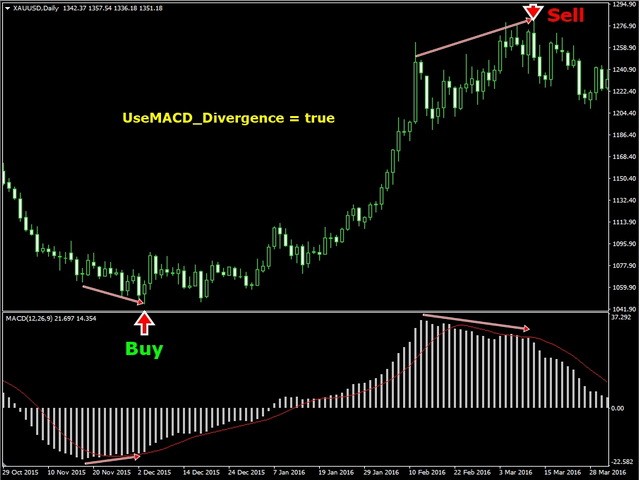
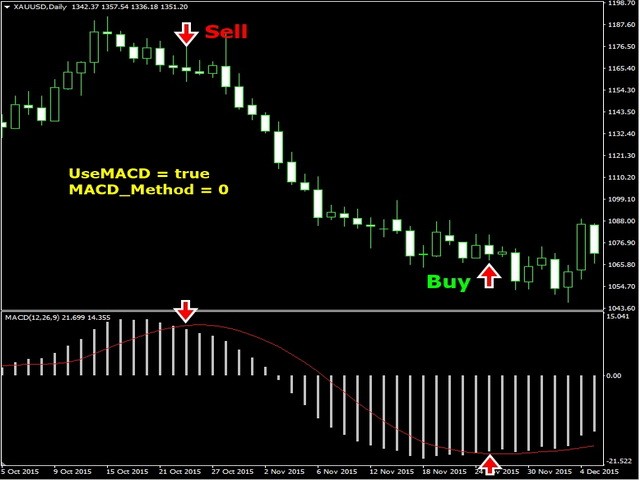
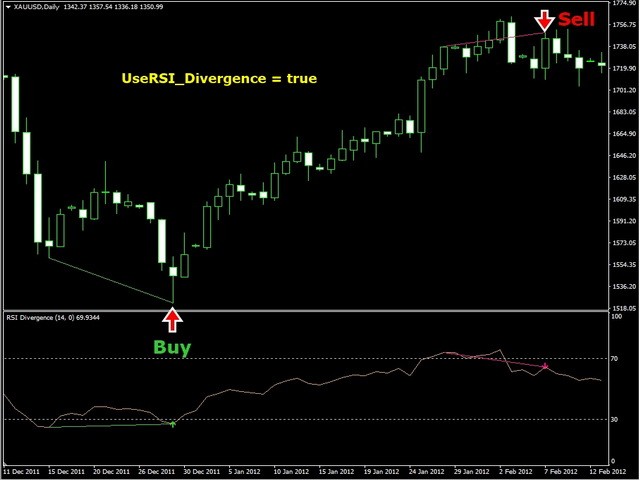
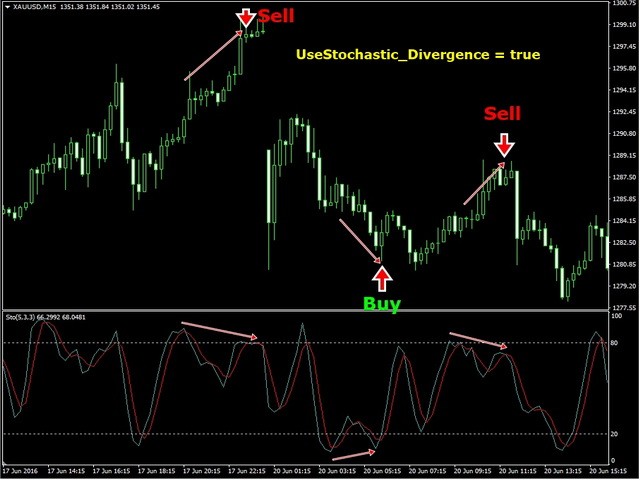
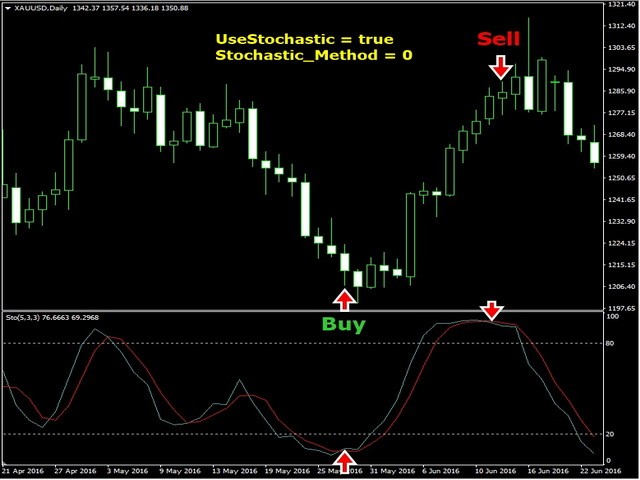
This Expert Advisor is based on standard indicators. You can custom your best parameter for each indicator with your own settings.
Inputs
Trade Settings
- AutoBuy: Auto Buy Trading
- AutoSell: Auto Sell Trading
- CloseAll: Close all open orders (this Symbol only)
- PauseTrade: EA will not open a new order but still holding all opened positions (Example: Before big news coming)
- ResetTime : Close all opening orders at time selection
- ResetHour: Close all opening orders at Hour selection
- ResetMin: Close all opening orders at Minute selection
- ResetTrend : Close all trades when trend has changed and total order = SafeTrades
- SafeClose : Close all trades when the last trade has profit more than SafeClosePoint and total order = SafeTrades
- SafeClosePoint : Point of SafeClose
- SafeTrades : Number of total orders to be use for SafeClose or ResetTrend
EA Settings
You can use any indicator and method to trade.Lot Settings
- Symbol_Decimal: Symbol Decimal, Support with all FOREX, TFEX symbols
- Lots: Start Lot
- Lotdecimal: Lot Decimal
- LotExponent: Lot Multiple when buy or sell more than 1 order
- UseSmartLot : EA will auto calculate lot with profit loss to open new order
- MaxLots: Maximum Lot
- Slippage: Slippage
- MaxTrades: Maximum number of new orders for 1 Symbol
- MaxSpread : EA will not open order when spread is higher than MaxSpread
- MagicNumber: Magic number
NewStep Settings
- FixStep : Use static NewStep (Don't use Exponent)
- SmartStep : EA will open more order due to indicator parameter setting
- NewStep: New order step in Point
- NewStepExponent : Increase NewStep when EA open more order
Profit SettingsTakeProfit: Take Profit in Point
- UseTakeProfit : if set true EA will place an order with TakeProfit point
- TakeProfit : Take Profit in point
- UseVirtualTP : if set true EA will close an order when reaching a profit higher or lower than a virtual point without placing an order
- VirtualTP : Virtual Take Profit in point
- UsePartialClose : EA will divide lot 50% and take profit at PartialClose point
- UseStopLoss: if set true EA will place an order with Stop Loss point
- StopLoss: Stop Loss in Point
- UseVirtualSL : EA will close an order when reaching loss more than VirtualSL point without placing an order
- VirtualSL : Virtual Stop Loss in point
Trailing Stop Settings
- UseTrailingStop: Use Trailing Stop
- TrailStart: Start Trailing when Profit reaches points
- TrailStop: Stop Trailing when Price is down from highest to points
- UseVirtualTrailingStop : EA will use Trailing Stop without placing an order
- VirtualTrailStart : Virtual Trailing Start point
- VirtualTrailStop : Virtual Trailing Stop point
- UseAdvanceTrailingStop : EA will use signal from indicator to close all orders when profit is higher than AdvanceTrailingPoint
- AdvanceTrailingPoint : Advance Trailing Stop point
Risk Settings
- MM: Money Management (Auto increase or decrease lot up to Equity)
- Risk: Risk Level
- UseRiskBalance: Use Risk Balance
- RiskBalance: Close all open orders and stop opening new orders when Equity loss is more than X %
- UseEquityStop: Use Equity Stop
- EquityRisk: Close all open orders when Equity loss is more than X % and EA will open new orders again
Time Settings
- UseTime: Buy or Sell at Time Setting. If you want EA to open Buy order only you have to set Autobuy = true and AutoSell = false
- Monday: Trade on Monday at setting time
- Tuesday: Trade on Tuesday at setting time
- Wednesday: Trade on Wednesday at setting time
- Thursday: Trade on Thursday at setting time
- Friday: Trade on Friday at setting time
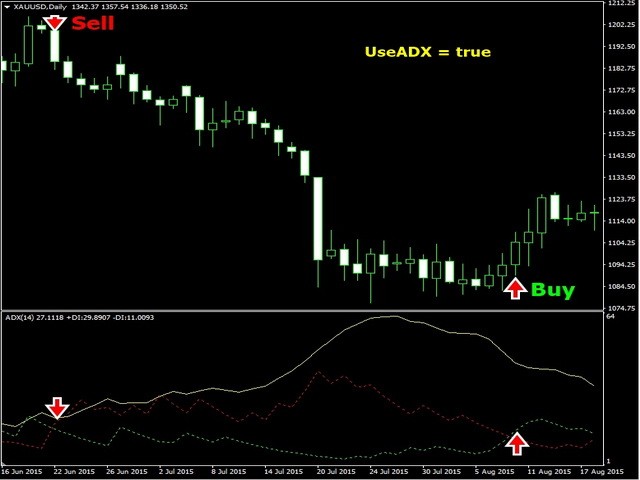
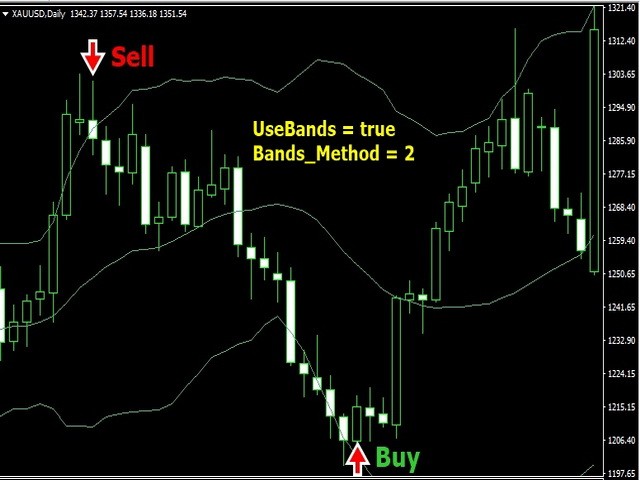
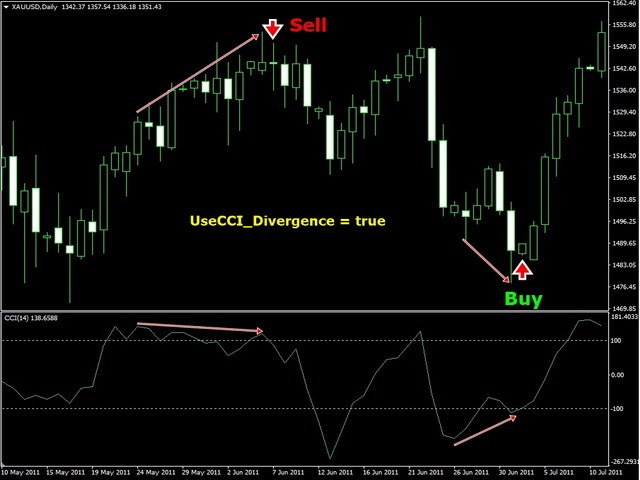
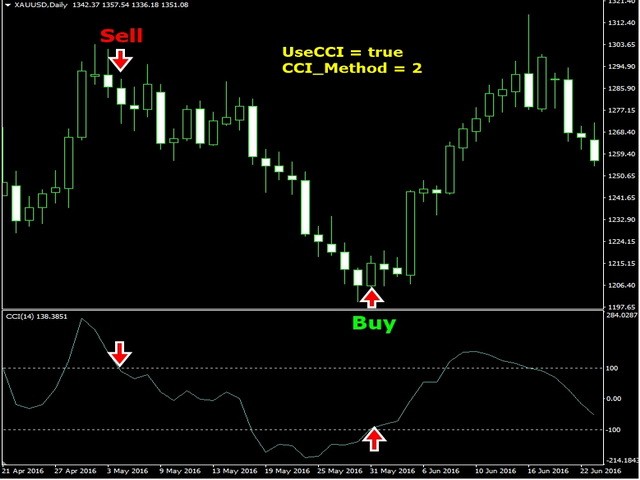
 nload="if(window.viewGallery_GalleryManager) viewGallery_GalleryManager.ImageonLoad(this,7);" />
 nload="if(window.viewGallery_GalleryManager) viewGallery_GalleryManager.ImageonLoad(this,8);" />
 nload="if(window.viewGallery_GalleryManager) viewGallery_GalleryManager.ImageonLoad(this,9);" />
 nload="if(window.viewGallery_GalleryManager) viewGallery_GalleryManager.ImageonLoad(this,10);" />
 nload="if(window.viewGallery_GalleryManager) viewGallery_GalleryManager.ImageonLoad(this,11);" />
本店最新上架
-
- MT4 MT5跟单EA 本地跟单远程跟单 绝不

- ¥1100.00
-
- 在MetaTrader市场购买MetaTrader 5的&#
- ¥3988.00
-
- 在MetaTrader市场购买MetaTrader 5的&#
- ¥3988.00
-
- 在MetaTrader市场购买MetaTrader 5的&#

- ¥3988.00
-
- 在MetaTrader市场购买MetaTrader 5的&#

- ¥3988.00
全网为您推荐
-
- AlgoTradeSoft

- ¥3988.00
-
- 国际期货套利软件

- ¥3988.00
-
- MT4 MT5跟单EA 本地跟单远程跟单 绝不
- ¥1100.00
-
- 在MetaTrader市场购买MetaTrader 5的&#
- ¥3988.00
-
- 在MetaTrader市场购买MetaTrader 5的&#
- ¥3988.00