客服热线:
客服热线: 手机版
手机版 二维码
二维码





























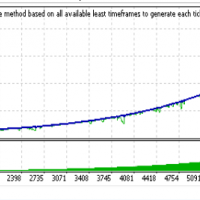



Scalper Pro Line
This indicator is part of the RPTrade Pro Line systems.
Scalper Pro Line is a short trend indicator using Price Action.- It's designed to be used by anyone, even the absolute beginner in trading can use it.
- NEVER repaints.
- Indications are given from close to close.
- Designed to be used alone, no other indicators are required.
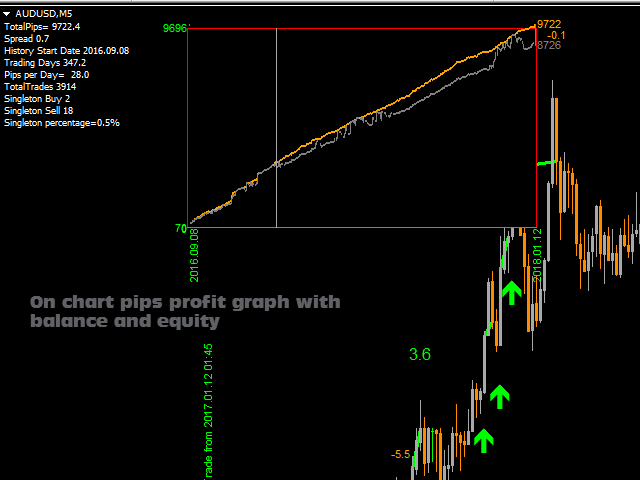
- A specific graph shows you the profit and eventual drawdown according to history data.
How does it work
- Scalper Pro Line is using an internal trend indicator combined with a price action system.
- At startup, the system is analyzing the 10000 first bars of history to find the best settings.
- Then these settings are applied to the whole history and used in real time; it's the warranty to get most reliable accuracy and stable trade signals.
- The "success" of the strategy and settings can be checked instantly thanks to the graph on the chart.
- The onChart Graph allows to see immediately if there are any "holes" in the strategy and eventually select another Timeframe or Symbol that would fit better.
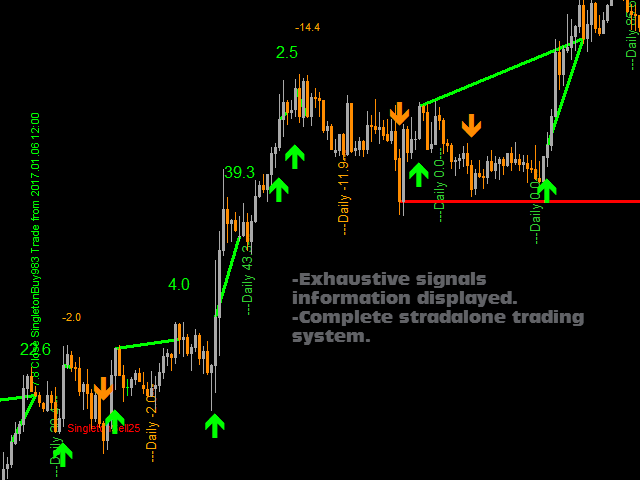
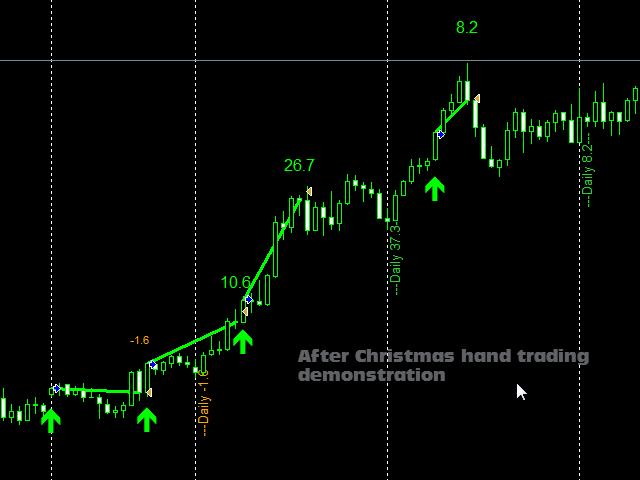
- In real time from candle close to candle close the trend indicator waits for the signal conditions to be valid and then shows it by an arrow (green for buy and orange for sell)
- Then when price action tells to stop or trend is exhausting the indicator shows a trend line meaning that it's time to stop the trade.
- The result of the "virtual trade" is then displayed and added to the onChart Graph array.
- Sometimes a trade can not be closed immediately, then the indicator will display a red signal called "Singleton". It means that this trade will have be to be closed later.
- When the indicator finds the possibility to close a Singleton it displays a vertical special message with the description of the trade to close; moreover, a trend line shows where is the trade to close.
- Several Singletons can occur before being closed, they are all managed by the indicator.
- The Singleton percentage is typically lower than 5% and mostly lower than 1%.
- The Singleton Percentage and Buy Sell Singleton quantity are written in the comments section at the top left of the chart;
- It also allows to choose the symbol and or Timeframe showing the fewer Singletons.
Scalper Pro Line indicates
- Where to open your trades.
- When to close them.
- The potential quantity of pips that can be caught.
Scalper Pro Line works
- With any instrument like FX pairs, indexes, metals, futures or any other.
- From M5 to Any higher TF. (TF higher than H4 may be not very profitable due to the small amount of trade signals)
- With any broker.
Scalper Pro Line Features
- Automatic optimization (made on the 10000 oldest bars, then applies best found settings to the rest of the most recent history)
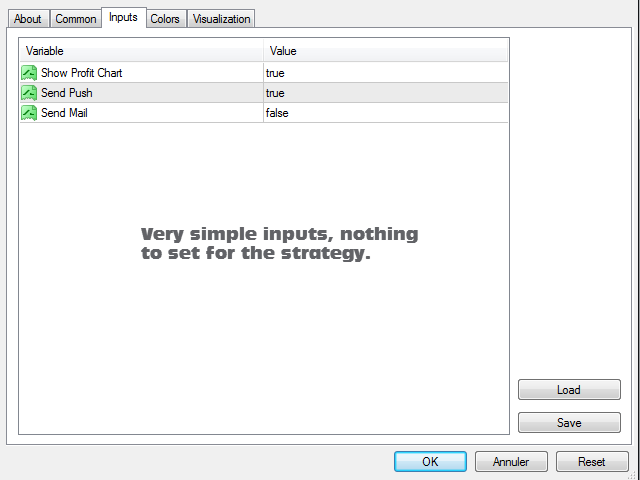
- Very simple inputs.
- On Chart profit pips graph showing balance and equity for the whole history data. It's easy to see if the strategy is consistent with the selected instrument.
- The On Chart graph is movable with the mouse, double click on it and move it to any convenient position on the screen.
How to use Scalper Pro Line
- Just put it on your chart(s).
- And simply follow the arrows and trend lines indications.
Inputs
- Mode: allows to select the behavior of the system according to your will. There are 3 modes available:
- SafeMax: will focus on singletons and try to reduce them to the minimum quantity.
- ProfitMax: will maximize pips quantity letting singletons grow a bit.
- MaxMax: Not more singletons but less trades and more pips taken.
- Show Profit Chart: Shows the profit chart or not (the chart can be moved with the mouse)
- Send Push: Enables push notification (Buy, Sell, Close signals with full dates, symbols, timeframes and trade numbers)
- Send Mail: Enables mail sending (Buy, Sell, Close signals with full dates, symbols, timeframes and trade numbers)
Testing
- Don't be in a hurry, the test is quite slow as Scalper Pro Line makes complicated calculations. Anyway you won't have to wait for long to see that the strategy is really profitable.


本店最新上架
-
- MT4 MT5跟单EA 本地跟单远程跟单 绝不

- ¥1100.00
-
- 在MetaTrader市场购买MetaTrader 5的&#
- ¥3988.00
-
- 在MetaTrader市场购买MetaTrader 5的&#
- ¥3988.00
-
- 在MetaTrader市场购买MetaTrader 5的&#
- ¥3988.00
-
- 在MetaTrader市场购买MetaTrader 5的&#

- ¥3988.00
全网为您推荐
-
- AlgoTradeSoft

- ¥3988.00
-
- 国际期货套利软件

- ¥3988.00
-
- MT4 MT5跟单EA 本地跟单远程跟单 绝不
- ¥1100.00
-
- 在MetaTrader市场购买MetaTrader 5的&#
- ¥3988.00
-
- 在MetaTrader市场购买MetaTrader 5的&#
- ¥3988.00