客服热线:
客服热线: 手机版
手机版 二维码
二维码































PZ MACD Trader EA
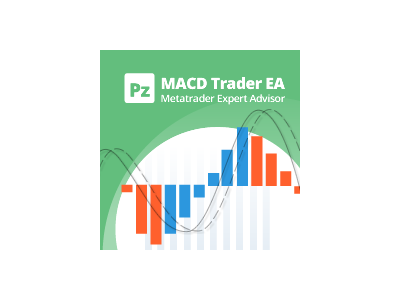
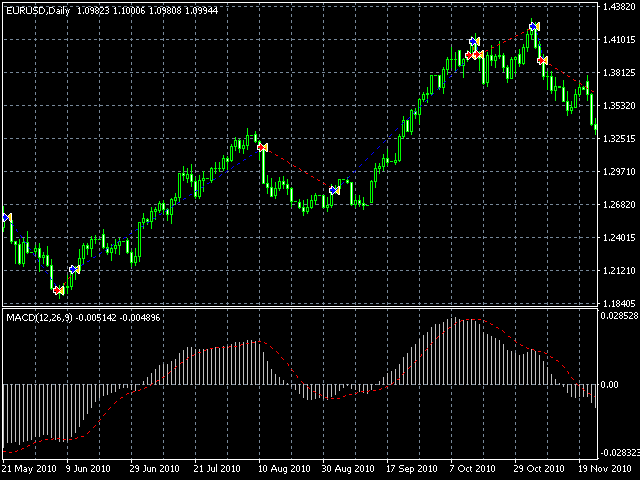
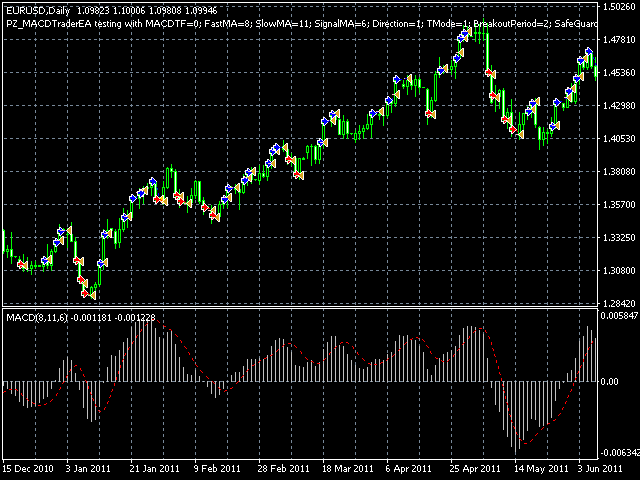
This EA is a flexible and powerful metatrader expert advisor that trades using the MACD indicator and implements many useful features. It can trade using the MACD indicator alone, or donchian breakouts confirmed by the MACD indicator from any timeframe. Additionally, it offers a martingale feature and forex session filters. [ Installation Guide | Update Guide | Troubleshooting | FAQ | All Products ]
- Easy to use and supervise
- Fully configurable settings
- Customizable break-even, SL, TP and trailing-stop settings
- Works for ECN/Non-ECN brokers
- Works for 2-3-4-5 digit symbols
- Implements a martingale feature
- Filter trading by forex sessions
- Built-in money management
The EA implements two different entry strategies:
- Trade MACD naked signals
- Trade breakouts confirmed by MACD readings from any timeframe of your choosing
Also, the EA implements four different behaviors:
- Regular: Buy on bullish signals and sell on bearish signals
- Inverse: Sell on bullish signals and buy on signals crossovers
- only buy: Buy on bullish signals and disregard bearish signals
- only sell: Sell on bearish signals and disregard bullish signals
Lastly, the EA implements four different money management modes:
- Trade manual lotsize: The EA will trade a fixed lotsize on each trade
- Auto-calculation of lotsizes: The EA will risk % of the account on each trade
- Martingale: The EA will double the lotsize after a losing trade
- Inverse Martingale: The EA will double the lotsize after a winning trade
Input Parameters
When loading the expert to any chart, you will be presented with a set of options as input parameters. Don't despair if you think they are too many, because parameters are grouped into self-explanatory blocks. Each functional parameter is explained below.
- MACD Settings - Enter the fast ema, slow ema and signal sma for the MACD indicator. You can also choose the timeframe upon which the MACD is loaded, which is especially useful if your intention is to trade breakouts. This allows you for instance to trade H1 breakouts confirmed by the D1 MACD Indicator, or any other timeframe of your choosing.
- Session Settings - Enable or disable trading for the Assian, European or American sessions.
- Trading Settings - This block decides how the EA trades. You can decide trading direction and type of entry. If you choose the strict mode, the EA will enter trades only using MACD signals. If you choose the breakouts mode, the EA will trade donchian breakouts filtered by the MACD indicator. The breakout period is also customizable.
- Position Management - This group of settings applies to trading decisions and trade management. You can select trading direction, break-even in pips, trailing-stop in %, trailing-step in pips, stop-loss in pip and take-profit in pips. Optionally, trades can be closed on opposite MACD signals.
- Money Management - In this settings block you can set the lotsize for the first trade, or allow the EA to calculate it by itself. It also implements a martingale behavior. Entering a manual lot size is recommended.
- EA Settings - You can select the magic number for the trades, custom comment and manual pip value if you need to override the one the
default one. Do not change these unless you know what you are doing.
What to expect
This EA is a general purpose tool which success depends on your understanding of the underlying strategy and
your ability to configure it. This EA will not generate profits under all market conditions and does not claim to do so. It is up to you to
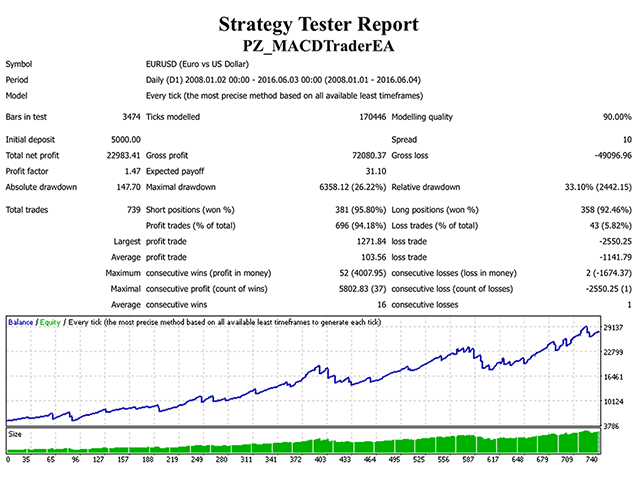
find the best parameters for each symbol and timeframe using the strategy tester.
本店最新上架
-
- MT4 MT5跟单EA 本地跟单远程跟单 绝不

- ¥1100.00
-
- 在MetaTrader市场购买MetaTrader 5的&#
- ¥3988.00
-
- 在MetaTrader市场购买MetaTrader 5的&#
- ¥3988.00
-
- 在MetaTrader市场购买MetaTrader 5的&#

- ¥3988.00
-
- 在MetaTrader市场购买MetaTrader 5的&#

- ¥3988.00
全网为您推荐
-
- AlgoTradeSoft

- ¥3988.00
-
- 国际期货套利软件

- ¥3988.00
-
- MT4 MT5跟单EA 本地跟单远程跟单 绝不
- ¥1100.00
-
- 在MetaTrader市场购买MetaTrader 5的&#
- ¥3988.00
-
- 在MetaTrader市场购买MetaTrader 5的&#
- ¥3988.00