客服热线:
客服热线: 手机版
手机版 二维码
二维码































Koder Killer EA
With this EA you can say goodbye to your coder and save bucks from your pocket!
Did you find out an interesting holy grail indicator and you want to test it on your own? Eager to know if it will be profitable on long term?
Well, here it is the Koder Killer EA.
Simple steps to follow
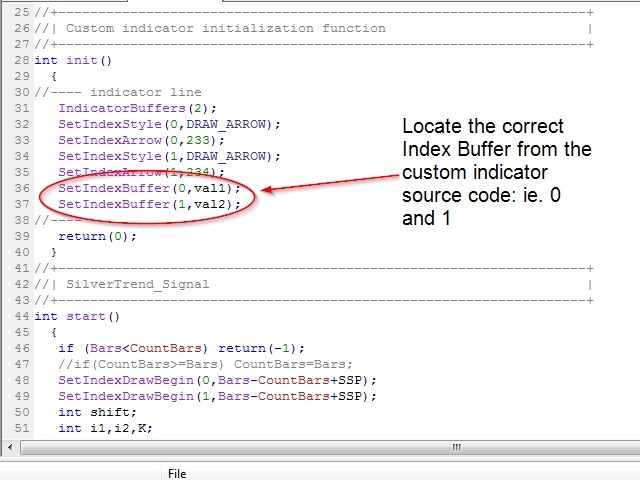
- open your indicator source code
- search for the Set Index Buffer values
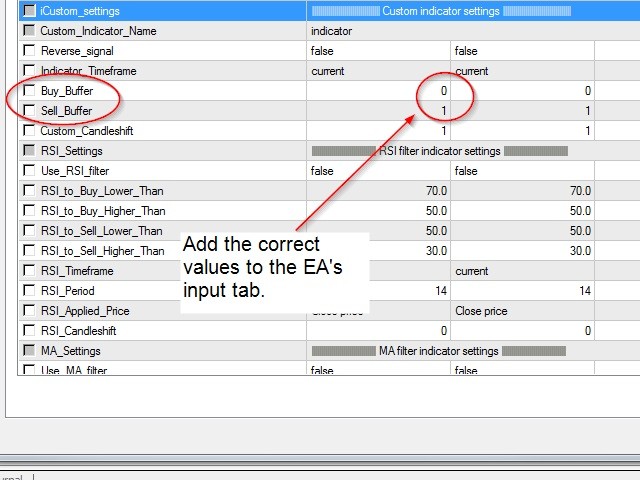
- copy the values into the EA
- set all the other features
- backtest your strategy FOR FREE
- run your EA on live servers paying a small rent fee.
Some integrated features
- auto money management
- check of slippage and spread
- close at opposite signal
- martingale
- time filter
- RSI filter
- MA filter
- MA cross
- Stochastic cross
All of these features will help to find the best setup for your indicator... It is a value added, something that any coder will ask to pay for any single function added to your EA!
Some technical details
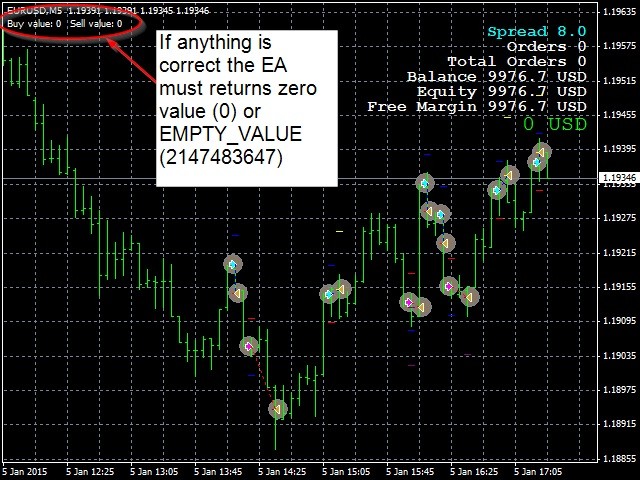
A well-coded indicator must return zero or empty value 2147483647 (0x7FFFFFFF) on normal running.
At this point, once the conditions are matching and the arrow appears, the buffer will return a different value (usually the price value). At the same time, the EA will recognize a mismatch between zero or empty value and buffer value and will open an order accordingly.
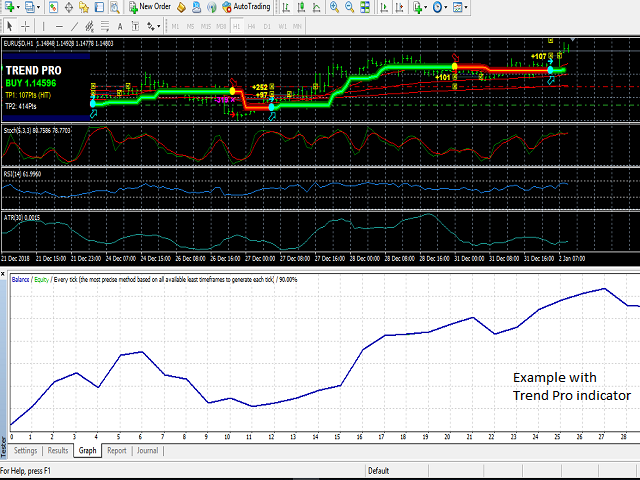
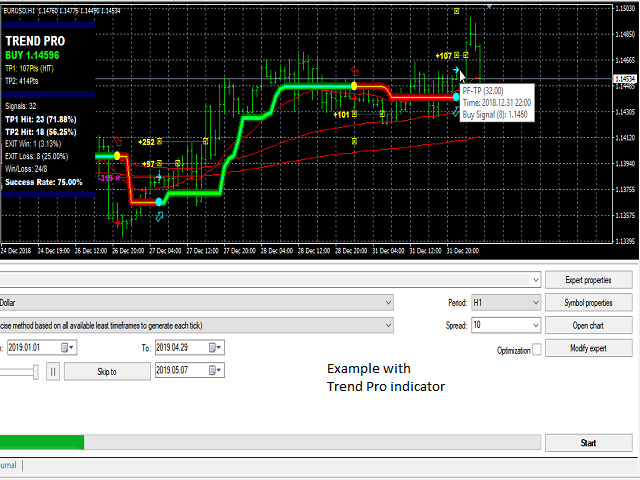
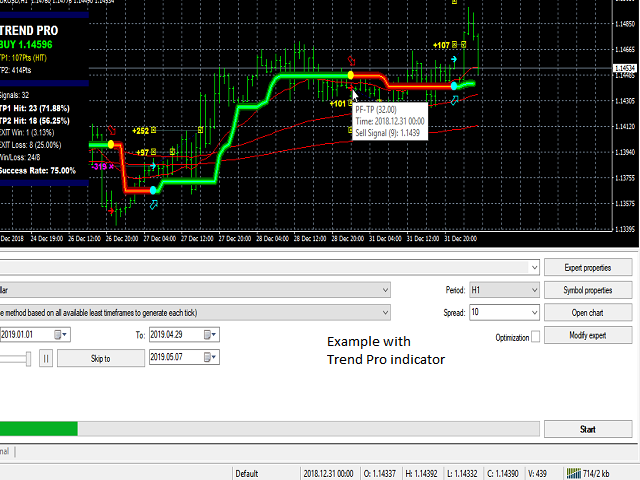
You can double check this procedure by running a visual backtesting: on the top-left corner of the chart, you will see the returned value of the indicator (check the screenshots attached).
Last but not least, in order to enable your custom indicator, make sure you use the following MagicNumber: 20151119, otherwise the custom indicator will be disabled.
Final consideration
Some custom indicators are very complex and will not run with this EA, but will be very useful when you have simple indicators with BUY and SELL buffers. At least you can try for free, and if it does not work, you just spent your time and not your money!
Some inputs
- TradeComment - this is the only value that the broker will see;
- MagicNumber - magic 0 is for managing manual trades, other values are to manage different EA's on the same pair;
- MaxSpread - max spread allowed, checked before the order is placed;
- Slippage - max slippage allowed, checked before the order is placed;
- MM_mode
- 0=Fixed Lot
- 1= % Equity
- 2= % Balance;
- FixedLot - only for mode 0;
- MaxRisk - risk percentage;
- Minlot/Maxlot - lots allowed. These values will work even with automated MM;
- Max_Trades_Total - max total trades allowed;
- Max_Trades_Sell - max total short trades allowed;
- Max_Trades_Buy - max total long trades allowed;
- Close_At_Opposite_Custom_Indicator_Signal - close if an opposite signal from the indicator is given;
- Close_At_Opposite_MA_Cross - close if an opposite signal from the MA cross is given;
- Close_At_Opposite_Stochastic_Cross - close if an opposite signal from the Stochastic cross is given;
- Max_Doubling_Times - if higher than zero, a martingale will be enabled. After a loss, the lots will be increased;
- Martingale_Multiplicator - lot multiplicator factor for the martingale;
- Safety_Pips_From_Last_Openprice_Closed_Trade - if higher than zero, the EA will check the last opened order value (and now closed) and the distance (pips) between that value and current Bid. This will prevent the EA to open a new trade;
- Breakeven - if higher than zero will move the SL to zero after X pips;
- PipsToLockIn - pips (from open price) to lock in with the breakeven function;
- Use_Hour_Trade - filter trades by time range;
- Close_Outside_Trading_Time - close all the trades if the time is over;
- Custom_Indicator_Name - put the file name of the custom indicator;
- Reverse_signal - try this function if the standard settings of the custom indicator does not work;
- Buy_Buffer - buffer for buying, which could be Arrow Up or Trend Up etc.;
- Sell_Buffer - buffer for selling, which could be Arrow Down or Trend Down etc.;
- Custom_Candleshift - shift the signal X bars later;
- Use_RSI_filter - filter the trades by Relative Strength Index indicator;
- Use_MA_filter - filter the trades by Moving Average indicator;
- Use_MA_cross - filter by Moving Average cross (buy if MA1 > MA2 and sell if MA1 < MA2);
- Use_Stochastic_cross - filter by Stochastic cross (buy if Stochastic Main > Stochastic Signal and sell if Stochastic Main < Stochastic Signal).
本店最新上架
-
- MT4 MT5跟单EA 本地跟单远程跟单 绝不

- ¥1100.00
-
- 在MetaTrader市场购买MetaTrader 5的&#
- ¥3988.00
-
- 在MetaTrader市场购买MetaTrader 5的&#
- ¥3988.00
-
- 在MetaTrader市场购买MetaTrader 5的&#

- ¥3988.00
-
- 在MetaTrader市场购买MetaTrader 5的&#

- ¥3988.00
全网为您推荐
-
- AlgoTradeSoft

- ¥3988.00
-
- 国际期货套利软件

- ¥3988.00
-
- MT4 MT5跟单EA 本地跟单远程跟单 绝不
- ¥1100.00
-
- 在MetaTrader市场购买MetaTrader 5的&#
- ¥3988.00
-
- 在MetaTrader市场购买MetaTrader 5的&#
- ¥3988.00