客服热线:
客服热线: 手机版
手机版 二维码
二维码































Master Bollinger Bands
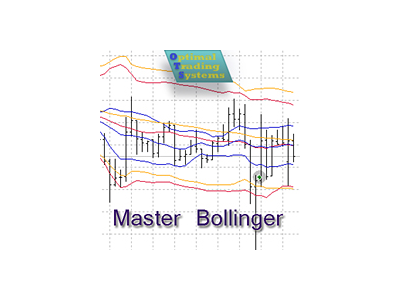
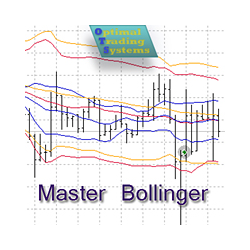
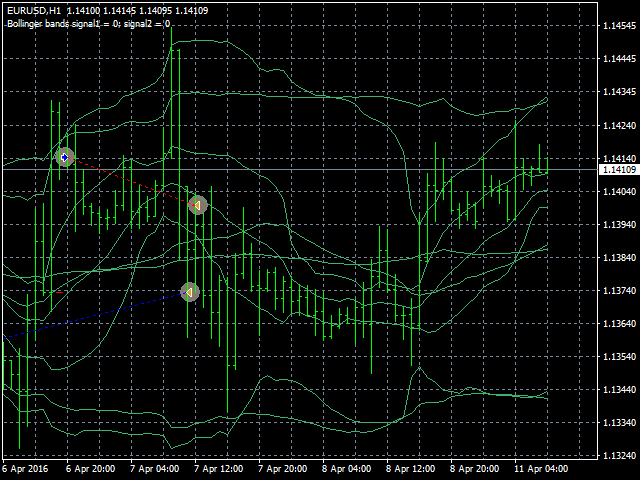
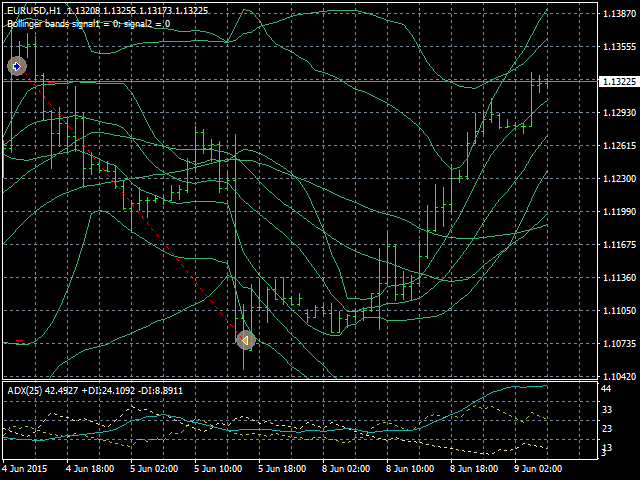
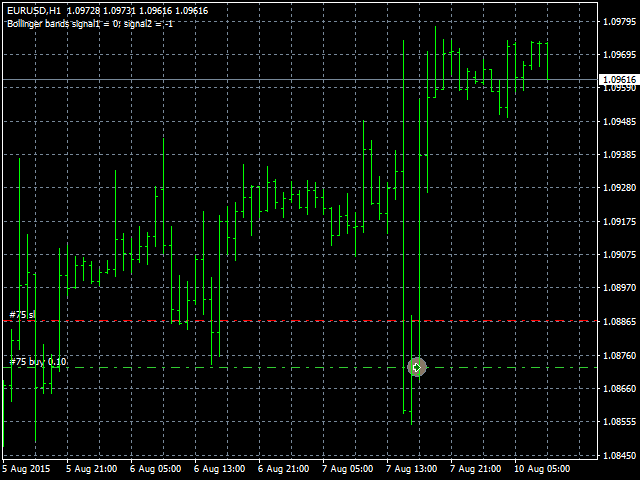
The Expert Advisor opens and closes positions using Bollinger Bands signals: it buys on lower bands when price rolls back, and it sells on upper bands. It has the option to close positions by an opposite signal, by take profit and stop loss, move a trade to breakeven upon reaching the central Bollinger band or after a certain price movement. Many good strategies use one or more Bollinger Bands indicators. In this EA, it is possible to use up to 3 such indicators. When using the first and second indicator, trades will be performed between the lines of these indicators. The third Bollinger Bands indicator is used as an additional one on another timeframe. To filter strong trend movements, you can use several moving average lines so that trades were executed only by trend. Enabling this option can significantly reduce the number of deals, but they will be more accurate.
The EA does not use risky trading methods, and can trade on most of currency pair and timeframe. In addition, it does not cost much, and its settings are quite simple, which can be good for both experienced and novice traders.
Input parameters
- Lots - lot size (if Lots=0, then the lot will be calculated based on the percentage of account free margin);
- Percentage of free money - percentage of free margin to open each new trade (applicable when Lots=0);
- MaxSpread - the maximum allowable spread to open trades (for floating-spread symbols, to avoid opening with a large spread);
- Magic - unique identifier (use different magic numbers if multiple Expert Advisors run in your terminal);
- StopLoss - stop loss in points;
- TakeProfit - take profit in points;
- Stop to breakeven after - move stop loss to breakeven after a specified number of points;
- EnableAutoClose - automatic closure of orders in case of a reverse signal;
- TrailingStopValue - trailing stop value in points (distance from the current price of the currency pair), if set to 0, trailing stop is not used;
- BollingerPeriod - Bollinger bands period;
- BollingerDeviations - Bollinger bands deviations;
- Bollinger2Enable - enable/disable the second Bollinger bands indicator;
- Bollinger2Period - second Bollinger bands indicator period;
- Bollinger2Deviations - second Bollinger bands indicator deviations (this parameter value should be less than the first indicator deviations and may even become negative);
- BreakevenAfterTouchCenter - enable/disable moving a trade to a breakeven when the price touches the central Bollinger band;
- OtherLinesFilter - If the price touches several lines of the main Bollinger indicator at once, the transaction does not open;
- Bollinger3Timeframe - timeframe of the third Bollinger bands indicator;
- Bollinger3Period - period of the third Bollinger bands indicator;
- Bollinger3Deviations - deviation of the third Bollinger bands indicator;
- MAFilterStartPeriod - initial period of Moving average indicators (if set to 0, the filter will not be used);
- MAFilterCount - the number of Moving average indicators;
- MAFilterIncrease - increase of the period of each Moving average indicator;
- MAFilterMaxShift - the maximum shift for obtaining many filter values (0 - do not use, values not more than 100 are desirable);
- MAFilterMinimumValue - the minimum value of the sum of all filter signals to open trades (0 - do not use);
- AdxPeriod - ADX indicator period;
- MinAdxLevel - ADX indicator minimum level;
- MaxAdxLevel - ADX indicator maximum level;
- Trading start hour - trading start hour;
- Trading end hour - trading end hour;
- ShowInfo - enable the display of information;
- ShowHints - enable the display of useful tips when placing an adviser on a chart and after editing its settings;
- IncLotAfterProfit - increase the lot after the profitable close of the previous transaction;
- DecLotAfterLoss - reduce the lot after the unprofitable closing of the previous transaction.
本店最新上架
-
- MT4 MT5跟单EA 本地跟单远程跟单 绝不

- ¥1100.00
-
- 在MetaTrader市场购买MetaTrader 5的&#
- ¥3988.00
-
- 在MetaTrader市场购买MetaTrader 5的&#
- ¥3988.00
-
- 在MetaTrader市场购买MetaTrader 5的&#
- ¥3988.00
-
- 在MetaTrader市场购买MetaTrader 5的&#

- ¥3988.00
全网为您推荐
-
- AlgoTradeSoft

- ¥3988.00
-
- 国际期货套利软件

- ¥3988.00
-
- MT4 MT5跟单EA 本地跟单远程跟单 绝不
- ¥1100.00
-
- 在MetaTrader市场购买MetaTrader 5的&#
- ¥3988.00
-
- 在MetaTrader市场购买MetaTrader 5的&#
- ¥3988.00