 客服热线:
 手机版
 二维码




































Tipu Panel
Tipu Panel series is set of innovative indicators created to consolidate indicators in form of a panel. As a trader, indicators can easily create a cluster on the chart and distract you from the bigger picture. It can also be overwhelming and visually exhausting. Tipu Panel simplifies this by displaying each indicator in a beautifully boxed panel. You can customize the panel to display indicator signals for multiple time frames and also to quickly switch time frames. There are two types of indicators that make up the Tipu Panel series, the master indicator, and the add-in indicators. The master indicator (Tipu Panel indicator) plots a beautifully designed panel, and the add-in indicators feed the data to this master indicator panel. These two types of indicators work together for a faster, and efficient performance on the chart.
Step#1 Add Tipu Panel Indicator to chart
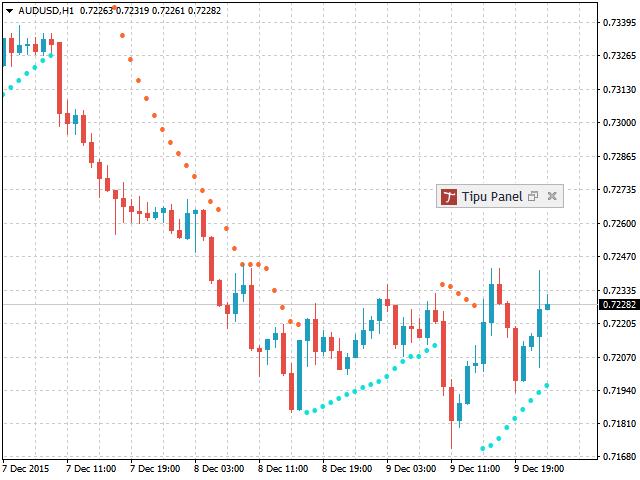
Tipu Panel is the master indicator that takes the data-feed from the add-in indicators. After adding the Tipu Panel indicator to the chart, you will see a blank panel with no boxes. You will need to add-in indicators to enable the panel.
Step#2 Add Tipu Panel Add-in Indicators to the Chart
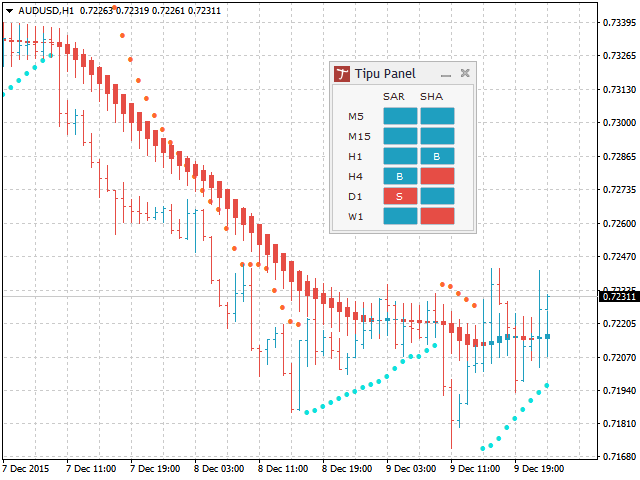
Tipu Panel add-in indicators are designed as the standalone indicators with the user option to work with the Tipu Panel indicator. You will need to enable the panel settings in the add-in indicators, if you would like to see multi-time frame information on the Tipu Panel indicator. The following add-in indicators are supported in Tipu Panel series
- Tipu MACD
- Tipu Trend
- Tipu Stochastics
- Tipu RSI
- Tipu Parabolic SAR
- Tipu Impulse
- Tipu Heikin Ashi Pro
- Tipu CCI
How to Trade
Tipu Panel is designed on the principle of multiple time-frame confirmations and can be used as a part of trend following trade strategy. According to the multiple time-frame confirmations strategy, higher time frames are used as confirmation and lower time frames are used for trading. For example, if you are using a trend following strategy on M15 (15 minutes charts), you may go long (buy) on a M15 signals, only if the trend is up on H1, H4, and D1.
Tipu Panel makes trading simple by aggregating the indicators in one panel and showing multiple time frames for each indicator. You can also customize alerts in Tipu Panel settings so you can stay relaxed from staring at the computer screen for too long.
- Trend - Blue box mean the trend is up (this color can be customized in Tipu Panel settings), Pink box means the trend is down.
- Signal - “B” means a buy signal by the indicator, and “S” means a sell signal.
How to Create alerts
Consolidated alerts by the Tipu Panel Indicator
The alert setting in the Tipu Panel indicator only controls the “Total” column. This column combines all the indicators signals and trend. For example, if all the indicators for a particular time frame change colors to blue (default buy color), then the “Total” column will change color to blue, and an alert will be sent for the change in trend. If the color is already blue and any one the indicator changes to “B” signal, then it will also alert for a “Buy” signal.
alerts by the Tipu Panel Add-in Indicators
The alerts in the Tipu Panel add-in indicators control the alerts for the time frames enabled in the Tipu Panel indicator. For example, if you enabled M15, H1, and D1 time frames only in the Tipu Panel indicator, a Tipu MACD will give you an alert if there is a change in trend or a signal in M15, H1, and D1 time frames only. You may choose to disable alerts in all the add-in indicators and enable alerts in the Tipu Panel indicator only to get the consolidated alerts.
Parameters
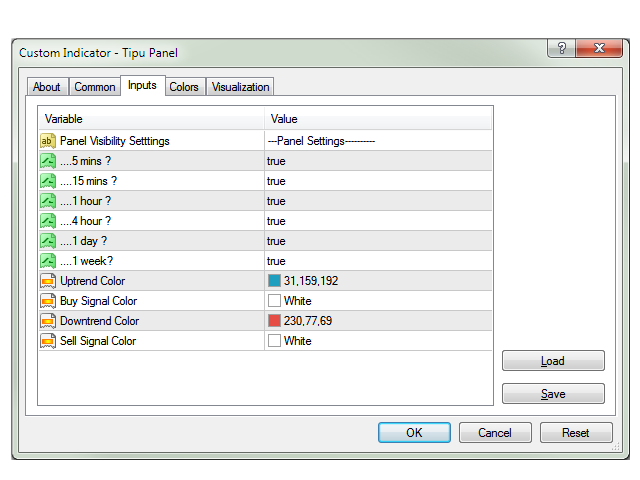
- Uptrend Color - settings for uptrend color on the panel, based on add-on indicator
- Buy Signal Color: buy signal color on the panel
- Downtrend Color: settings for downtrend color on the panel
- Sell Signal Color: sell signal color on the panel
Additional Settings
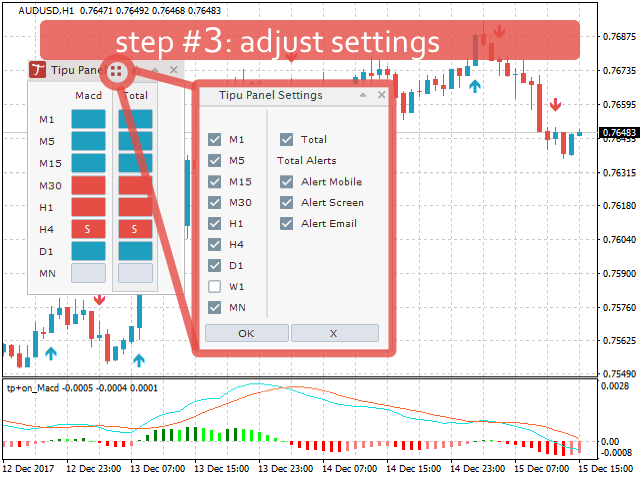
You can control the additional setting by clicking on the settings button on the Tipu Panel. You can customize time frames to display and enable/disable alerts from the settings.
Developer
//check Signals
bool tsignalM15 = ObjectGetString(0,"tpanel+ttotalM15",OBJ_TEXT)=="B";
//check Trend - default color setting in Tipu Panel
bool ttrend15 = ObjectGetDouble(0,"tpanel+ttotalM15",OBJPROP_BGCOLOR)==C'31,159,192';



本店最新上架
-
- MT4 MT5跟单EA 本地跟单远程跟单 绝不

- ¥1100.00
-
- 在MetaTrader市场购买MetaTrader 5的&#

- ¥3988.00
-
- 在MetaTrader市场购买MetaTrader 5的&#

- ¥3988.00
-
- 在MetaTrader市场购买MetaTrader 5的&#

- ¥3988.00
-
- 在MetaTrader市场购买MetaTrader 5的&#

- ¥3988.00
全网为您推荐
-
- AlgoTradeSoft

- ¥3988.00
-
- 国际期货套利软件

- ¥3988.00
-
- MT4 MT5跟单EA 本地跟单远程跟单 绝不
- ¥1100.00
-
- 在MetaTrader市场购买MetaTrader 5的&#
- ¥3988.00
-
- 在MetaTrader市场购买MetaTrader 5的&#
- ¥3988.00


