 客服热线:
 手机版
 二维码




































Inform Panel For ALL Symbols
This is a prototype of the famous Control and management of transactions panel. There are two main differences:
- Allows to work with all the variety of financial instruments opened by a user and not only with instruments it was attached to;
- To activate levels of order closure hidden from a broker, it uses not lines but modifiable virtual levels.
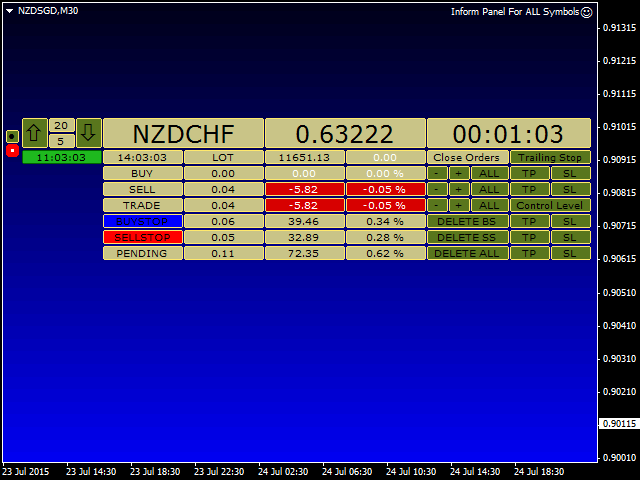
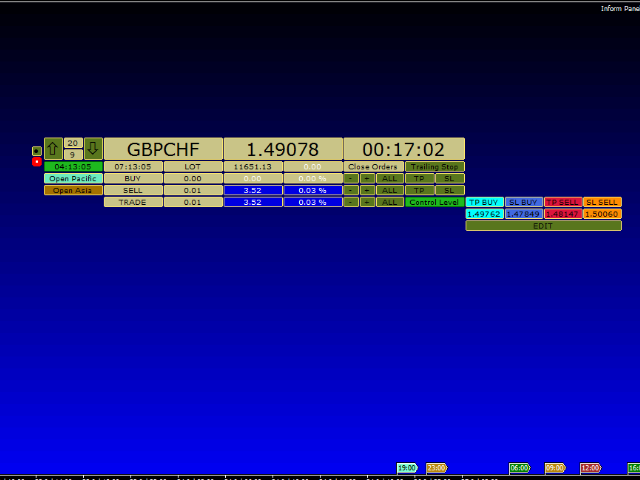
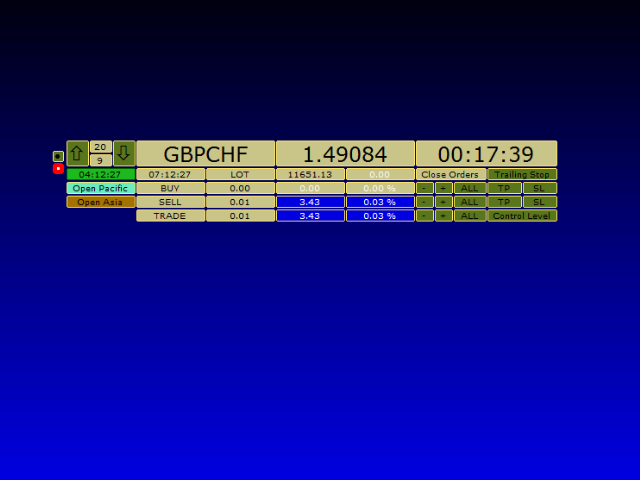
The EA will independently determine a total number of involved financial instruments, display them in the upper left window and locate the pointer on the first position. You can travel through the list of financial instruments clicking corresponding up and down buttons.
Parameters
- include background? — enable the background;
- background color of the screen — screen background color;
- Magic Number — order magic number. 0 - all symbol orders;
- CloseTrades — true - close all orders by symbol, false - close orders by magic number only;
- Confirmation of action for the removal orders? — confirm removals.
These parameters are followed by the panel element colors.
The panel is also equipped with following functions:
- placing real and virtual take profit and stop loss levels for already opened market positions;
- placing take profit and stop loss levels for pending orders;
- closing orders;
- deleting pending orders in the trading direction;
- closing orders by trailing stop;
- closing orders when reaching virtual levels of take profit or stop loss.
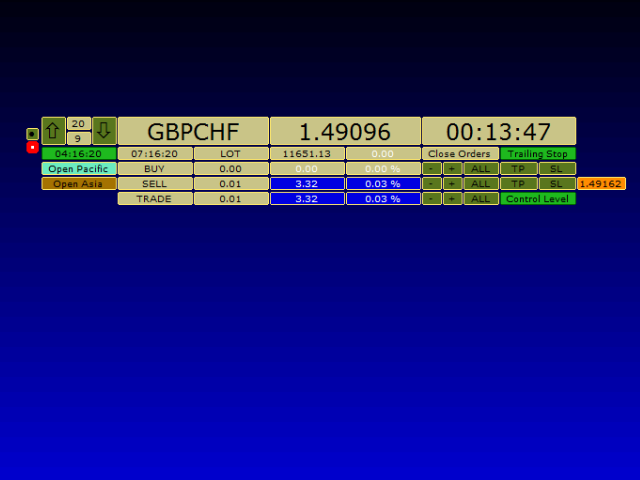
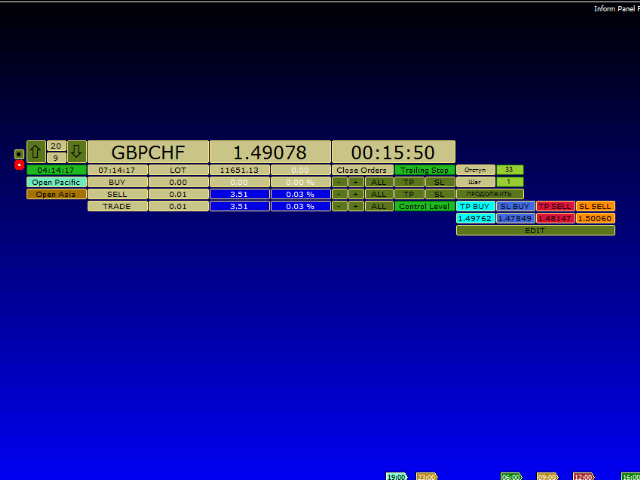
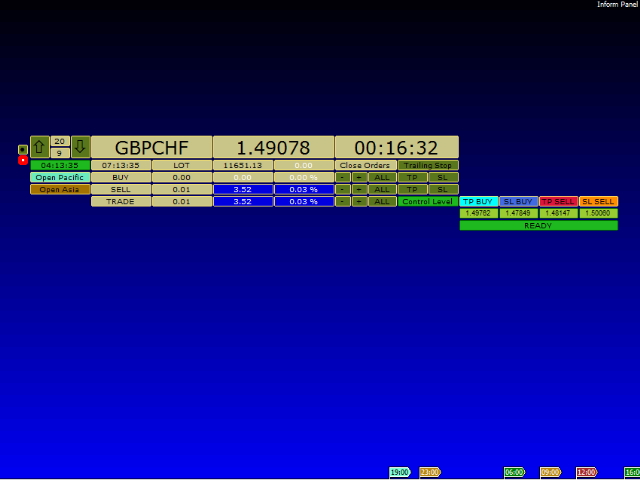
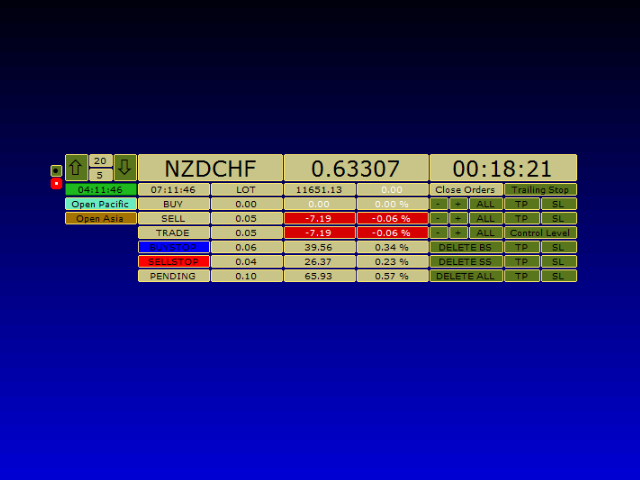
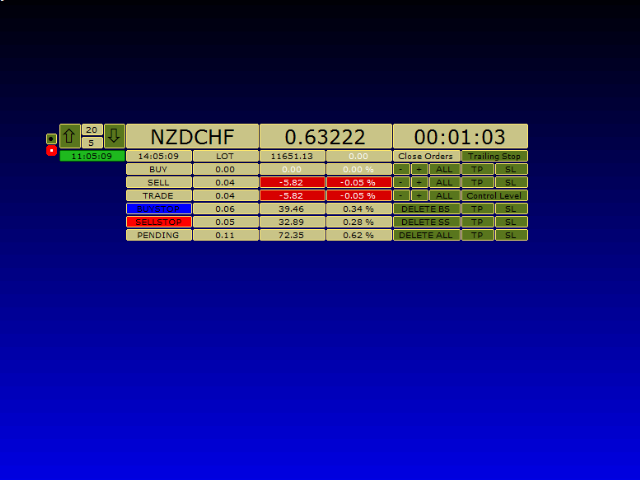
There are buttons having different colors for managing all specified functions. Lines inform you about types of open orders and specify (from left to right):
- "order type";
- "total size of the position in lots";
- "Funds for (opening) supporting positions";
- "The same but as % of the deposit".
Lines for open positions:
- "Close orders with loss";
- "Close orders with profit";
- "Close all orders".
Each type of pending orders has the Delete button. Buttons for placing take profit and stop loss are marked "TP" and "SL" respectively. When the Control Level button is actuated, you can activate them by specified levels. And when the Control Level button is released, you will set them to 0. If you want to close orders by trailing stop, click the Control Level button, place the stop loss level for profitable positions, and now you have two options: having the Control Level button clicked, click the Trailing Stop button, or do the same with the released Control Level button. In the former case - when both Control Level and Trailing Stop buttons are clicked your position will be tracked by virtual trailing stop, and in the latter case - when the Control Level is clicked and the Trailing Stop is released your position will be tracked by real trailing stop. The panel has an intuitive interface and contains a set of colors which can be changed according to your tastes. You can also adjust the panel for processing orders having a certain magic number or all orders for the given financial instrument. When clicking buttons of placing take profit and stop loss levels or closing and deleting positions you will be asked a question about completion or cancellation of this operation. If you suppose that it wastes your time, set "/confirm/iation" to "false". The EA should be located on any financial instrument which has no open positions, and where you are not going to open new positions. Uncheck all boxes in common property settings except for "Line" and "Chart shift", and select "None" in "Grid" and "Line", and MediumBlue in "Background". Constructive suggestions and feedback are appreciated.

 nload="if(window.viewGallery_GalleryManager) viewGallery_GalleryManager.ImageonLoad(this,7);" />
 nload="if(window.viewGallery_GalleryManager) viewGallery_GalleryManager.ImageonLoad(this,8);" />
本店最新上架
-
- MT4 MT5跟单EA 本地跟单远程跟单 绝不

- ¥1100.00
-
- 在MetaTrader市场购买MetaTrader 5的&#

- ¥3988.00
-
- 在MetaTrader市场购买MetaTrader 5的&#

- ¥3988.00
-
- 在MetaTrader市场购买MetaTrader 5的&#

- ¥3988.00
-
- 在MetaTrader市场购买MetaTrader 5的&#

- ¥3988.00
全网为您推荐
-
- AlgoTradeSoft

- ¥3988.00
-
- 国际期货套利软件

- ¥3988.00
-
- MT4 MT5跟单EA 本地跟单远程跟单 绝不
- ¥1100.00
-
- 在MetaTrader市场购买MetaTrader 5的&#
- ¥3988.00
-
- 在MetaTrader市场购买MetaTrader 5的&#
- ¥3988.00


