 客服热线:
 手机版
 二维码






















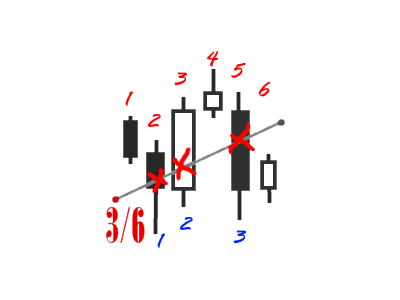














Bar Counter and Level Searcher
The utility simplifies the search for maximum bars accumulation levels.
These levels can be used both for technical analysis and trading actions, like setting a stop loss or pending orders. Additional analytical methods are recommended for levels /confirm/iation.
How it works
-
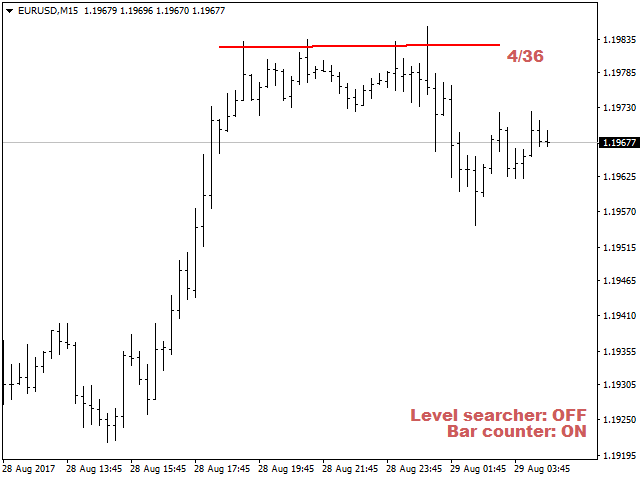
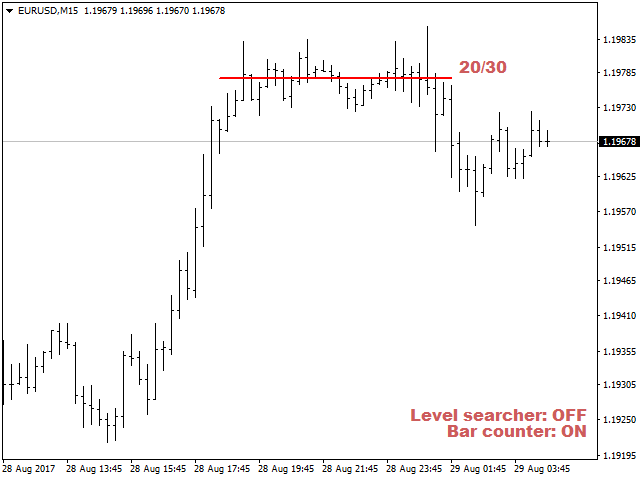
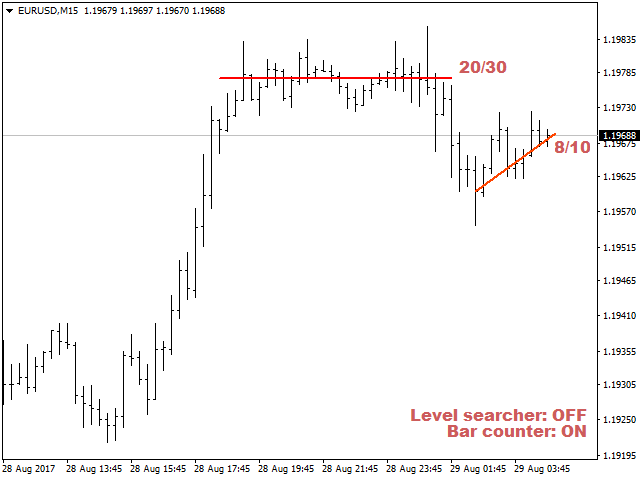
Сounter mode (enabled by default). In the Сounter mode, draw a trend line on the chart and the utility will specify its length in bars as well as the number of bars the line crosses. When moving a trend line, the utility re-calculates the number of bars the line crosses. If the Сounter mode is enabled, the utility processes all new trend lines.
To stop processing new trend lines, exit the Сounter mode by clicking "Bar counter: ON" on the chart.
-
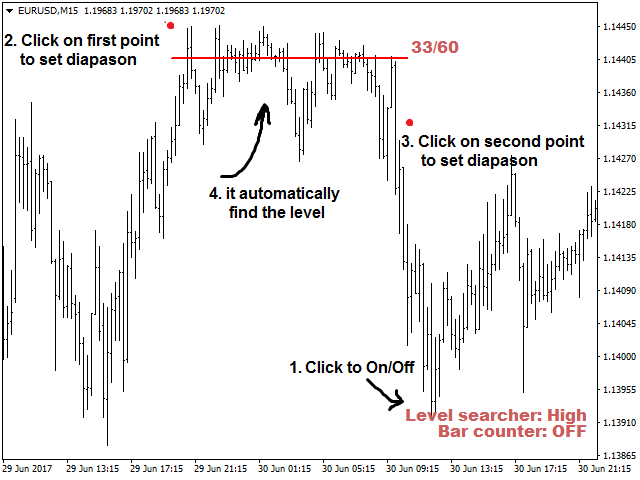
Searcher mode. In this mode, the utility searches for the horizontal levels where the largest number of bars in the specified range is found. To set the search range, click on the chart where the range starts and click again where it ends. After that, the utility finds and plots the horizontal levels where the largest number of bars in the specified range is found. To enable the Searcher mode, click "Level searcher".
There are three Searcher mode options: High, Low and High/Low. To select the necessary one, click "Level searcher". In case of High, the utility looks for the highest level that crosses the largest number of bars. In case of Low, the utility looks for the lowest level, while in High/Low, the utility searches and displays both levels.
Parameters
- Search step - horizontal level search step in the Level searcher mode, in points;
- Draw digits on - side of the trend line the number of bars it crosses is displayed on;
- Corner - chart corner where the Searcher and Counter modes enabling/disabling buttons are to be placed;
- X - X coordinate of the buttons location;
- Y - Y coordinate of the buttons location;
- Buttons size - buttons size;
- Buttons color - buttons color;
- Numbers size - trend line data text size;
- Numbers color - trend line data text color;
- Font weight - set the bold type of the buttons and trend line data;
- High/Low lines color - color of the plotted lines in the "Level searcher" mode;
- High/Low lines width - thickness of plotted levels in the "Level searcher" mode.
The utility is easy to use and helps you quickly find important levels improving the quality of your trading.
本店最新上架
-
- MT4 MT5跟单EA 本地跟单远程跟单 绝不

- ¥1100.00
-
- 在MetaTrader市场购买MetaTrader 5的&#

- ¥3988.00
-
- 在MetaTrader市场购买MetaTrader 5的&#

- ¥3988.00
-
- 在MetaTrader市场购买MetaTrader 5的&#

- ¥3988.00
-
- 在MetaTrader市场购买MetaTrader 5的&#

- ¥3988.00
全网为您推荐
-
- AlgoTradeSoft

- ¥3988.00
-
- 国际期货套利软件

- ¥3988.00
-
- MT4 MT5跟单EA 本地跟单远程跟单 绝不
- ¥1100.00
-
- 在MetaTrader市场购买MetaTrader 5的&#
- ¥3988.00
-
- 在MetaTrader市场购买MetaTrader 5的&#
- ¥3988.00


