 客服热线:
 手机版
 二维码






















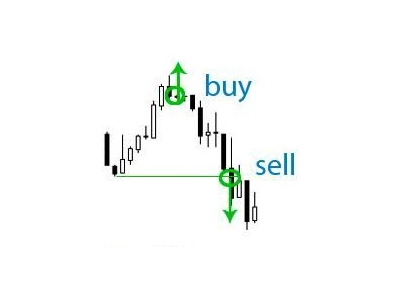














Deposit saver
If your deposit is in a drawdown - this EA will help you get out of it!
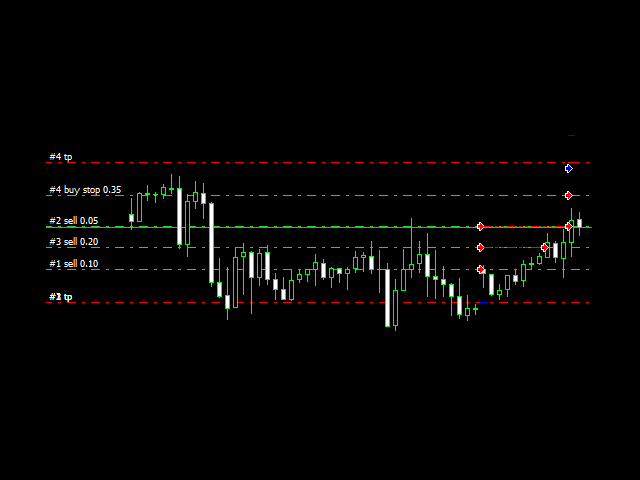
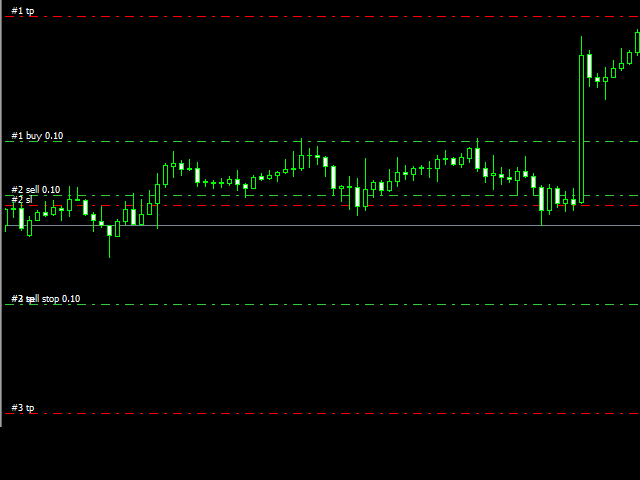
DEPOSIT SAVER will lock your position in order to prevent the drawdown from increasing significantly, and then will close all orders to breakeven.
Please note that it is not the EA task to bring you profit. The EA task is to withdraw you from the drawdown and close all positions to zero.
1. Before installing the EA on the chart, delete the stop loss of your orders, if any;
2. The EA works only with sell or buy orders. If there are both sell and buy orders on the chart, the EA will not help you.
DEscriptION OF SETTINGS
Chart - Be sure to write the name of the chart on which you install the EA, for example, EURUSD, so that the EA works correctly.
Activate - This function is needed so that it is not necessary to install the EA on the chart each time to exit the drawdown, and to remove it from the chart after exiting the drawdown. It is enough to switch this parameter to “true” for the EA to start working. This is a convenient feature for those who trade manually.
Magic - If 0, then the EA works with orders that you manually set. If you want, the EA to work with the orders of your EA, then specify the magic orders of your EA.
Width lock - The distance from the market order to the lock order (* and in the case of a grid of orders, the distance from the breakeven price in the grid to the lock order). If, at the time of the EA’s activation, the distance from the current price to the market order (* ...) is less than that specified in this parameter, the EA will put a stop order, and if it is more, it will lock the market order (* ...) with the market one. However, the trailing stop order will not be closer to the market order (* ...) than this distance.
Direction market order - Specify the direction of your current market order (grid of orders) so that the EA realizes which way to open the opposite pending stop order.
Protective stop order - This is the next pending stop order, which will be set at a specified distance from the current price, in case of closing the previous “Breakeven stop order”. This distance of the Trailing type will be maintained until either the stop order becomes market again or the lock closes at breakeven.
Take Profit for stop order - If locking stop orders are closed by Take Profit, then the EA will not have to wait until the market reverses until your order (* or your order grid) is closed at breakeven. The EA will close your market order (*) with a minus equal to the plus of the locking orders, bringing you to breakeven by equity.
Breakeven stop order - If 0, then the break-even price is the opening price of the stop order. If, for example, 10, then +10 points from the opening price of a stop order. This parameter is needed for floating spreads.
Transfer in breakeven - With this parameter you specify when to transfer a locking order to breakeven. For example, we have a buy stop order, which has become a market buy order of +50 points. At this point, stop loss is a buy order will be transferred to breakeven.
To read how the EA works, read my first comment in the "Comments" section.
本店最新上架
-
- MT4 MT5跟单EA 本地跟单远程跟单 绝不

- ¥1100.00
-
- 在MetaTrader市场购买MetaTrader 5的&#

- ¥3988.00
-
- 在MetaTrader市场购买MetaTrader 5的&#

- ¥3988.00
-
- 在MetaTrader市场购买MetaTrader 5的&#

- ¥3988.00
-
- 在MetaTrader市场购买MetaTrader 5的&#

- ¥3988.00
全网为您推荐
-
- AlgoTradeSoft

- ¥3988.00
-
- 国际期货套利软件

- ¥3988.00
-
- MT4 MT5跟单EA 本地跟单远程跟单 绝不
- ¥1100.00
-
- 在MetaTrader市场购买MetaTrader 5的&#
- ¥3988.00
-
- 在MetaTrader市场购买MetaTrader 5的&#
- ¥3988.00


