 客服热线:
 手机版
 二维码




































HungrySpiderMulti
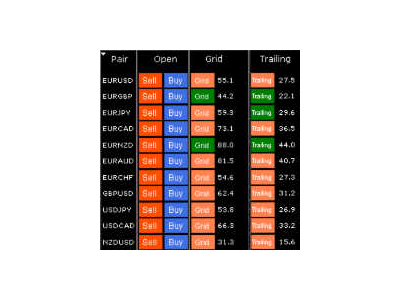
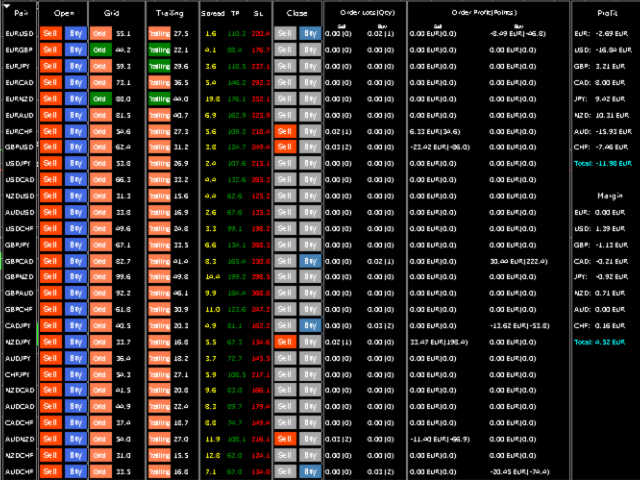
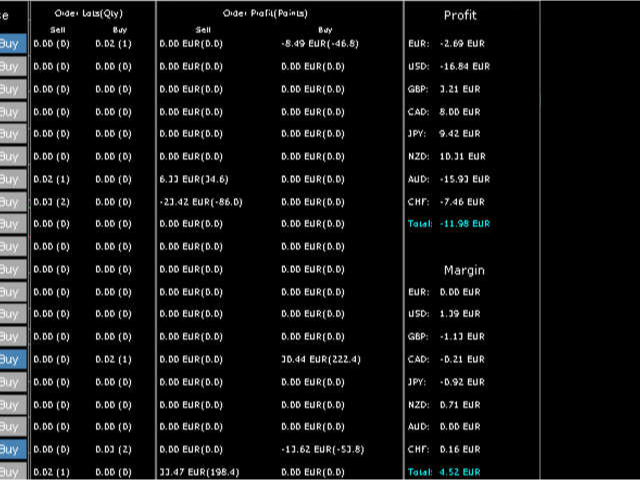
HungrySpiderMulti - is an easy-to-use multi-currency trading panel allowing you to trade 28 trading pairs in one window. The panel also allows you to use grid, and trailing stop. Using this panel trader will receive a push-notification about new events.
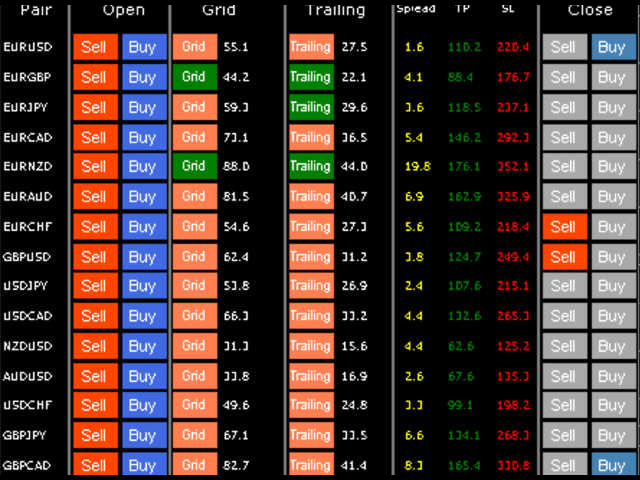
Opening an order: Opening an order occurs in one click. Near the required currency pair, in the Open section, click on the Sell or Buy button.
Grid: Near required pair, there is a Grid button. The button has two states, green - on, orange - off. To change the state you just need to click on the button. If the button is activated, then averaging will occur at the interval indicated opposite the button. Averaging is performed not by a pending order, by an instant order. The panel will send an order when it reaches the required level.
Trailing: If the button is activated, then orders for this pair will use a trailing stop. Trailing is activated after the average profit in points for orders of the current pair exceeds that indicated near the button.
TakeProfit, StopLoss: For orders that open using the button, the StopLoss and TakeProfit levels are indicated in the TP and SL. For orders that are opened using the grid, the StopLoss and TakeProfit levels are copied from previous orders. The panel will select the closest level to the current price.
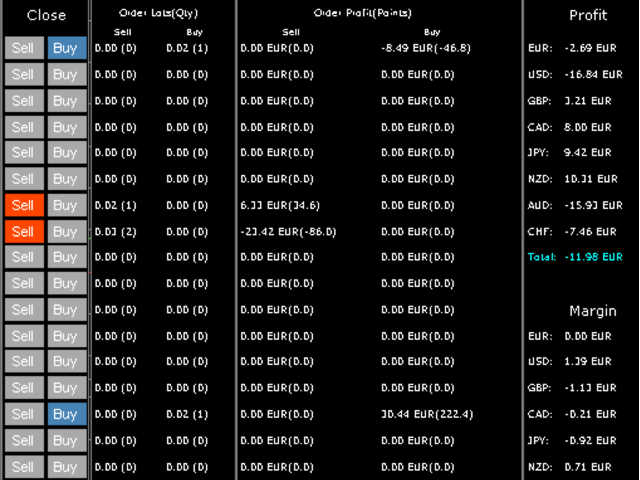
Closing: You can close orders using the button in the Close section. Just click on the button necessary to close the direction. If the button is grey it means that there are no open orders with this direction on this pair.
Orders Lots (Qty): Indicates the total volume for each direction, and the number of orders.
Order Profit (Points): Indicates the total profit in the deposit currency, and the average profit in points.
Profit, Margin: Net profit for each currency is calculated separately. The net margin for each currency is also calculated..
Push notifications: The trading panel sends push notifications to the phone when: opened new order, opened new order with a grid, trailing stop is activated, the order is closed, and when equity is changed for a certain percentage up or down.
The panel can also be used when trading via a mobile phone. To do this, specify Magic = 0 in the panel settings. Then the panel will use all orders, including those opened using the phone. With pending orders, this also works!
Attention! When manually closing orders and the Grid button is activated, a conflict may occur, and orders will be opened back. I recommend to close orders with a button on the panel or disable the Grid button.
本店最新上架
-
- MT4 MT5跟单EA 本地跟单远程跟单 绝不

- ¥1100.00
-
- 在MetaTrader市场购买MetaTrader 5的&#

- ¥3988.00
-
- 在MetaTrader市场购买MetaTrader 5的&#

- ¥3988.00
-
- 在MetaTrader市场购买MetaTrader 5的&#

- ¥3988.00
-
- 在MetaTrader市场购买MetaTrader 5的&#

- ¥3988.00
全网为您推荐
-
- AlgoTradeSoft

- ¥3988.00
-
- 国际期货套利软件

- ¥3988.00
-
- MT4 MT5跟单EA 本地跟单远程跟单 绝不
- ¥1100.00
-
- 在MetaTrader市场购买MetaTrader 5的&#
- ¥3988.00
-
- 在MetaTrader市场购买MetaTrader 5的&#
- ¥3988.00


