 客服热线:
 手机版
 二维码




































MicroMini FFMV Dashboard and CSM
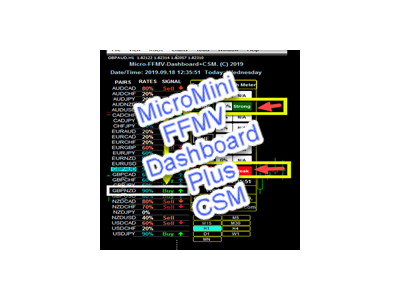
MicroMini FFMV Dashboard+CSM
This is a custom indicator created to give Traders a full view of what is going on in the market. It uses a real time data to access the market and display every bit of information needed to make successful trading.
To add value to the trading operation, Currency Strength Meter is added to it in order to consolidate the
effective work of this indicator.
THIS IS A MicroMini size of the FULL FOREX MARKET VIEW DASHBOARD INDICATOR with CSM added. This is for those who don't like the Indicator to cover all the charts and for those who don't like BOGUS things.
They practically perform the same operation but MicroMini FFMV Dashboard has a few features.
It shows up to 30 currency pairs or less as ALLOWED to be displayed in your MT4's Market Watch.
INSTALLATION:
Before installing this Indicator, do this first: Go to your MT4's Market Watch panel and hide all the currency pairs you don't need,
leave all the ones you intend to trade there. The reason is that FFMV Dashboard will onLY DISPLAY all the Currency pairs that appear
in your MT4's Market Watch. the highest number of currency pairs it can display is 30 currency pairs or less. If you have more than
that in your MT4 Market Watch, it will blur and disfigure the fonts and images on the FFMV Dashboard! Therefore, onLY allow the
currency pairs needed and delete the rest from your MT4's Market Watch panel
USAGE:
- For Solo Trading
- For Basket Trading (See the screenshot on how)
- To confirm the validity of the signal received from your own Trading systems and many more
COMPONENTS:
- Pairs: The currency pairs as displayed by the indicator
- Rates: Reliability of the currency to be considered for trading
- Signal: The final signal given whether to BUY or SELL
USING THE MicroMini DASHBOARD:
- Pairs display all the currency pairs that appears on the indicator
- Rates must be 100% but any currency that rates 60% upward is good enough
- Signal displays Sell Now or Buy Now
WHAT NEXT? After gotten a trade signal from the MicroMini Dashboard, we must further consider these two factors:
1. Support and Resistance Levels: These are powerful levels which determine if a currency's movement will break or bounce back because these are the areas of great struggles between the Buyers and Sellers. Therefore after getting the signal, go to the chart of the currency concerned and visualize it from higher time-frame - H1 upward to find out if the currency is not at the support or resistance level. Identify and draw a line at either of these levels, wait to see if price will break the level or bounce and if it breaks OR the currency is far from any of these points, then you are good to go, then the next factor...
2. Forex News: Forex news must be avoided especially a medium or High impact news on any currency pair. Before entering any trade even after a sure signal from the Dashboard, take time to check the Economic calendar on a Forex News Website. If there is an high impact news on such currency pair, drop the currency pair. However, if the news has been released long before you got signal from the Dashboard, then it is supposed to be a good trade because it means that the end-resultant effects of the news is working to our favor.
Aside these two factors, nothing to fear, go straight and place your trade. Just be sure all the conditions are met as instructed here
Further more, if you are interested in this Indicator BUT still need more proofs that it works truly, first, check the reviews of those who had already bought it.
Second, you can also join our Telegram group created for this purpose through this link:
https://t.me/ffmvDashboard
Finally, if you have bought it or you will DEFINITELY buy it now after reading, then you can join me on Telegram after you have already purchased it so that I can add you to the FFMV-Dashboard Private group mainly created for more TUTORIALS on how it works
There you can enjoy 24/7 supports, questions/answers, suggestions and all you need to know. Use this link and provide the PROOF OF PURCHASE from this website:
https://t.me/Opengates
Cheers

本店最新上架
-
- MT4 MT5跟单EA 本地跟单远程跟单 绝不

- ¥1100.00
-
- 在MetaTrader市场购买MetaTrader 5的&#

- ¥3988.00
-
- 在MetaTrader市场购买MetaTrader 5的&#

- ¥3988.00
-
- 在MetaTrader市场购买MetaTrader 5的&#

- ¥3988.00
-
- 在MetaTrader市场购买MetaTrader 5的&#

- ¥3988.00
全网为您推荐
-
- AlgoTradeSoft

- ¥3988.00
-
- 国际期货套利软件

- ¥3988.00
-
- MT4 MT5跟单EA 本地跟单远程跟单 绝不
- ¥1100.00
-
- 在MetaTrader市场购买MetaTrader 5的&#
- ¥3988.00
-
- 在MetaTrader市场购买MetaTrader 5的&#
- ¥3988.00


