 客服热线:
 手机版
 二维码






































Magic Bar Combination Qualifier Dashboard
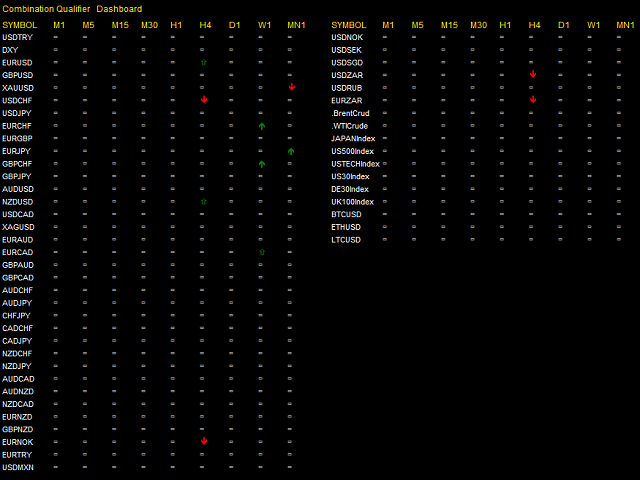
The indicator scans for signals in multiple timeframes for the all markets filtered and shows the results on Dashboard.
Key Features
- Dashboard can be used for all markets
- It can scan for signals on MN1, W1, D1, H4, H1, M30, M15 ,M5, M1 timeframes
Magic Bar Combination Qualifier is better when you have sharp directional moves, because it requires only thirteen price bars from start to finish compared to Magic Bar Qualifier which needs at least 22 bars. The criterias for a Ninth Bar Signal are the same with those required for a Magic Bar Qualifier. The difference is that the count starts at bar 1 of the Ninth Bar Settings and not from bar nine and Magic Bar Combination Qualifier requires four conditions to be satisfied simultaneously.
Requirements for a Thirteenth Bar Buy Signal
- Close lower or equal than the Low 2 trading days earlier.
- The Low of the day should be less than the previous "trading day's" Low.
- The Close of the day should be less than the previous "trading day's" Close.
- The Close of the day should be less than the previous "Counting down day's" Close.
- Bars Eleven, Twelve, Thirteen each one should just close successively lower and the other rules above are not applied.
Requirements for a Thirteenth Bar Sell Signal
- Close higher or equal than the High 2 trading days earlier.
- The High of a counting day should be greater than the previous "trading day's" High.
- The Close of a counting day should be greater than the previous "trading day's" Close.
- The Close of a counting day should be greater than the previous "counting day's" Close.
- Bars Eleven, Twelve, Thirteen each one should just close successively higher and the other rules above are not applied.
Parameters
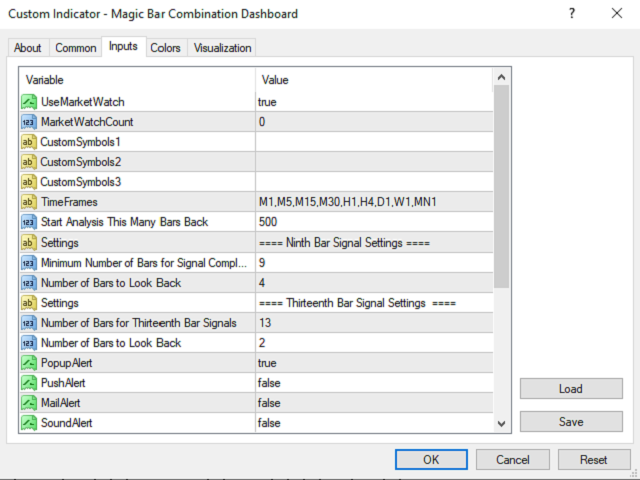
- UseMarketWatch: Set true to copy all symbols available in market watch
- MarketWatchCount : Set the number of symbols that you want to copy from the market watch list.
- CustomSymbols: Enter the custom symbols that you want to be available in dashboard.
- Timeframes: Set the timeframes for dashboard.
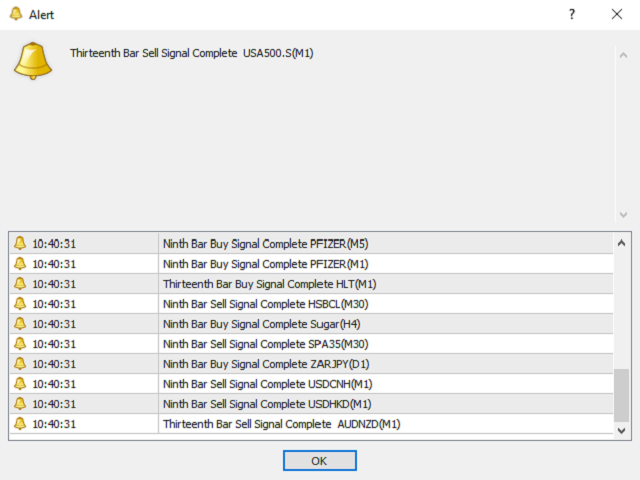
- Popup alert: Set True to enable window popup and sound alert on the terminal when a fresh signal is generated. Set False to disable
- Email alert: Set True to receive email notifications when a fresh signal is generated. Set False to disable.
- Push alert: Set True to receive push notifications on your Apple or Android devices when a fresh signal is generated. Set False to disable
本店最新上架
-
- MT4 MT5跟单EA 本地跟单远程跟单 绝不

- ¥1100.00
-
- 在MetaTrader市场购买MetaTrader 5的&#

- ¥3988.00
-
- 在MetaTrader市场购买MetaTrader 5的&#

- ¥3988.00
-
- 在MetaTrader市场购买MetaTrader 5的&#

- ¥3988.00
-
- 在MetaTrader市场购买MetaTrader 5的&#

- ¥3988.00
全网为您推荐
-
- AlgoTradeSoft

- ¥3988.00
-
- 国际期货套利软件

- ¥3988.00
-
- MT4 MT5跟单EA 本地跟单远程跟单 绝不
- ¥1100.00
-
- 在MetaTrader市场购买MetaTrader 5的&#
- ¥3988.00
-
- 在MetaTrader市场购买MetaTrader 5的&#
- ¥3988.00


