 客服热线:
 手机版
 二维码




































Breakout Pro Scalper Solution
Breakout Pro Scalper Solution


ta itemprop="image" content="https://c.mql5.com/31/307/breakout-pro-scalper-solution-screen-5488.png" />
This indicator is part of the RPTrade Pro Solutions systems.
Breakout Pro Scalper Solution is a daily trend indicator using Price Action, Dynamic Support and Resistances.- It's designed to be used by anyone, even the absolute beginner in trading can use it.
- NEVER repaints.
- Indications are given from close to close.
- Designed to be used alone, no other indicators are required.
- Gives you the trend and potential Take Profit at the beginning of the day.
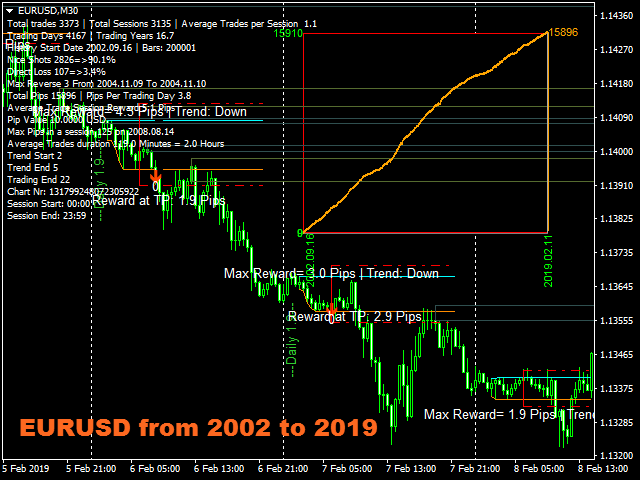
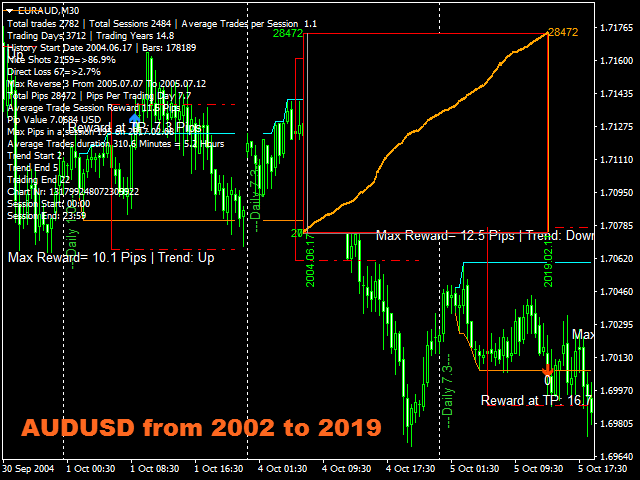
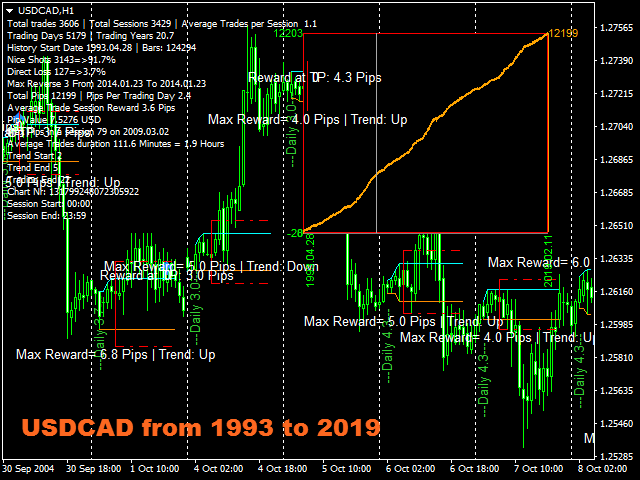
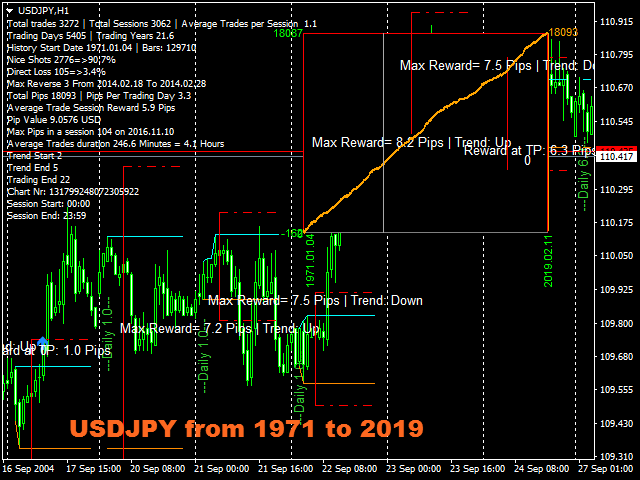
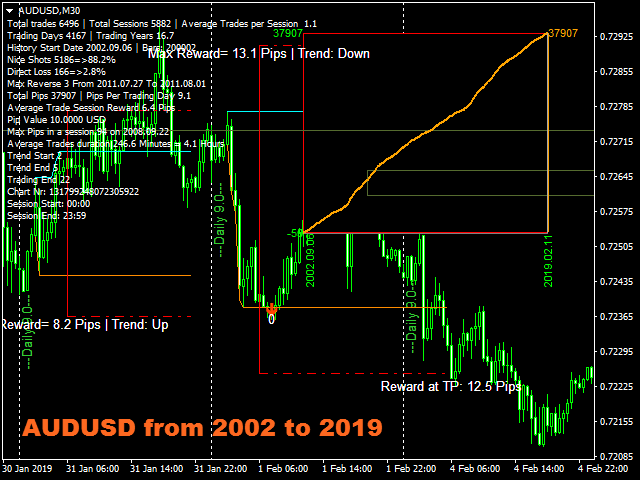
- A specific graph shows you the potentiel profit according to history data.
How does it work
- Breakout Pro Scalper Solution is using a breakout strategy combined with price action and dynamic Support and Resistances.
- The night trend and volatility are analyzed to be used during the next day.
- From this analysis are determined the breakout limits (blue and dark orange lines) and also the Take Profit
- The "success" of the strategy and settings can be checked instantly thanks to the graph on the chart.
- The onChart Graph allows to see immediately if there are any "holes" in the strategy and eventually select another Timeframe or Symbol that would fit better.
- In real time from candle close to candle close the trend indicator waits for the signal conditions to be valid and then shows it by an arrow (green for buy and orange for sell)
- The red dash dot lines shows where to place the Take Profit and eventual Stop Loss.
- Trades are indicated one by one, there are never two trades at the same time.
- Most of the trades (80%) are finished during the day.
Breakout Pro Scalper Solution indicates:
- Where to open your trades.
- Take Profit and Stop Loss.
- The potential quantity of pips that can be caught.
Breakout Pro Scalper Solution works
- With any instrument like FX pairs, indexes, metals, futures or any other if the quotations are supplied overnight.
- From M15 to H1.
- With any broker.
Breakout Pro Scalper Solution Features
- Reliable Buy / Sell signals.
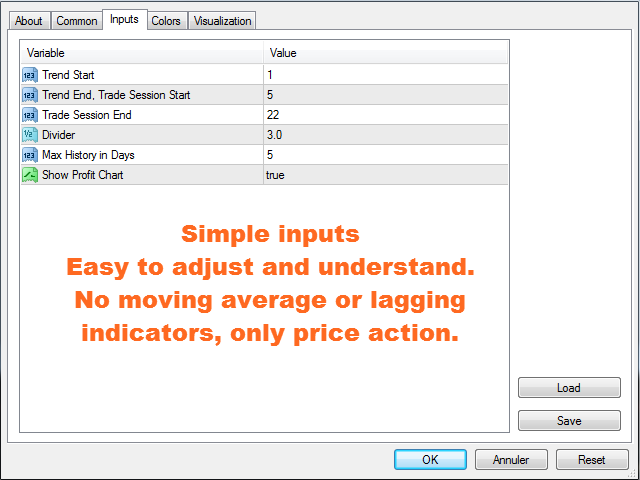
- Very simple inputs.
- On Screen alert + Push notifications + Email Notifications
- All notifications are very detailed and give also Take Profit, it allows to trade from a mobile device.
- On Chart profit pips graph showing balance for the whole history data. It's easy to see if the strategy is consistent with the selected instrument.
- The On Chart graph is movable with the mouse, double click on it and move it to any convenient position on the screen.
- The Supports and Resistances re displayed on the chart.
- Level lines with thin and fat areas are displayed on the chart.
How to use Breakout Pro Scalper Solution
- Just put it on your chart(s).
- Simply follow the arrows and Take Profit / Stop Loss indications.
Inputs
- Trend Start: [Integer] Enter here the time for the beginning of the night trend. Default value is 1 o'clock; it fits for most Fx pairs that are quoted from 0 to 23:59.
- Trend End, Trade Session Start: [Integer] Enter here the time for the Ending of the night trend and beginning of the trade session. Default value fits most instruments.
- Trade Session End: [Integer] Will not show trades after this time.
- Divider: [Double] Divides the distance in between Trend Start and Trend End to calculate Take Profit and SL. Default is 3, means that TP and SL will be 1/3 of the night volatility distance.
- Max History in Days: [Integer] Sets history duration in days for the gray price lines.
- Show Profit Chart: [Bool] true = show the profit chart, false = don't show.
Testing
- Don't be in a hurry, the test is quite slow as it makes complicated calculations. Anyway you won't have to wait for long to see that the strategy is really profitable.

 nload="if(window.viewGallery_GalleryManager) viewGallery_GalleryManager.ImageonLoad(this,7);" />
本店最新上架
-
- MT4 MT5跟单EA 本地跟单远程跟单 绝不

- ¥1100.00
-
- 在MetaTrader市场购买MetaTrader 5的&#

- ¥3988.00
-
- 在MetaTrader市场购买MetaTrader 5的&#

- ¥3988.00
-
- 在MetaTrader市场购买MetaTrader 5的&#

- ¥3988.00
-
- 在MetaTrader市场购买MetaTrader 5的&#

- ¥3988.00
全网为您推荐
-
- AlgoTradeSoft

- ¥3988.00
-
- 国际期货套利软件

- ¥3988.00
-
- MT4 MT5跟单EA 本地跟单远程跟单 绝不
- ¥1100.00
-
- 在MetaTrader市场购买MetaTrader 5的&#
- ¥3988.00
-
- 在MetaTrader市场购买MetaTrader 5的&#
- ¥3988.00


