 客服热线:
 手机版
 二维码





































Custom Dashboard Wizard
| Create your Dashboard with few clicks! |
|---|
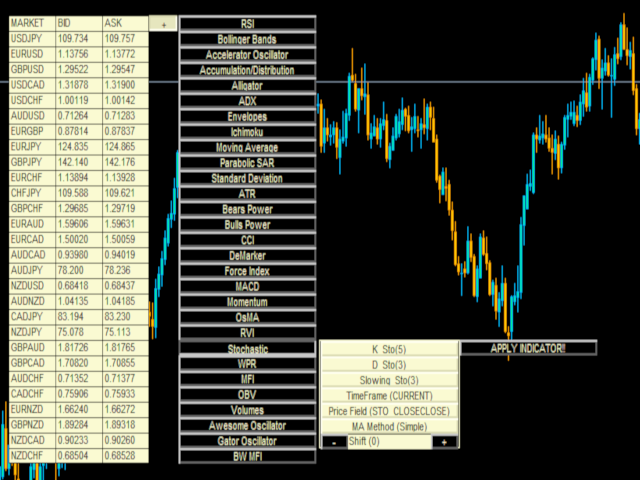
With the Custom Dashboard Wizard you'll be able to create your dashboard also without any programming knowledge. This indicator/panel will give you the possibility to add/remove the values of the metatrader4 standard indicators in any time frame you like, with any value you like and in any market you like, just be careful about writing the market name exactly as it's written on the list of your Market Watch.
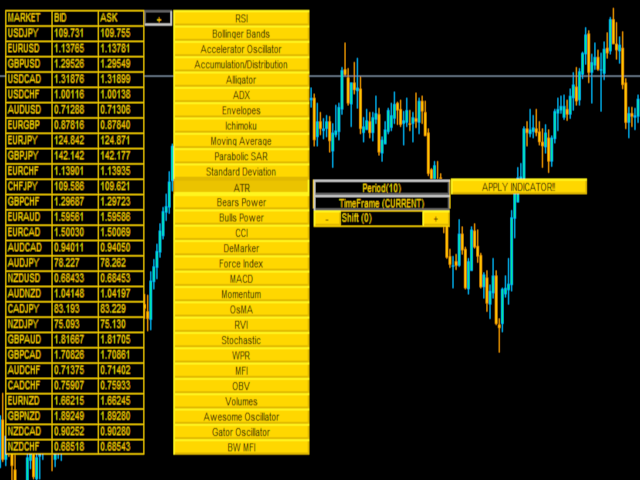
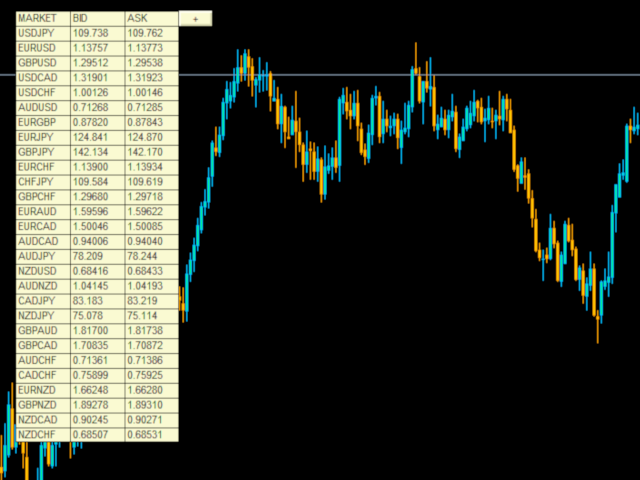
The main panel will be composed of three columns:
Market: analyzed market
Bid: sell price
Ask: Buying price
On the right of the main panel you'll notice a button marked with + .
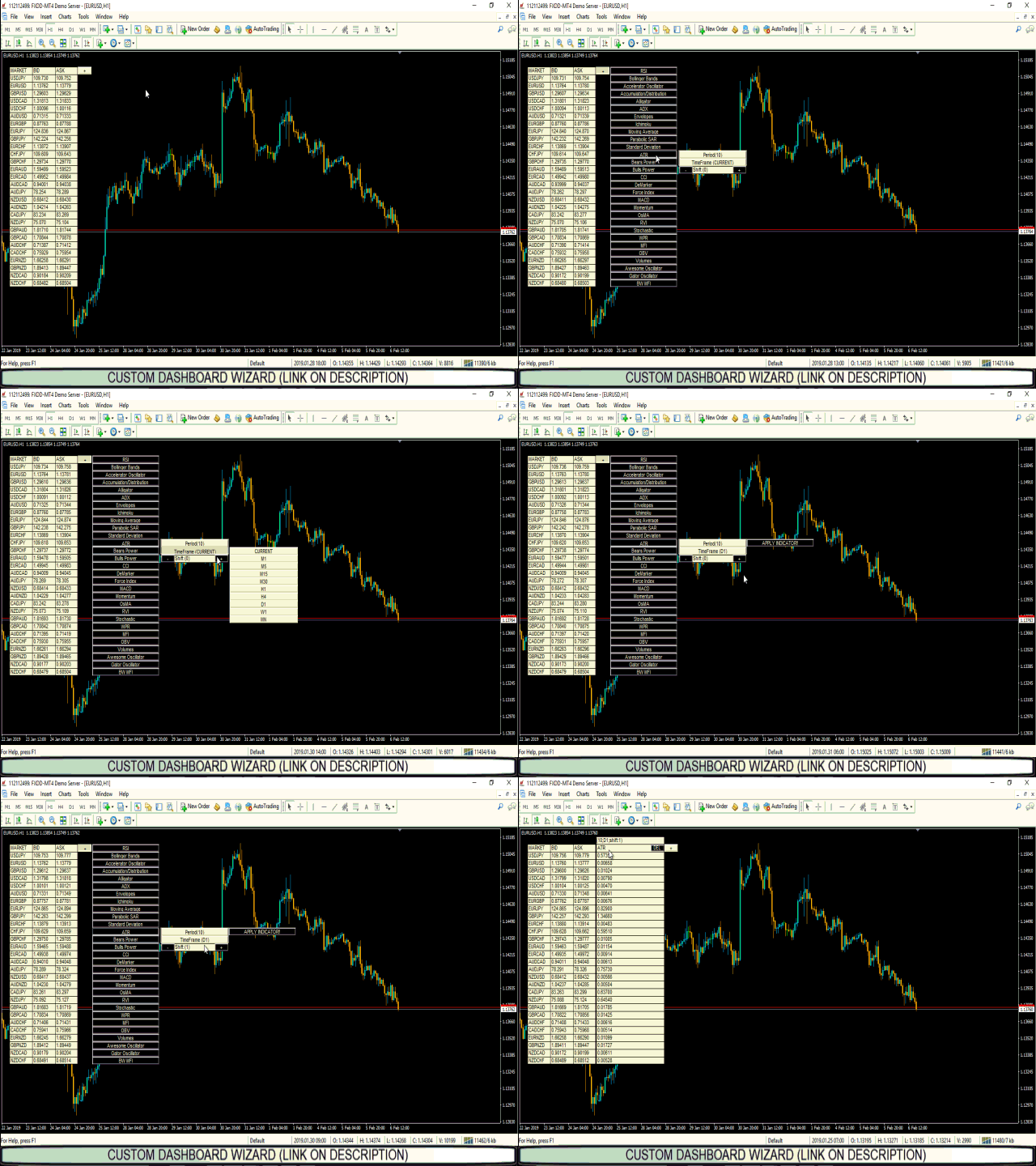
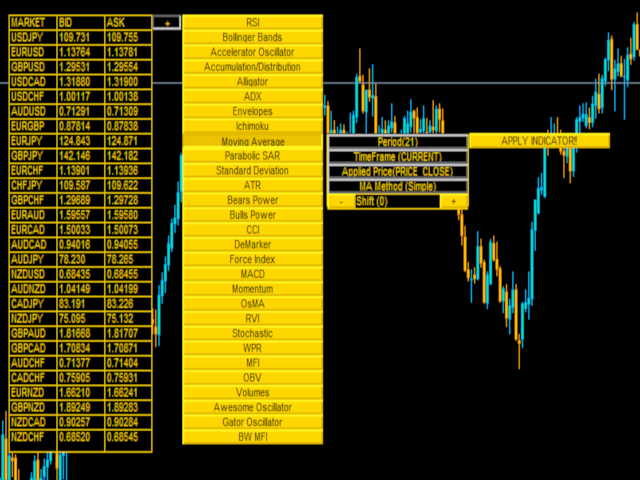
Clicking on it will open a list of buttons representing the platform standard indicators. Now you are able to choose the indicator you like, applying it on the new column on the right, setting all the paramters to apply it after have clicked on the indicator. (please watch the video for more infos).
once chosen indicator and parameters click on the button "apply indicator"...and there you go!!
The limit of the wievable indicators is given only by the power of your cpu and your monitor!
once created the new panels with your chosen indicator, you can eraseeach panel simply clicking on the "DEL" button that will be created above on the right
Advantages you get :
Possibility to create your own personalized Dashboard wihtout any programming knowledge!!!
Input parameters:
Graphical Settings:
Font Type: Font type to use;
Font Size: The size font;
BackGround Color: The background color of the panels;
Front Color: The front color of the panels;
Panel X: Distance (from left to right) of the main panel;
Panel Y: Distance (from the top to the bottom) of the main panel;
Panel Width:Width of the panel;
Panel Height: Height of the panel;
CURRENCIES:
Markets to analyze. As said above, you can analyze any market you want, listed on MarketWatch (up to 60!!).
You'd like to add a Custom Indicator? Contact us and you'll receive your own personalized version!



 nload="if(window.viewGallery_GalleryManager) viewGallery_GalleryManager.ImageonLoad(this,7);" />
 nload="if(window.viewGallery_GalleryManager) viewGallery_GalleryManager.ImageonLoad(this,8);" />
本店最新上架
-
- MT4 MT5跟单EA 本地跟单远程跟单 绝不

- ¥1100.00
-
- 在MetaTrader市场购买MetaTrader 5的&#

- ¥3988.00
-
- 在MetaTrader市场购买MetaTrader 5的&#

- ¥3988.00
-
- 在MetaTrader市场购买MetaTrader 5的&#

- ¥3988.00
-
- 在MetaTrader市场购买MetaTrader 5的&#

- ¥3988.00
全网为您推荐
-
- AlgoTradeSoft

- ¥3988.00
-
- 国际期货套利软件

- ¥3988.00
-
- MT4 MT5跟单EA 本地跟单远程跟单 绝不
- ¥1100.00
-
- 在MetaTrader市场购买MetaTrader 5的&#
- ¥3988.00
-
- 在MetaTrader市场购买MetaTrader 5的&#
- ¥3988.00


