 客服热线:
 手机版
 二维码




































Alpha Multi Scalper
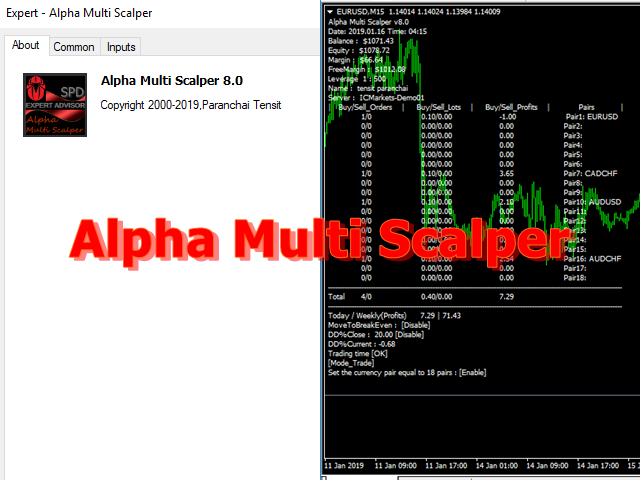
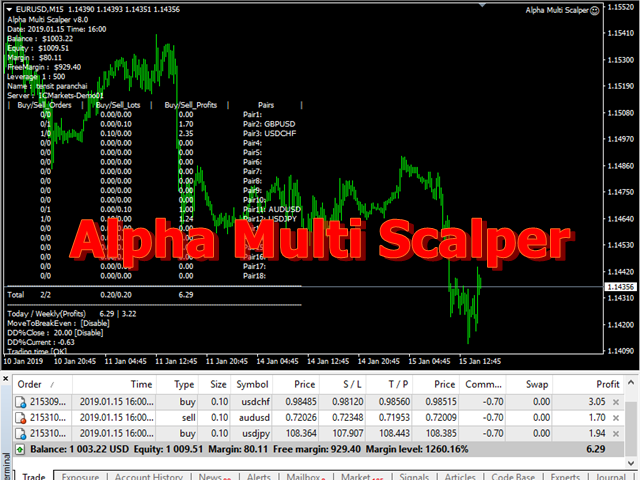
Alpha Multi Scalper is a fully automated Expert Advisor.
The strategy of this system consists of two mechanisms that work together between scalping strategies and multiple currency pair strategies. based on the principles of predictive analysis of market price factors and price fluctuations that help determine trends and identify price patterns can help to see better opportunities for trading to make a profit. And diversify risks by trading multiple pairs at the same time.
This system model limits the number of orders that will be automatically traded based on the trading signal of the system. Which is called the trading cycle. There will be no additional orders until the end of each trading cycle. In order to manage risks in the case of over trade.
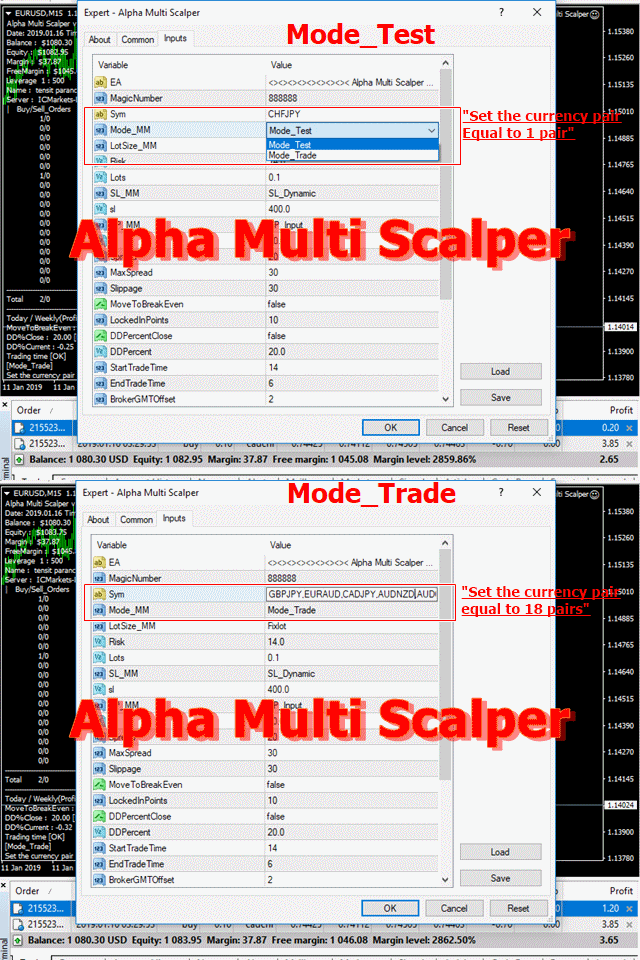
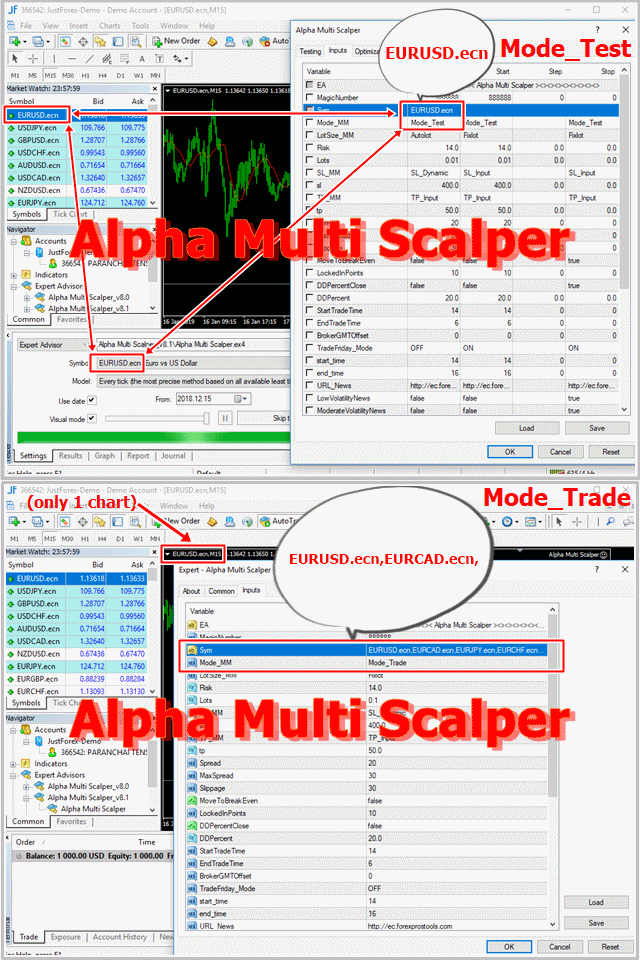
For settings, simply drag the EA onto any chart (only 1 chart). After that, choose 18 currency pairs which can be changed as needed.
Key Features
- Trades on timeframe: M15
- Trades on any pair: recommended { EURUSD,EURCAD,EURJPY,EURCHF,USDCAD,USDCHF,AUDUSD,USDJPY,EURGBP,GBPJPY,EURAUD,GBPUSD,CHFJPY,CADCHF,AUDNZD,GBPCHF,AUDCHF,AUDJPY } or can change other currency pair settings if there is a currency pair suffix, such as { EURUSD.ecn,EURCAD.ecn,EURJPY.ecn, ...}
- Initial deposit: $100+ , recommended $1000+
- Use only five-digit accounts
- It is recommended to use a low spread ECN Broker
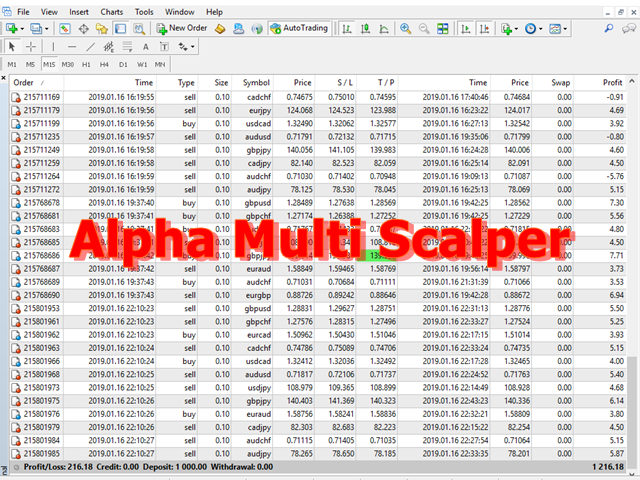
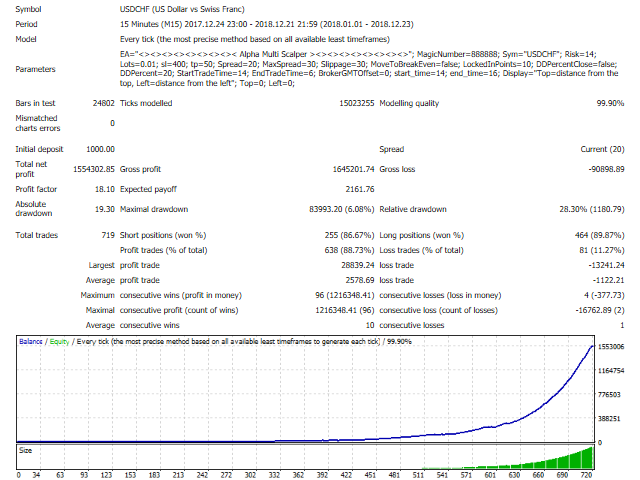
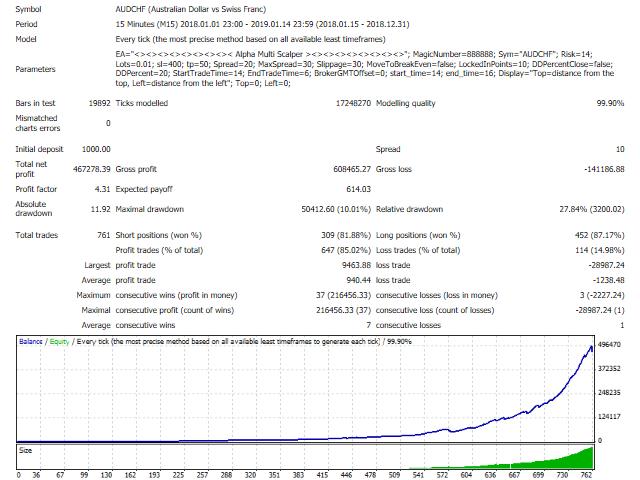
- Using real tick data in backtest with 99.9% modeling quality
- Protected by a stop loss and take profit
Parameters
- MagicNumber - magic number to set the ID for each EA
- Sym - set to 18 currency pairs
- Mode_MM - set to " Mode_Test or Mode_Trade "
- LotSize_MM - set to " Fixlot or Autolot "
- Risk - risk percentage
- Lots - lot size
- SL_MM
- SL_Input - enter a parameter value
- SL_Dynamic - for automatic setting
- sl- stop loss ,points
- TP_MM
- TP_Input - enter a parameter value
- TP_Dynamic - for automatic setting
- tp- take profit ,points
- Spread - spread value in points
- MaxSpread - maximum allowable spread value in points
- Slippage - slippage value in points
- MoveToBreakEven - enable breakeven point, set true or false
- LockedInPoints - amount of points profit, in points
- DDPercentClose - enable drawdown percent close, set true or false
- DDPercent - set the percentage to cut loss, % drawdown
- UseRecoveryZone - If choosing to use the loss recovery process when set to ‘true’
- RecoveryZone - recovery area, distance in points
- Multiplier - the initial lot size will be multiplied in the loss recovery process
- StartTradeTime - set time to start trading
- EndTradeTime - set time to end trading
- BrokerGMTOffset - Your Broker GMT Offset
- TradeMonday_Mode - set ON/OFF for Monday trading
- AfterHourMonday - after hours Monday start
- TradeFriday_Mode - set ON/OFF for Friday trading
- AfterHourFriday - after hours Friday close
- CloseOrderFriday - closing profit orders on Friday
- CloseProfitFriday - profit amount, in points
- CloseAllFriday - close all orders on Friday
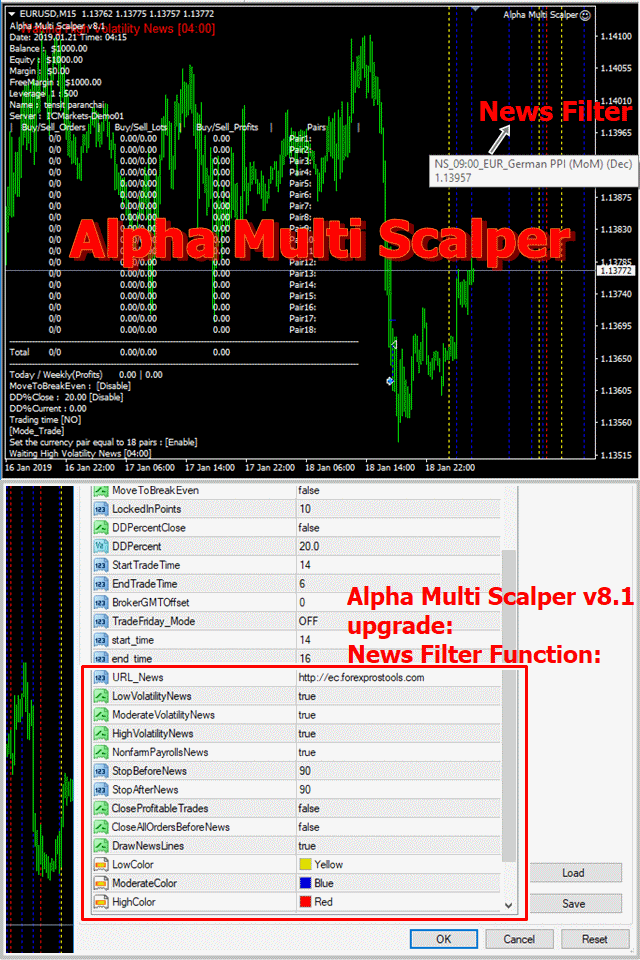
- LowVolatilityNews - Set true or false for Low Volatility News filter
- ModerateVolatilityNews - Set true or false for Moderate Volatility News filter
- HighVolatilityNews - Set true or false for High Volatility News filter
- NonfarmPayrollsNews - Set true or false for Nonfarm Payrolls News filter
- StopBeforeNews - Set minutes for Stop Before News
- StopAfterNews - Set minutes for Stop After News
- CloseProfitableTrades - Set true or false for close profitable trades before news
- CloseAllOrdersBeforeNews - Set true or false for Close All Orders Before News
- DrawNewsLines - Set true or false for drawing the news lines
- LowColor - Set color for Low Volatility News filter
- ModerateColor - Set color for Moderate Volatility News filter
- HighColor - Set color for High Volatility News filter
- Top - Display from the top
- Left - Display from the left

 nload="if(window.viewGallery_GalleryManager) viewGallery_GalleryManager.ImageonLoad(this,7);" />
 nload="if(window.viewGallery_GalleryManager) viewGallery_GalleryManager.ImageonLoad(this,8);" />
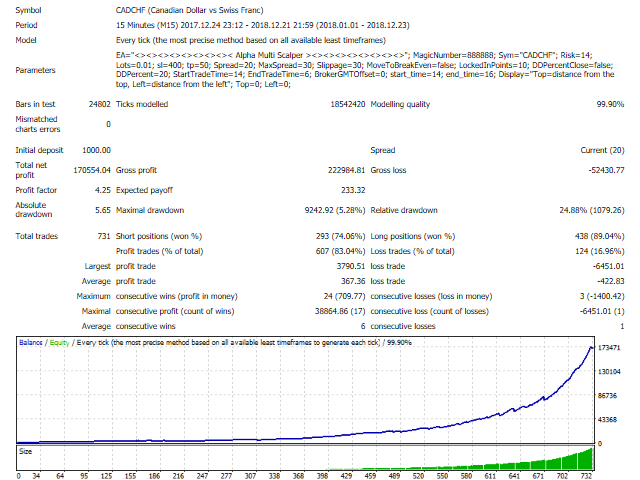 nload="if(window.viewGallery_GalleryManager) viewGallery_GalleryManager.ImageonLoad(this,9);" />
 nload="if(window.viewGallery_GalleryManager) viewGallery_GalleryManager.ImageonLoad(this,10);" />
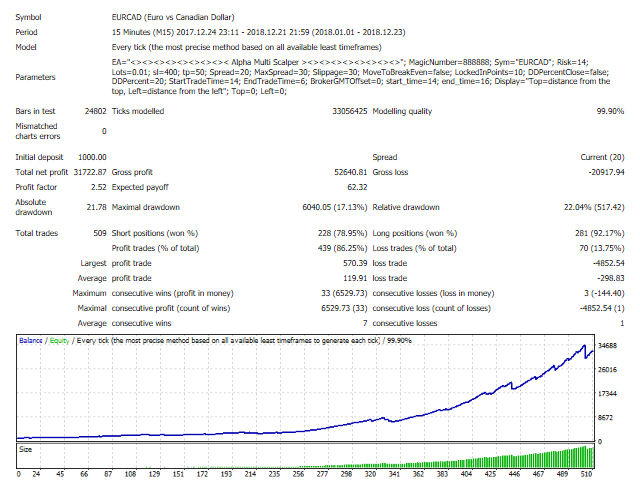 nload="if(window.viewGallery_GalleryManager) viewGallery_GalleryManager.ImageonLoad(this,11);" />
本店最新上架
-
- MT4 MT5跟单EA 本地跟单远程跟单 绝不

- ¥1100.00
-
- 在MetaTrader市场购买MetaTrader 5的&#

- ¥3988.00
-
- 在MetaTrader市场购买MetaTrader 5的&#

- ¥3988.00
-
- 在MetaTrader市场购买MetaTrader 5的&#

- ¥3988.00
-
- 在MetaTrader市场购买MetaTrader 5的&#

- ¥3988.00
全网为您推荐
-
- AlgoTradeSoft

- ¥3988.00
-
- 国际期货套利软件

- ¥3988.00
-
- MT4 MT5跟单EA 本地跟单远程跟单 绝不
- ¥1100.00
-
- 在MetaTrader市场购买MetaTrader 5的&#
- ¥3988.00
-
- 在MetaTrader市场购买MetaTrader 5的&#
- ¥3988.00


