 客服热线:
 手机版
 二维码





































Proftrader
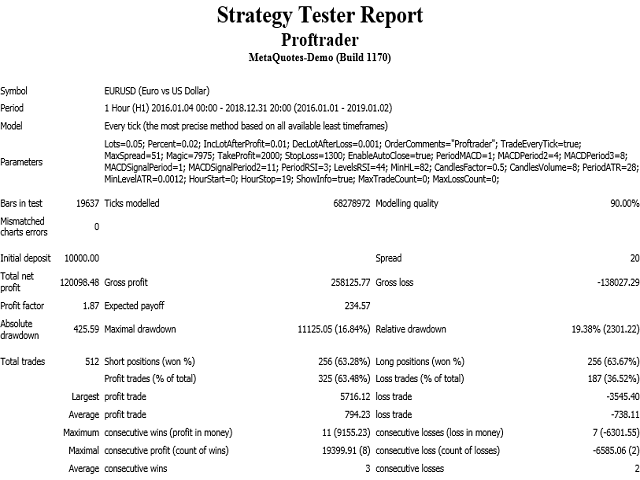
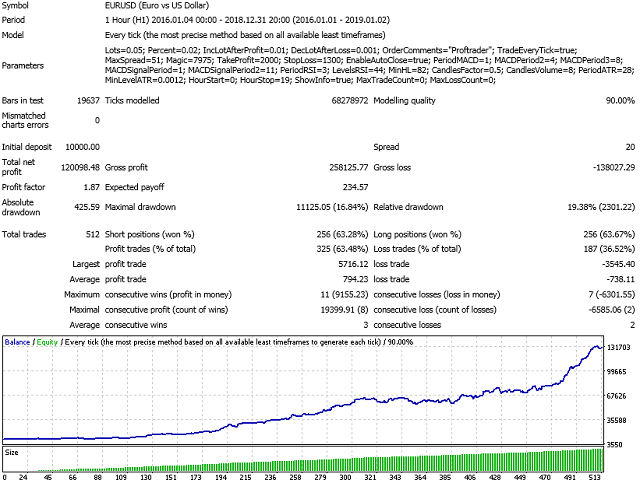
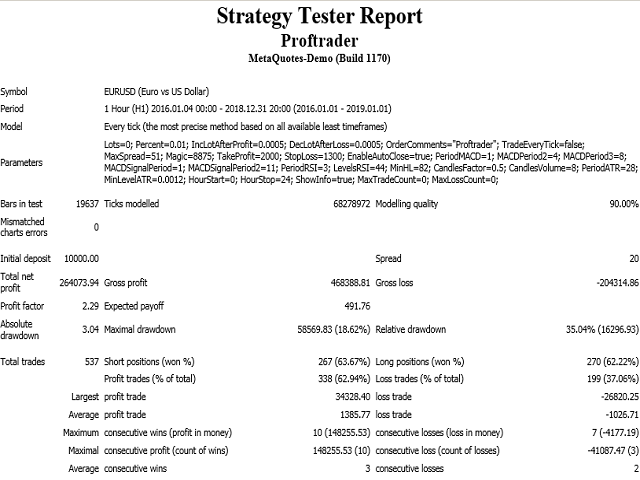
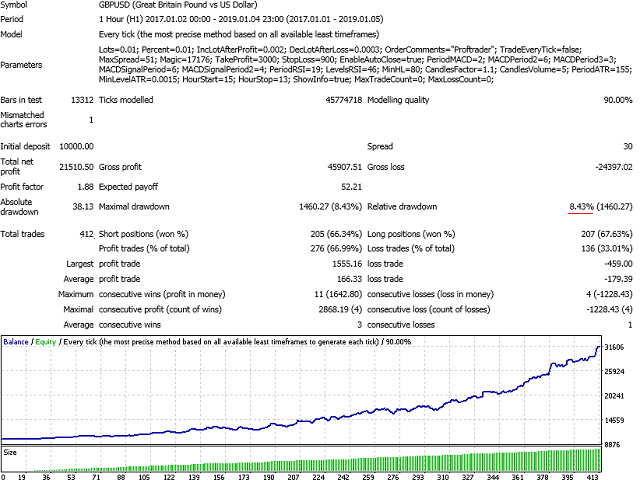
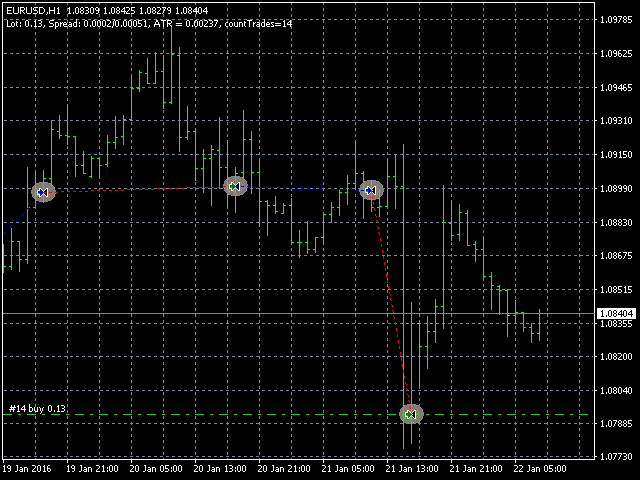
This Expert Advisor analyzes the last candles and determines whether there will be a reversal or a large correction. In addition, the readings of the MACD and RSI indicators are analyzed (their parameters can be adjusted). After analyzing the indicators, when their readings confirm a trade, the transaction opens in the right direction and closes on the opposite signal, take profit or stop loss. To reduce losses and increase profits (with good trading), you can adjust the change in lot depending on the number of unprofitable or profitable transactions. Also, you can stop trading after receiving a certain number of losses, or a certain number of any transactions with this advisor. Then an inscription will appear that it is necessary to optimize the parameters and apply the new settings. This is done in order to prompt the trader when it is necessary to make optimization of parameters for more successful trading.
Input parameters
- Lots - lot size (at 0, the lot will be calculated from the percentage of available funds in the account);
- Percentage of free money - percentage of free funds for opening each new transaction (works when Lots = 0);
- IncLotAfterProfit - increase the lot after the profitable close of the previous transaction;
- DecLotAfterLoss - reduce the lot after the unprofitable closing of the previous transaction;
- OrderComments - comments to the opened deal by this advisor;
- TradeEveryTick - trade every tick (slows down testing a lot);
- FastOptimizationParameter - quick optimization parameter: the higher the value, the faster the optimization, but its quality is worse (for trading it is recommended to set = 1. With TradeEveryTick enabled, this parameter does not work);
- MaxSpread - maximum spread for opening a trade (for accounts with a floating spread, so that a trade is opened when the spread is not too large);
- Magic (unique identifier) - a unique identifier (it is necessary to make it different, if several advisers are running in one terminal);
- TakeProfit - order closing price when profitability level is reached;
- StopLoss - order closing price when the loss ratio is reached;
- EnableAutoClose - automatic order closure by the opposite signal (true - on, false - off);
- TrailingStopValue - trailing stop value (0 - do not use simple trailing stop);
- BreakevenValue - set the stop loss to breakeven after the price passes the specified value (0 - the parameter is not used);
- SetStopToLastFractal - enable trailing stop on the last fractal;
- StopToParabolicStep - enable trailing stop by parabolic, setting the parabolic step value for trailing stop (0 - off);
- PeriodMACD - period of MACD indicators;
- MACDPeriod2 - the second period of the MACD;
- MACDPeriod3 - period of another MACD indicator;
- MACDSignalPeriod - period of the signal line of the MACD indicator;
- MACDSignalPeriod2 - period of the signal line of another MACD indicator;
- PeriodRSI - RSI indicator period;
- LevelsRSI - RSI indicator levels;
- Min high-low candle - the minimum candle length (from its maximum to the minimum);
- CandlesFactor - determination coefficient of a bullish or bearish candle;
- CandlesVolume - the number of candles to compare the volume;
- PeriodATR - period of the Average True Range indicator;
- MinLevelATR - the minimum level of the Average True Range indicator;
- Trading start hour - the hour to start trading;
- Trading end hour - the hour of the end of trading;
- ShowInfo - show information (slows down testing when enabled);
- MaxTradeCount - the maximum number of trades, after which to stop trading (0 - not used);
- MaxLossCount - the maximum number of losing trades, after which to stop trading (0 - not used).
本店最新上架
-
- MT4 MT5跟单EA 本地跟单远程跟单 绝不

- ¥1100.00
-
- 在MetaTrader市场购买MetaTrader 5的&#

- ¥3988.00
-
- 在MetaTrader市场购买MetaTrader 5的&#

- ¥3988.00
-
- 在MetaTrader市场购买MetaTrader 5的&#

- ¥3988.00
-
- 在MetaTrader市场购买MetaTrader 5的&#

- ¥3988.00
全网为您推荐
-
- AlgoTradeSoft

- ¥3988.00
-
- 国际期货套利软件

- ¥3988.00
-
- MT4 MT5跟单EA 本地跟单远程跟单 绝不
- ¥1100.00
-
- 在MetaTrader市场购买MetaTrader 5的&#
- ¥3988.00
-
- 在MetaTrader市场购买MetaTrader 5的&#
- ¥3988.00


