 客服热线:
 手机版
 二维码




































DarkLand
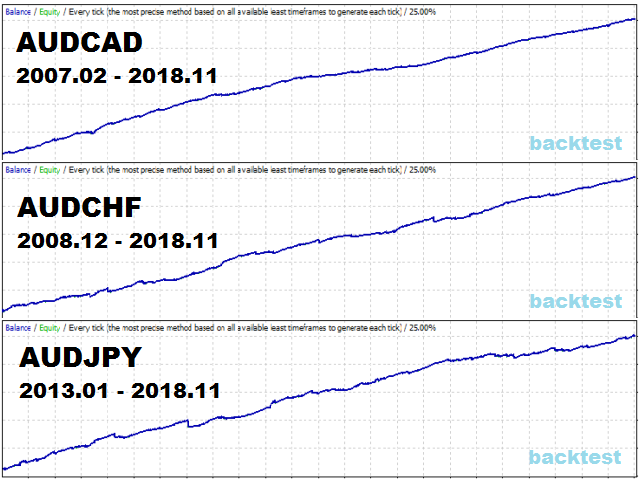
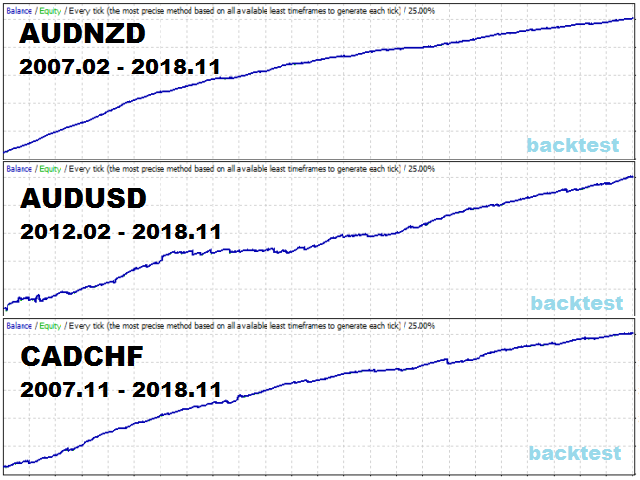
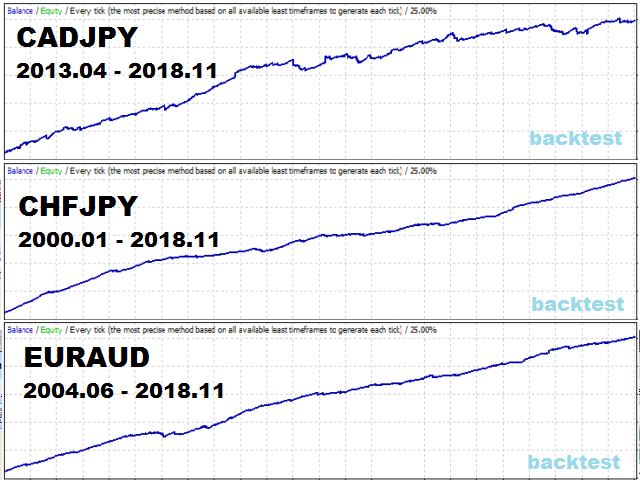
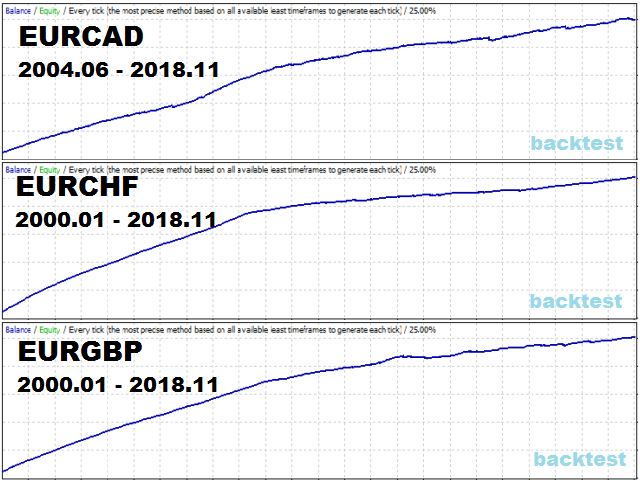
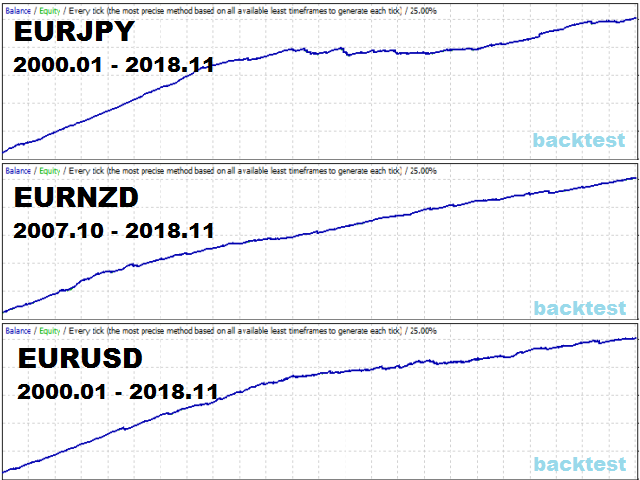
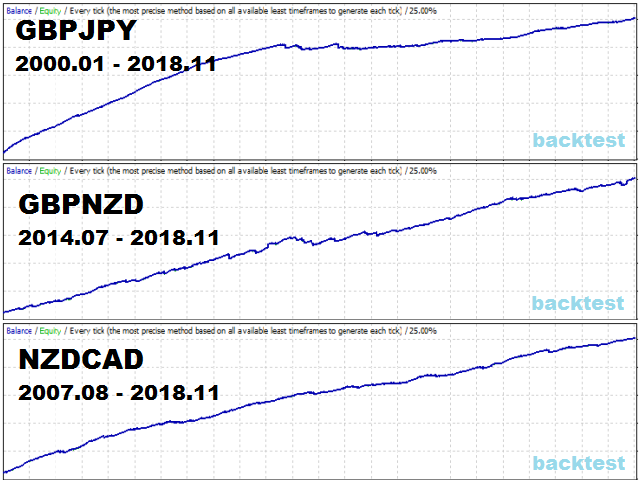
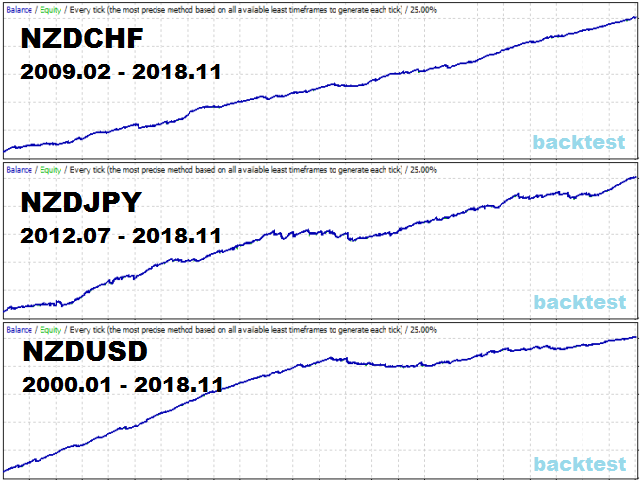
The robot is designed for automatic night trading. The strategy is suitable for many currency pairs. You can trade several pairs at the same time.
The EA opens trades from 21:00 to 1:00 by EET time (GMT + 3 in summer, + 2 in winter). GMT time of the broker is determined automatically, or you can configure it manually (required in the tester).
A special price channel indicator is used for the entry and exit signals. At the bottom of the channel there is a BUY signal, at the top for SELL. Depending on the number of signals, a lot of trades can be opened at the same time. Positions are usually closed within a few hours by a virtual dynamic take profit or at the reverse indicator signal.
It is possible to additionally configure the total virtual stop loss (StopLoss_All_Pips) and take profit (TakeProfit_All_Pips) in pips for all trades of the traded pair. The robot tracks the opening price of each trade to account for slippage and spread, the Max_Spread_Buy and Max_Spread_Sell_Close settings are also used to protect against spread expansion. Recommended currency pairs with spread + commission no more than 30 pips.
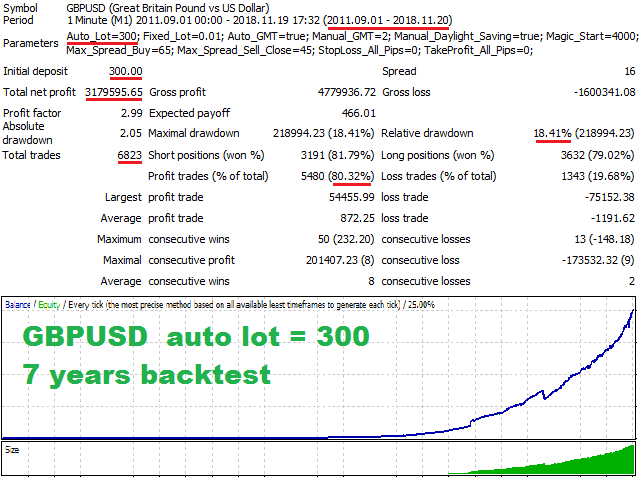
To trade attach the robot to the desired pair on the M1 timeframe and select the desired risk (Auto_Lot) for this pair. The robot does not conflict with other advisors and monitors only its trades (by magic number and pair), it can work on 5 and 4 digit quotes, on accounts with and without the commission, the martingale is not used.
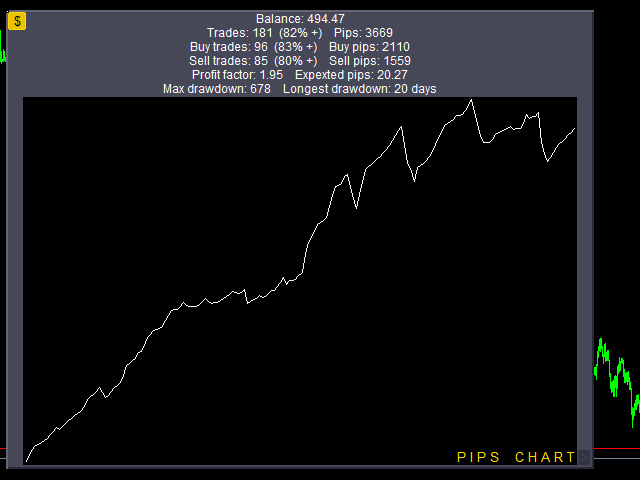
There is a panel with a balance chart and trades statistics in the deposit currency and pips for the traded pair. By default, the panel is collapsed to open or close the panel, click on the "$" button, move this button to move the panel. To change the size of the panel, move the ">" button, to reset it to the initial size, click on it. To switch statistics and balance charts to profit mode or pips, just click on the chart. The time period for statistics can be selected in the "Account History" tab.
Settings:
- Auto_Lot - automatic increase of the trading lot depending on the balance, the more Auto_Lot, the less risky will be trading. Lot = 0.01*Balance/Auto_Lot. For example, if Auto_Lot=300 then with a balance of up to 600$ trades will be opened with a lot of 0.01, with a balance of 600-900$ the lot will already be 0.02
- Fixed_Lot - fixed lot, used when Auto_Lot=0
- Auto_GMT - automatic detection of GMT time of the broker, does not work in the tester, make sure the local time and time zone of the computer or VPS is set correctly
- Manual_GMT - set the GMT time of the broker manually, used in the tester or when Auto_GMT=false
- Manual_Daylight_Saving - enable true if the broker switches to daylight saving time, is used in the tester or when Auto_GMT=false
- Magic_Start - the robot uses 4 magic numbers to recognize its trades, starting with Magic_Start, the robot also works only with the pair it is installed on
- Max_Spread_Buy - maximum spread (5 digits) for entering a BUY trade, protection against big spread
- Max_Spread_Sell_Close - maximum spread (5 digits) for closing SELL trades, protection against big spread
- StopLoss_All_Pips - total StopLoss for all open trades for this pair in pips (5 digits), with StopLoss_All_Pips=0 not used
- TakeProfit_All_Pips - total TakeProfit for all open trades for this pair in pips (5 digits), with TakeProfit_All_Pips=0 not used

 nload="if(window.viewGallery_GalleryManager) viewGallery_GalleryManager.ImageonLoad(this,7);" />
 nload="if(window.viewGallery_GalleryManager) viewGallery_GalleryManager.ImageonLoad(this,8);" />
 nload="if(window.viewGallery_GalleryManager) viewGallery_GalleryManager.ImageonLoad(this,9);" />
 nload="if(window.viewGallery_GalleryManager) viewGallery_GalleryManager.ImageonLoad(this,10);" />
 nload="if(window.viewGallery_GalleryManager) viewGallery_GalleryManager.ImageonLoad(this,11);" />
本店最新上架
-
- MT4 MT5跟单EA 本地跟单远程跟单 绝不

- ¥1100.00
-
- 在MetaTrader市场购买MetaTrader 5的&#

- ¥3988.00
-
- 在MetaTrader市场购买MetaTrader 5的&#

- ¥3988.00
-
- 在MetaTrader市场购买MetaTrader 5的&#

- ¥3988.00
-
- 在MetaTrader市场购买MetaTrader 5的&#

- ¥3988.00
全网为您推荐
-
- AlgoTradeSoft

- ¥3988.00
-
- 国际期货套利软件

- ¥3988.00
-
- MT4 MT5跟单EA 本地跟单远程跟单 绝不
- ¥1100.00
-
- 在MetaTrader市场购买MetaTrader 5的&#
- ¥3988.00
-
- 在MetaTrader市场购买MetaTrader 5的&#
- ¥3988.00


