 客服热线:
 手机版
 二维码




































Advanced Pending Orders
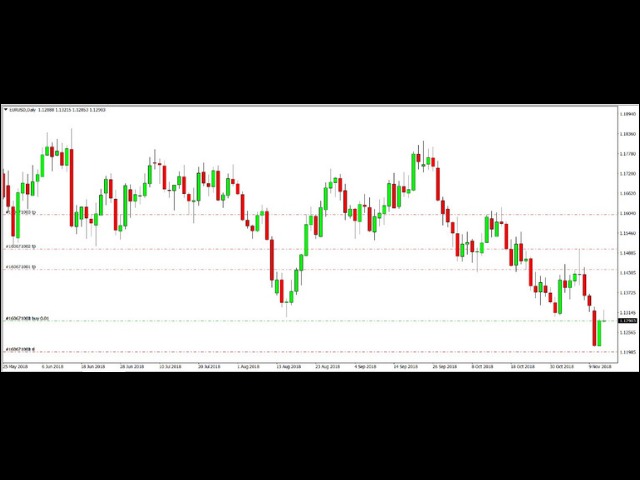
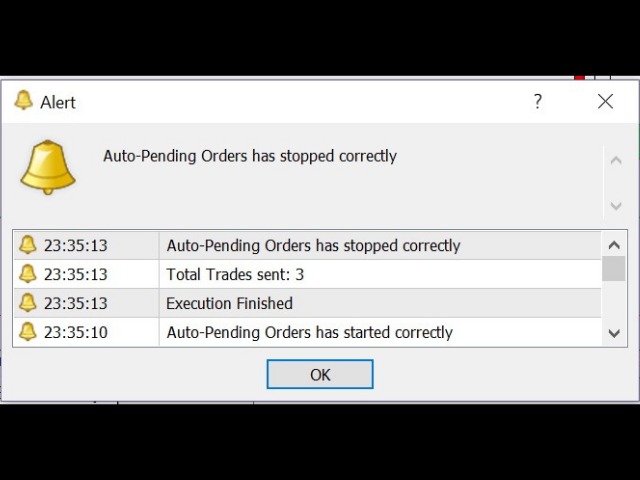
This EA facilitates sending multiple orders simultaneously. It also facilitates a function designed to be executed in a specific hour, ideal to facilitate its operation during the night, allowing to schedule positions while we are not next to the graph.
The system can send direct orders at the market price or pending orders, speeding up the execution of operations with multiple Take Profit as well as controlling the Slippage of each order.
The parameters of the system are:
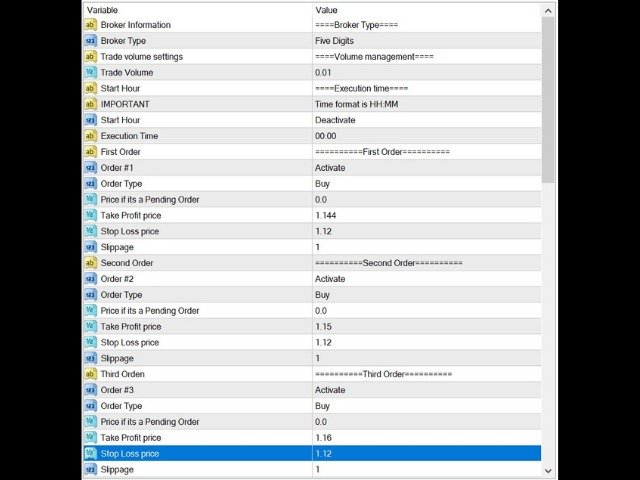
• Broker Information: Informative parameter.
• Broker Type: Allows us to use the system in a 4- or 5-digit broker. We can identify which is our case by counting the digits after the decimal point in the EUR/USD currency pair, and then selecting the corresponding option.
• Trade Volume Settings: Informative parameter.
• Trade Volume: The volume or size of each operation.
• Start Hour: Informative parameter.
• important: Informative parameter. It tells us the format that should be used when entering the time at we want to run the system in case we are using a scheduled execution. For example: 08:15, 19:45.
• Start Hour: Parameter to activate or deactivate the programmed execution function.
• Execution Time: Time to execute the system in case of using the programmed execution function.
• First/Second /etc. Order: Informative parameter. It tells us which order we are setting up; the system is capable of manage up to 10 orders.
• Order #X: Parameter used to activate or deactivate the execution of the order. For example, in order to send two orders, we must place Order # 1 and Order # 2 in activated status.
• Order Type: Parameter to place the type of order that we want to send.
• Price if it’s a Pending Order: It is to set the price of the pending orders if we are sending one. It has no effect if we are using direct orders to market, so it must be blank if so.
• Take Profit Price: Price where we want to place the Take Profit.
• Stop Loss Price: Price where we want to place the Stop Loss.
• Slippage: Maximum slippage in pips for our order.
Clarifications and disclaimer:
The system in case of working with pending orders could generate an error when sending it because if for example, we want to place a Sell Limit at 1.2500 at 15:00 and the market is currently at 1.2400, it could exceed the desired price for our Sell Limit when it gets executed and therefore generate an error when trying to send the order.
It is the responsibility of the client to do all the relevant tests in order to familiarize himself with the operation of the system before using it in a real account, thus ensuring that the parameters he wishes to use are correctly placed.
If the system has a wrong configuration (for example, placing a value in Price if it is a Pending Order when you are using market orders) it will generate a warning and later it will be deactivated in order to correct the parameters. This is also valid if you are using an trading volume higher or lower than the allowed by the broker.
本店最新上架
-
- MT4 MT5跟单EA 本地跟单远程跟单 绝不

- ¥1100.00
-
- 在MetaTrader市场购买MetaTrader 5的&#

- ¥3988.00
-
- 在MetaTrader市场购买MetaTrader 5的&#

- ¥3988.00
-
- 在MetaTrader市场购买MetaTrader 5的&#

- ¥3988.00
-
- 在MetaTrader市场购买MetaTrader 5的&#

- ¥3988.00
全网为您推荐
-
- AlgoTradeSoft

- ¥3988.00
-
- 国际期货套利软件

- ¥3988.00
-
- MT4 MT5跟单EA 本地跟单远程跟单 绝不
- ¥1100.00
-
- 在MetaTrader市场购买MetaTrader 5的&#
- ¥3988.00
-
- 在MetaTrader市场购买MetaTrader 5的&#
- ¥3988.00


