 客服热线:
 手机版
 二维码




































Square of 9 for all
Welcome all to the famous Gann's "Square Of 9"!!
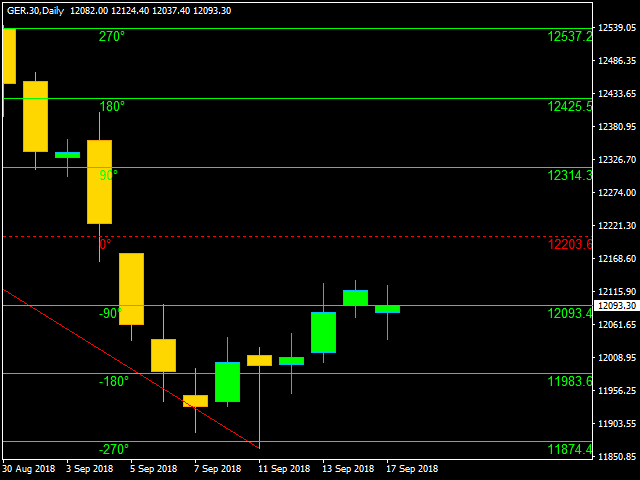
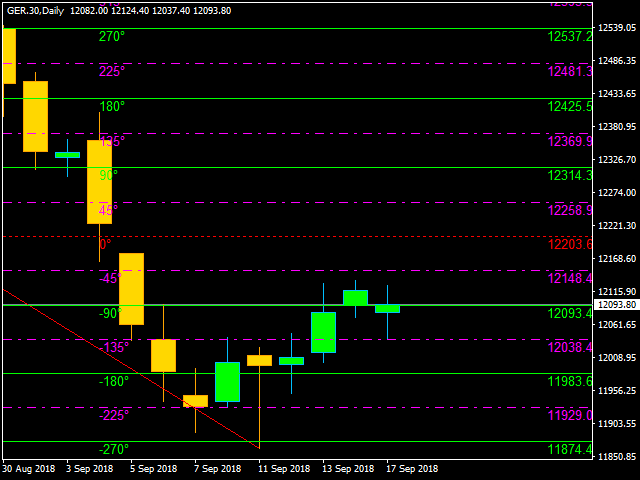
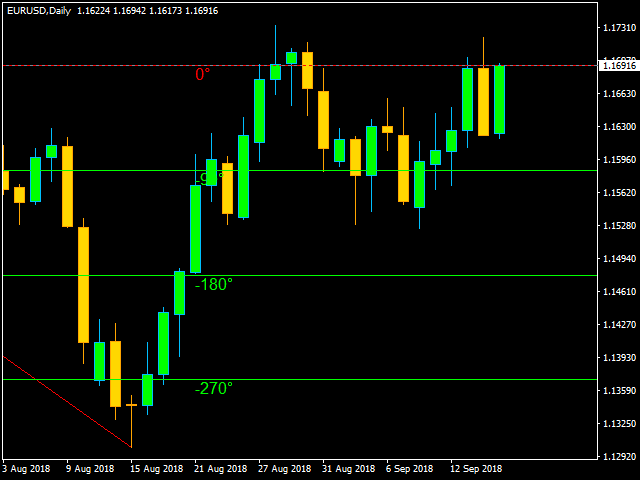
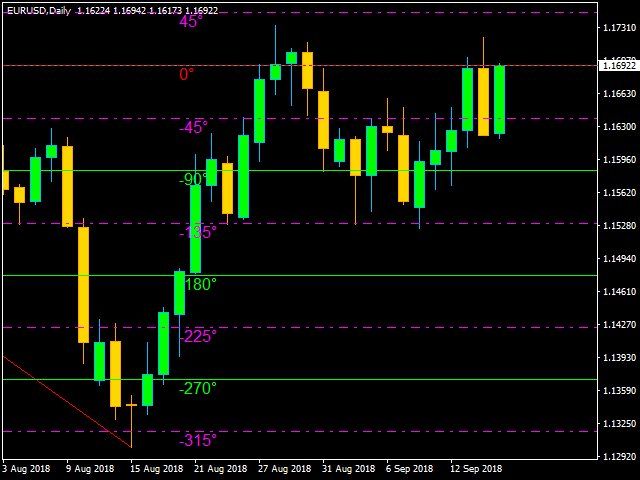
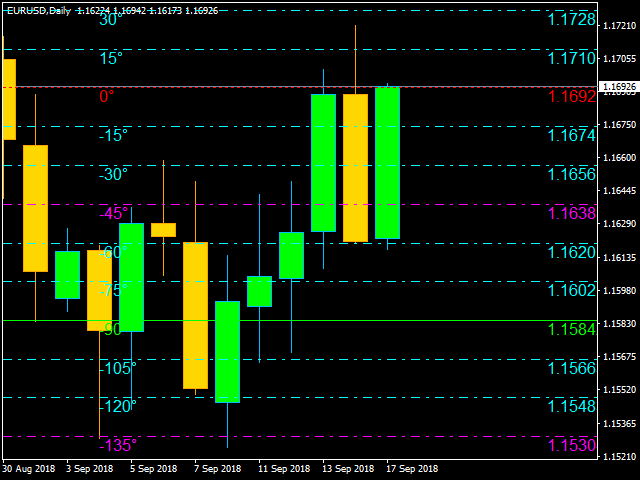
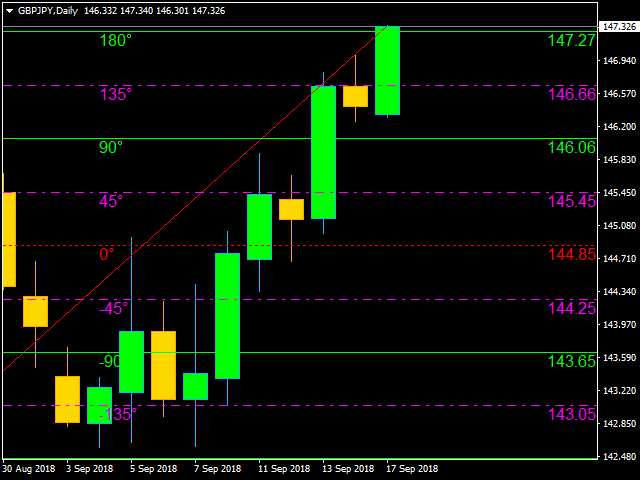
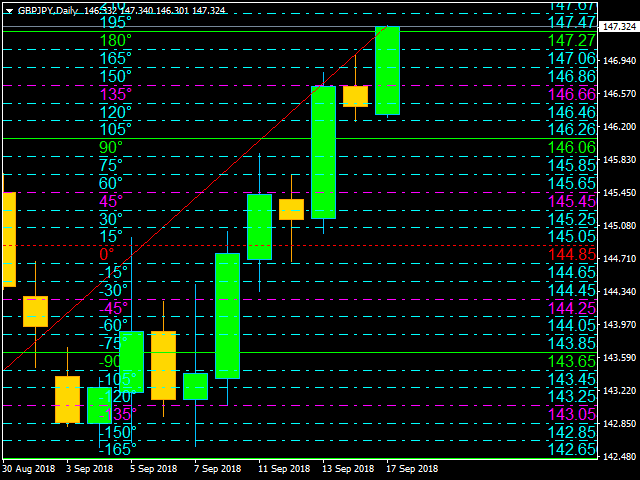
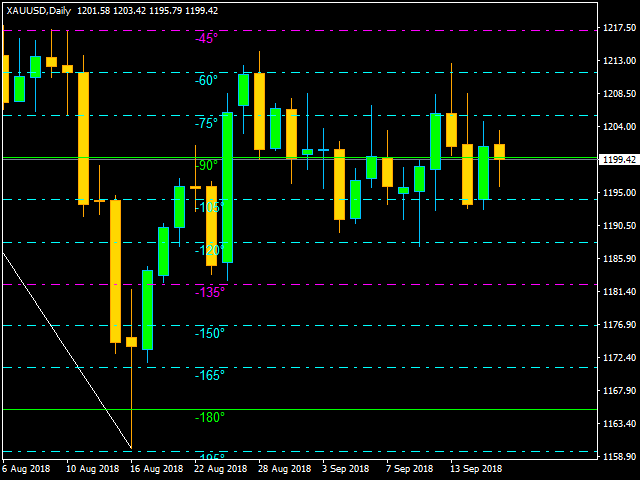
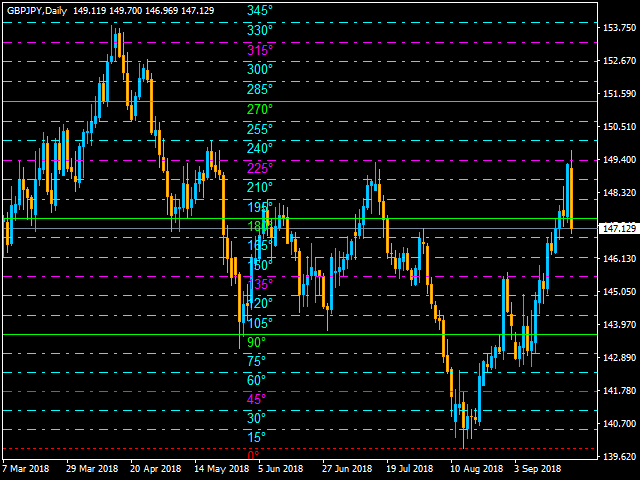
This method was used by one of the best traders in the history, a person who made his way among the top traders. An "Holy Grail" for whoever wants to learn trading. The "Square of 9" was used by this genius to find the market's future supports and future resistances. Nowadays is possible to find them with just a click, thanks to softwares. At the time Gann was using just his set of square and goniometer!! Gann describes, partially, the tecnique on the book "45 years in wall street". "One of the greatest discoveries I ever made was how to figure the percentage of high and low prices on the averages and individual stocks. The percentage of extreme high and low levels indicate future resistance levels"(45 y. in W.S., page 30). When Gann was trading, the prices had a lesser value than today. This means that the "magic goniometer" has to adapt itself to nowaday market. The adjustement is done using a variable named K, which will modify the "Square of 9" formula referring to market's price itself. With this indicator is possible to use the "Key variable" automatically or changing it manually setting "Allow Automatic K" on false. P.N.: The lesser is the price value, the more you have to improve the K value. The K value has to be reduced dividing it to ten or improved it multiplying it to ten. Gann suggests to use the Square of 9 on the last movement of the market. With this indicator you'll be able to analyze either the last swing or the previous because, in most of the cases, the current swing (last one) is still forming. For this reason the indicator will draw also the movement that is analyzing, basing on Swing Settings. You can use the median price, a weighted price on the most recent point (Weighted price), the swing's minimum price (minimum), the swing's maximum price (maximum) or set a starting price (0°) manually. The "Square of 9" levels used by Gann were, in particular, the last that you can find on the input parameters (90°180°270°360°).
Input Parameters:
- Deviation: Deviation to calculate the swing;
- Wave To Analyze: Choose the swing to analyze, you can choose between the last or the previous one;
- Wave Color: Choose the swing color;
- Wave Style: Choose the swing width;
- Square of 9 0°price: Choose median, weighted price, swing's minimum, swing's maximum or set it manually;
- Set 0° By User: Choose your favourite 0° price (starting price for square of 9);
- Time To Show: Choose your favourite timeframe to analyze for Square of 9;
- Allow Automatic K: if true, the K will be automatic; if false K will be set manually by the user;
- K value: Insert K value if you choose false on Allow Automatic K;
- Font Type: Choose your favourite Font type;
- Levels Font Size: Choose your favourite Font size for levels;
- Values Font Size: Choose your favourite Font size for prices;
- 0°Visible: Choose to see or not 0 level;
- 0° color: Choose your favourite color for 0 level;
- 0° Style: Choose your favourite style for 0 level;
- Show 18°36°54°etc.: Choose to see or not 18°36°54°etc. levels;
- 18°36°54°etc.Color: Choose your favourite color for 18°36°54°etc. levels;
- 18°36°54°etc.Style: Choose your favourite style for 18°36°54°etc. levels;
- Show 15°30°60°etc.: Choose to see or not 15°30°60°etc. levels;
- 15°30°60°etc.Color: Choose your favourite color for 15°30°60°etc. levels;
- 15°30°60°etc.Style: Choose your favourite style for 15°30°60°etc. levels;
- Show 45°135°225°315°: Choose to see or not 45°135°225°315° levels;
- 45°135°225°315°Color: Choose your favourite color for 45°135°225°315° levels;
- 45°135°225°315° Style: Choose your favourite style for 45°135°225°315° levels;
- Show 90°180°270°360°: Choose to see or not 90°180°270°360° levels;
- 90°180°270°360°Color: Choose your favourite color for 90°180°270°360° levels;
- 90°180°270°360° Style: Choose your favourite style for 90°180°270°360° levels;


 nload="if(window.viewGallery_GalleryManager) viewGallery_GalleryManager.ImageonLoad(this,7);" />
 nload="if(window.viewGallery_GalleryManager) viewGallery_GalleryManager.ImageonLoad(this,8);" />
 nload="if(window.viewGallery_GalleryManager) viewGallery_GalleryManager.ImageonLoad(this,9);" />
 nload="if(window.viewGallery_GalleryManager) viewGallery_GalleryManager.ImageonLoad(this,10);" />
 nload="if(window.viewGallery_GalleryManager) viewGallery_GalleryManager.ImageonLoad(this,11);" />
本店最新上架
-
- MT4 MT5跟单EA 本地跟单远程跟单 绝不

- ¥1100.00
-
- 在MetaTrader市场购买MetaTrader 5的&#

- ¥3988.00
-
- 在MetaTrader市场购买MetaTrader 5的&#

- ¥3988.00
-
- 在MetaTrader市场购买MetaTrader 5的&#

- ¥3988.00
-
- 在MetaTrader市场购买MetaTrader 5的&#

- ¥3988.00
全网为您推荐
-
- AlgoTradeSoft

- ¥3988.00
-
- 国际期货套利软件

- ¥3988.00
-
- MT4 MT5跟单EA 本地跟单远程跟单 绝不
- ¥1100.00
-
- 在MetaTrader市场购买MetaTrader 5的&#
- ¥3988.00
-
- 在MetaTrader市场购买MetaTrader 5的&#
- ¥3988.00


