 客服热线:
 手机版
 二维码




































EZT Daily Data ADR
This is a great utility tool to see valuable information on your chart.
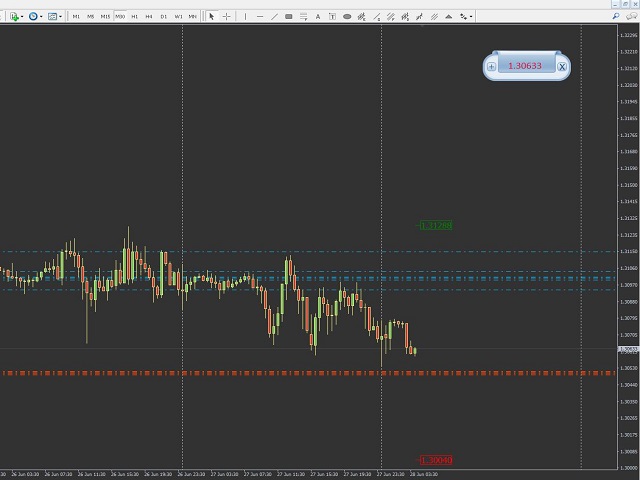
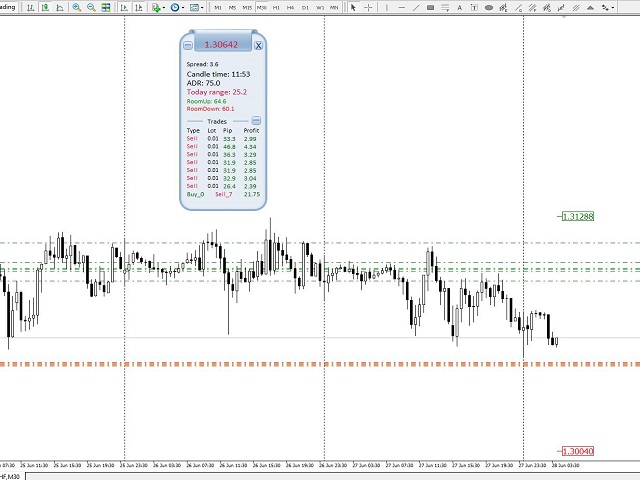
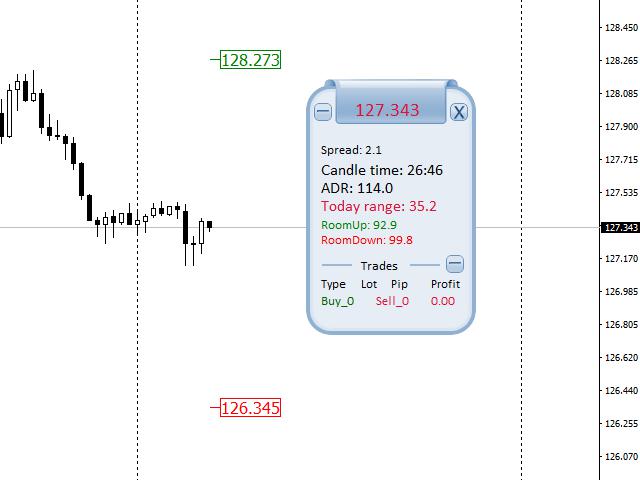
The panel is free-floating, grab with your mouse and move around on the chart with ease. Also the panel is collapsible so you can save space, and you can see only the information you wish.
There is three section to the panel, when is closed you can see the top section only.
Here the list of information you can see on the panel, from the top to bottom:
The first part of the panel:
- Price: The color is changing according to daily open level. The price above open, the color is,:DarkGreen. The price below open, the color is: Crimson. You can collapse the panel to only see this information.
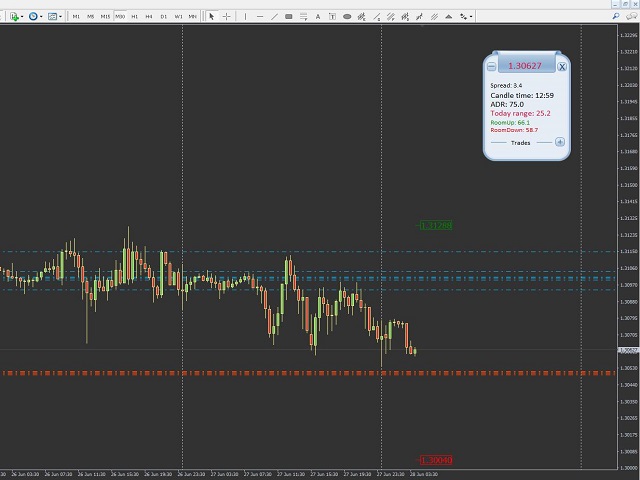
The second part of the panel: The daily data.
- Spread: The actual spread according to your broker.
- Candle time: The remaining time of the actual timeframe candle.
- ADR: The average daily range.
- Today range: the actual range the market moved on the current trading day. The color is changing according to daily open level. The price above open, the color is,:DarkGreen. The price below open, the color is: Crimson.
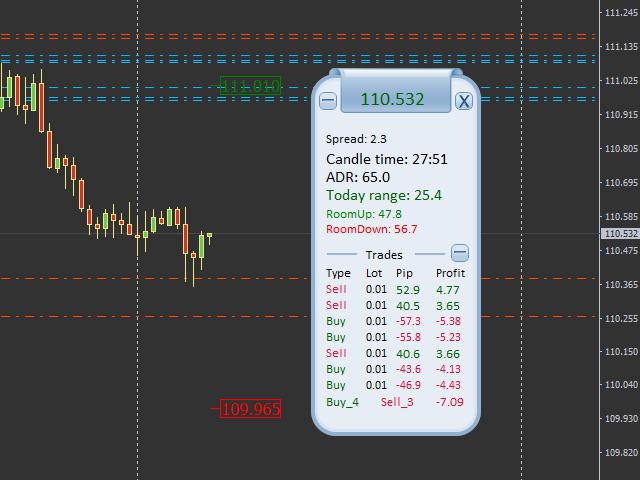
- RoomUp: Show the number of pips the market needs to move UP, to reach the ADR top level. On the chart a little label shows the actual price level for this data. Look above the current price. In the indicator menu you can choose not to see the label on the chart.
- RoomDown: Show the number of pips the market needs to move Down, to reach the ADR bottom level. On the chart a little label shows the actual price level for this data. Look below the current price. In the indicator menu you can choose not to see the label on the chart.
once the ADR level is reached on a current trading day, both the labels on the chart and the “RoomUp” and “RoomDown” lines on the panel changes color and became neutral/gray.
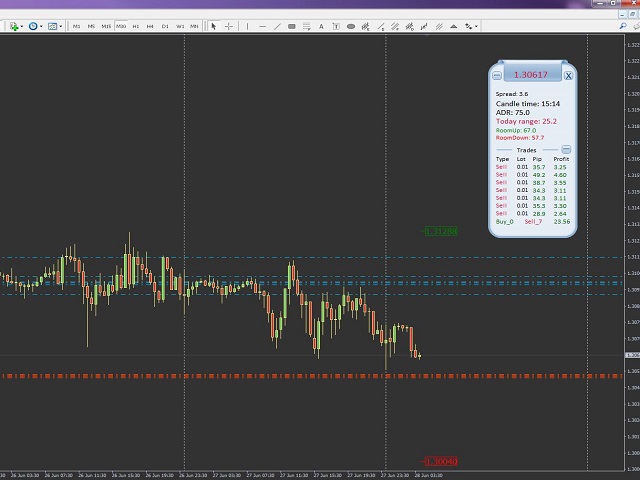
The third part of the panel: Trades
- You can collapse this section to make your panel smaller.
- Here you can see the current open trades, sorted by the opening time: The oldest is the first an so on.
- You can see what type of trade: SELL is Crimson color and BUY is DarkGreen color.
- You can see each trade, how many lot you trading.
- You can see the pips on any individual trade: Negative pips is Crimson color, the positive pips are DarkGreen color.
- You can see the profit: This is according to your broker account base currency. Also same colors like before for negative / loss, or positive / win amounts.
- The last line is the summary: You can see the total of your trades: How many BUY and how many SELL is open, and the actual profit /loss from all of the open trades on the chart. There is no pip amounts on the summary line.
Each section you can collapse or expand with the “+” or “– “buttons.
Please note: Cannot be back tested. The main panel background color is not editable.
Settings
- Draw rooms: true / false. This is where you can choose to have the ADR labels on the main chart,above and below the price.
- RoomUp line color: The top label color.
- RoomDown line color: The bottom label color.
- Room Neutral color: once the ADR range is meet, the labels change to this color.
- Room label size: size of the label on chart.


 nload="if(window.viewGallery_GalleryManager) viewGallery_GalleryManager.ImageonLoad(this,7);" />
本店最新上架
-
- MT4 MT5跟单EA 本地跟单远程跟单 绝不

- ¥1100.00
-
- 在MetaTrader市场购买MetaTrader 5的&#

- ¥3988.00
-
- 在MetaTrader市场购买MetaTrader 5的&#

- ¥3988.00
-
- 在MetaTrader市场购买MetaTrader 5的&#

- ¥3988.00
-
- 在MetaTrader市场购买MetaTrader 5的&#

- ¥3988.00
全网为您推荐
-
- AlgoTradeSoft

- ¥3988.00
-
- 国际期货套利软件

- ¥3988.00
-
- MT4 MT5跟单EA 本地跟单远程跟单 绝不
- ¥1100.00
-
- 在MetaTrader市场购买MetaTrader 5的&#
- ¥3988.00
-
- 在MetaTrader市场购买MetaTrader 5的&#
- ¥3988.00


